ProntoNet
What’s New
43
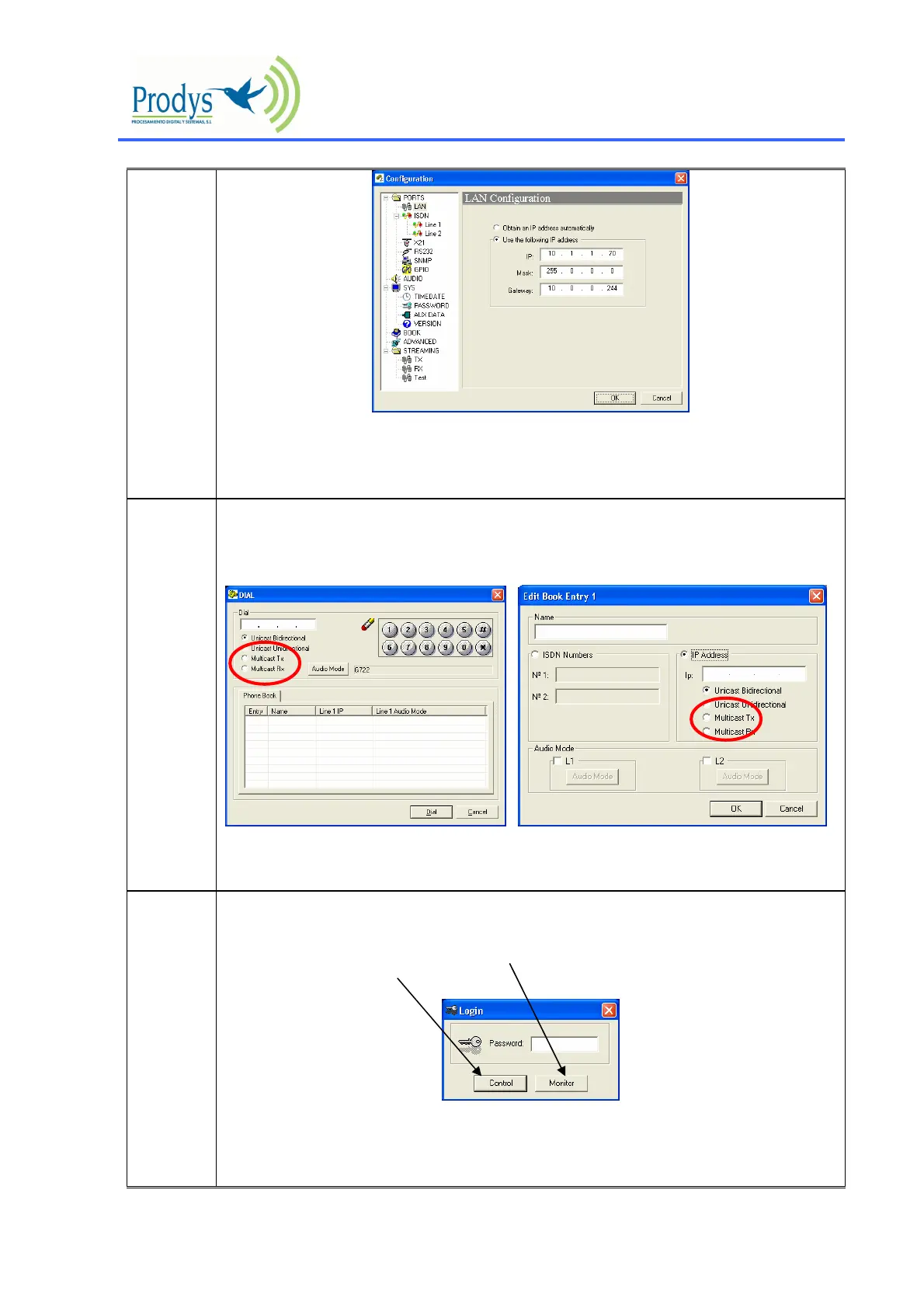
It is possible to check the assigned IP address from the frontal panel by using the INF key.
Please, make sure that the IP address has been assigned before continuing.
C
The way to select if a unit is multicast transmitter or receiver has been modified. Now
those parameters can be configured from:
a) the dial window
b) the phone book
This new feature provides more flexibility when setting a multicast connection because
from now on it will be possible to select them dynamically before calling.
N
New monitoring facility from the website: A new control system in the ProntoNet
has been implemented to allow the following:
1.- The unit can be controlled or only monitored from the website:
2.- The monitor option doesn’t have restrictions, that is, it is possible to have more than
one monitor working at the same time even when one control (the only one that it is
allowed) is on.



 To Next Page