Device Manual CANlink wireless
Operation
PROEMION GmbH | Phone: +49 661 9490-600 | Fax: +49 661 9490-666 | info@proemion.com | proemion.com | Version 1.0 96
© 2016RM MICHAELIDES● VX.X ● Device Manual CANlink 5000 series © 2016RM MICHAELIDES● VX.X ● Device Manual CANlink 5000 series © 2016 PROEMION GMBH > 1.0 EN > Device Manual CANlink wireless 3000 series
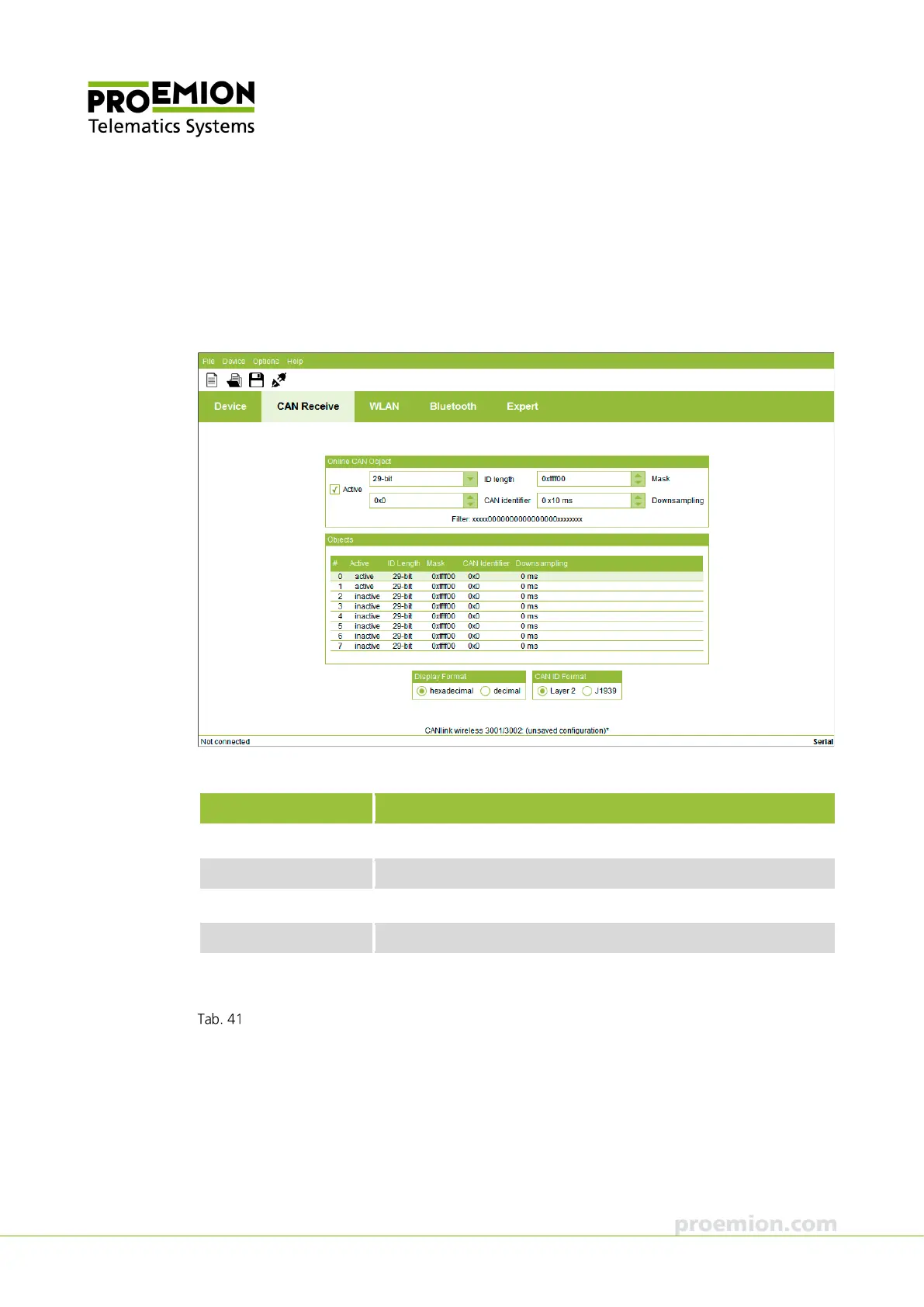
CAN RECEIVE TAB
In the OBJECTS field, select a filter definition for processing. There are maximum eight filter
definitions available. For details regarding the setting options, see chapter Filter received CAN
messages.
In the Online CAN Object field, define the filter parameters.
Parameter Description
CTIVE
Enable/disable reception filter.
LENGTH
Select the format of the CAN identifiers (11 bit or 29 bit).
IDENTIFIER
Input field for the CAN identifier.
ASK
Input field for the definition of the filter mask.
DOWNSAMPLING
Input field for the downsampling time in milliseconds.
Downsamling is possible in steps of 10 ms.
Online CAN object field
In the DISPLAY FORMAT field, switch between the display options HEXADECIMAL and DECIMAL.
In the CAN ID F
ORMAT field, switch between the LAYER 2 and J1939 CAN input masks.



 To Next Page