Device Manual CANlink wireless
Operation
PROEMION GmbH | Phone: +49 661 9490-600 | Fax: +49 661 9490-666 | info@proemion.com | proemion.com | Version 1.0 109
© 2016RM MICHAELIDES● VX.X ● Device Manual CANlink 5000 series © 2016RM MICHAELIDES● VX.X ● Device Manual CANlink 5000 series © 2016 PROEMION GMBH > 1.0 EN > Device Manual CANlink wireless 3000 series
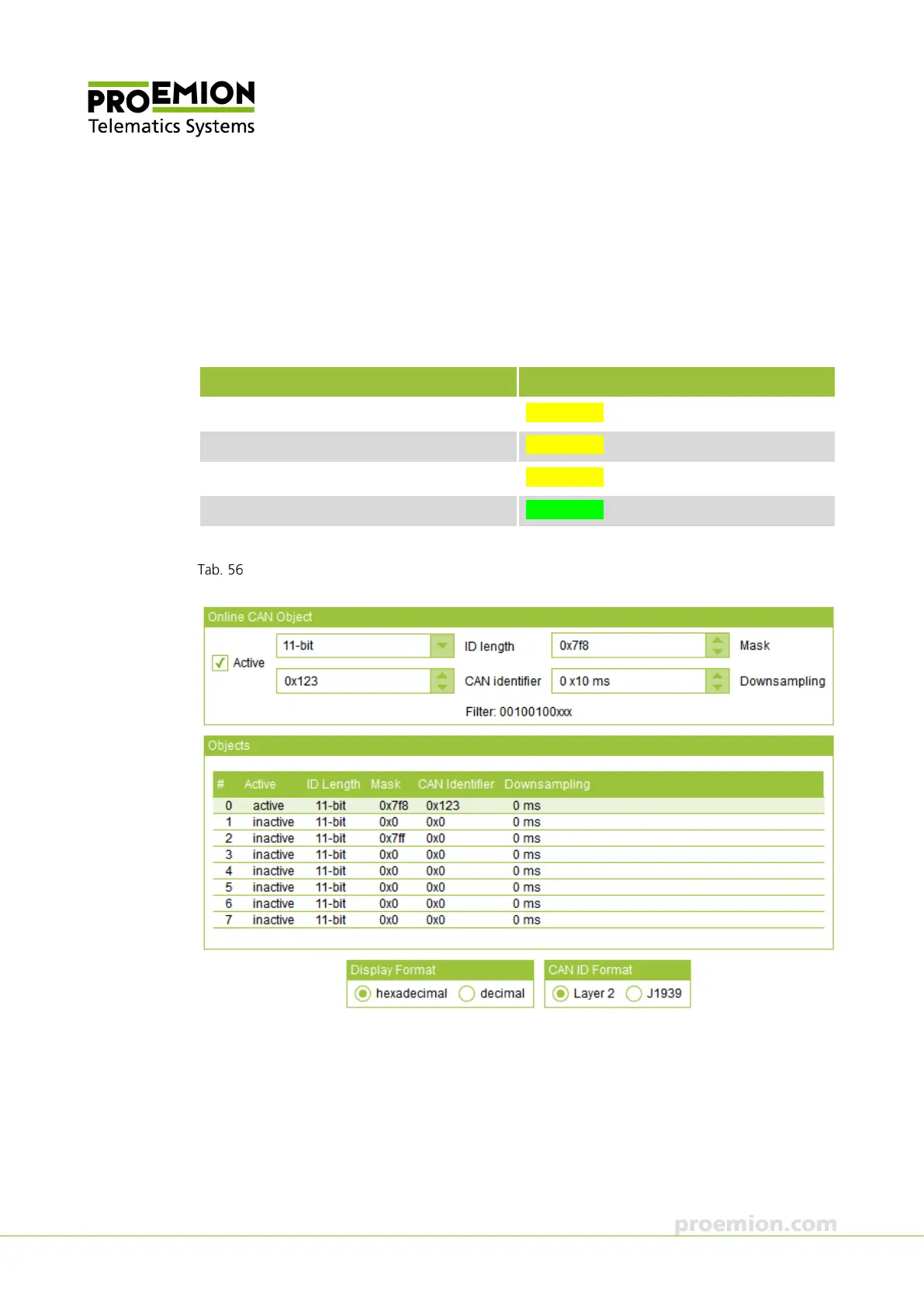
Example 2:
CAN messages with the CAN identifiers 0x123, 0x124, and 0x125 are transmitted. The required
filter mask must be determined using an XNOR gate. Other CAN messages that comply with the
filter mask (e.g. 0x120, 0x121, 0x122, etc.) are also received. CAN messages with other CAN
identifiers are forwarded to the next online CAN object.
Set the filter mask:
Online CAN object Binary
11-bit CAN identifier (hex): 0x123 001 0010 0011
11-bit CAN identifier (hex): 0x124 001 0010 0100
11-bit CAN identifier (hex): 0x125 001 0010 0101
XNOR gate for filter mask 111 1111 1000
Filter mask 0x7F8 (hex) 111 1111 1xxx
Example 2: filter mask for CAN messages



 To Next Page