5. Measured variable ("chlorine" in this
example)
6. Status line
Not all symbols are visible simultane‐
ously in the permanent display 1. The
scope of the symbols depends on what
is required.
6.4 Continuous display 2
100%
2.3
A0095_GB
0%
mea. val
feedfwd:
ctrlout:.
w =
5.0 ppm
Fig. 28: Continuous display 2
The continuous display 2 shows all the
currently required information from the
DULCOMETER
®
D1Cb / D1Cc controller.
Switch to other displays by pressing
or
or .
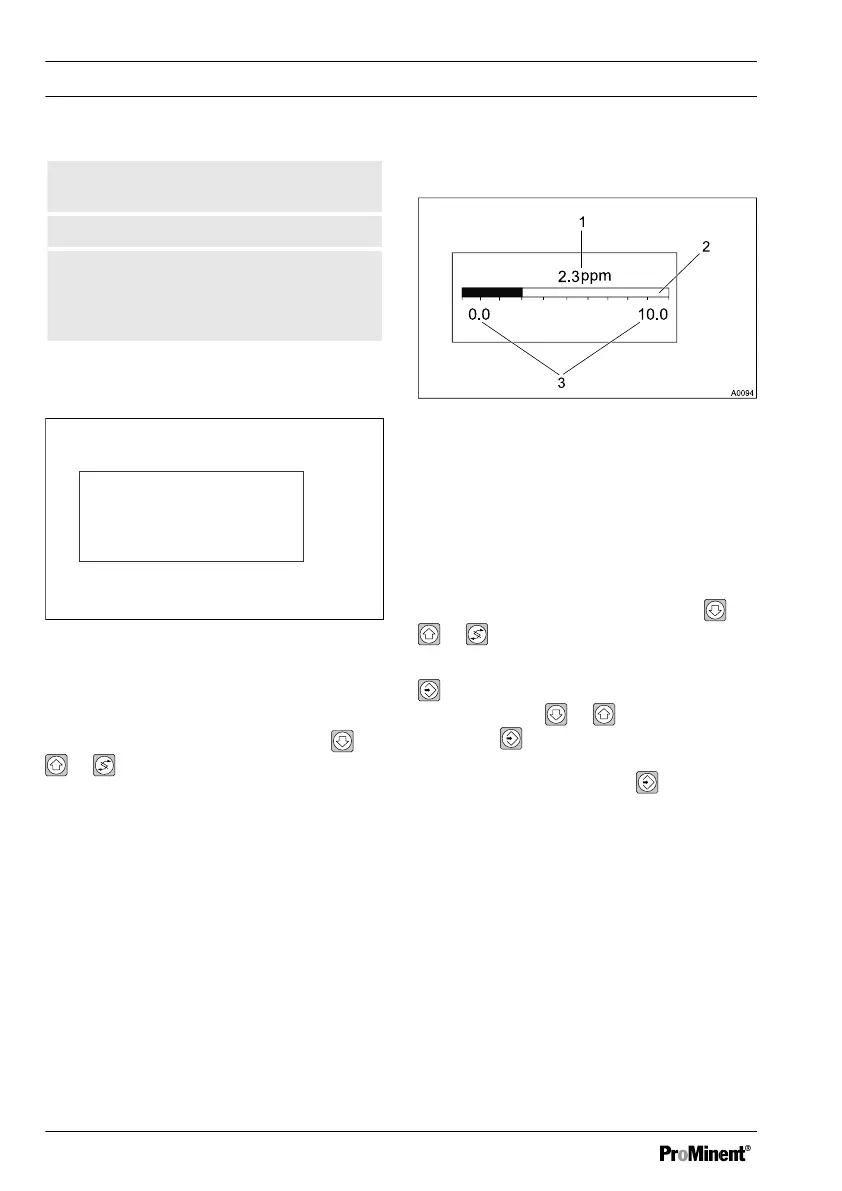
6.5 Continuous display 3
Fig. 29: Continuous display 3
1. Current measured value in plain text
2. Bar graph display shows the current
measured value in relation to the
lower and upper measured value
limits
3. Displays the upper and lower limit of
the display
Switch to other displays by pressing or
or .
To set the lower and upper value (3) press
. The left-hand value will flash and can
be set using the or . Confirm the
entry with . Likewise, switching
between the left- and right-hand values (3)
occurs by pressing the key
.
This setting only changes the display
range of the bar graph, as it were
"zooming in" to a smaller range to obtain a
better resolution of the display in the main
display range of the measurement.
Operating diagram/ Display Symbols
62














 To Next Page