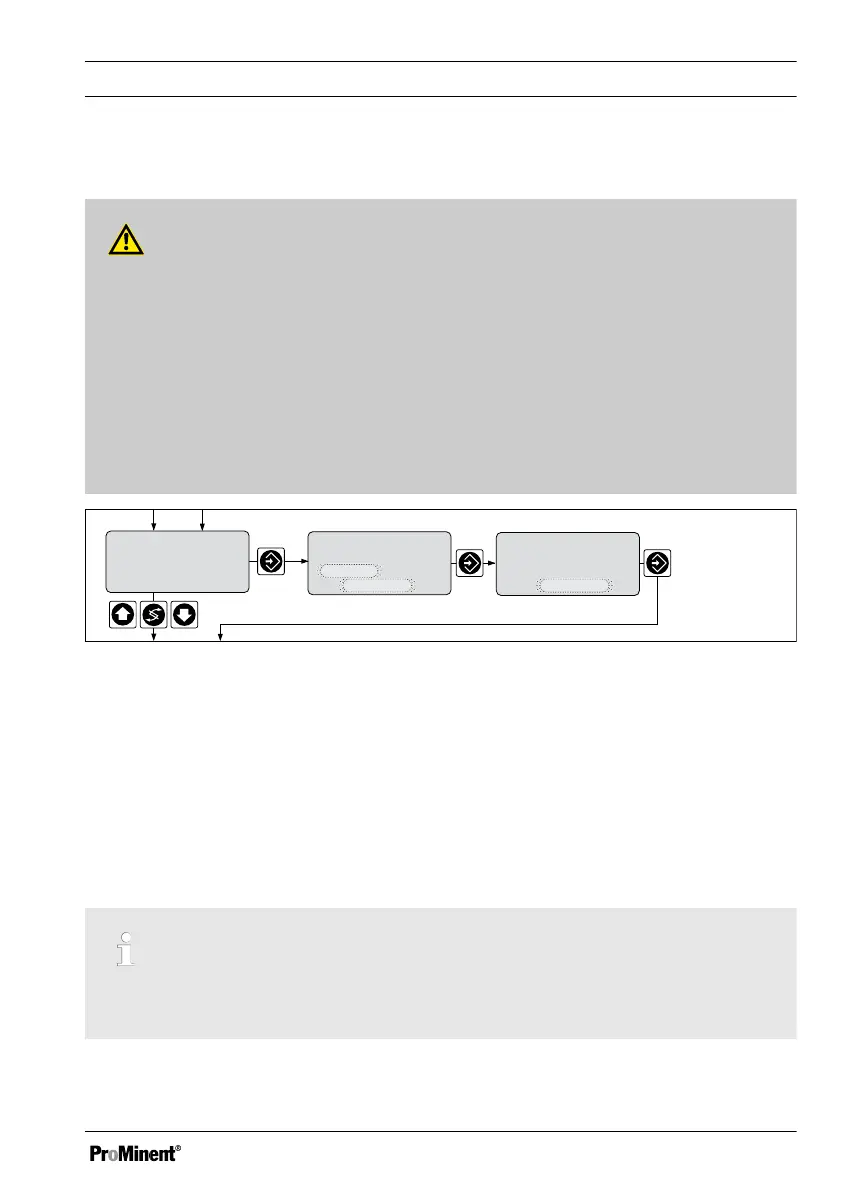
7.7 Setting the Measured value
WARNING!
Incorrect metering due to incorrect metering range
Possible consequence: Fatal or serious injuries.
– The measuring range of the sensor is essential for the measuring range!
–
If the assignment of the measuring range is modified, the settings must be
checked in all menus
– If the assignment of the measuring range is changed, the sensor must be recali‐
brated
– The relevant information can be found in the operating manual for the sensor/
measuring equipment
Standard signal input mA
measured value
setting ?
measured value
range adjustment
20 mA
=
2
.00 ppm
measured value
range adjustment
4 m
A
= 0.00 ppm
A0019_GB
Fig. 39: Measured value
This setting is solely for matching the DULCOMETER
®
D1Cb / D1Cc to the sensors of
third party suppliers. Sensors provided by third party providers may have measuring
ranges, which deviate from the default settings of the DULCOMETER
®
D1Cb / D1Cc.
To match a sensor from Prominent to the DULCOMETER
®
D1Cb / D1Cc, please only
use the menu under
‘General Settings’
, see
Ä Chapter 5.1.2 ‘Selection of the Measured
Variable and Measuring Range’ on page 54
7.8 Correcting value
Only necessary when using the DULCOTEST
®
CDP sensor for chlorine dioxide
ClO
2
.
Measured Variables and Operating Menus for Amperometric Sensors
79














 To Next Page