7.2.6 AUTOMATION INPUT CONFIGURATION PAGE.
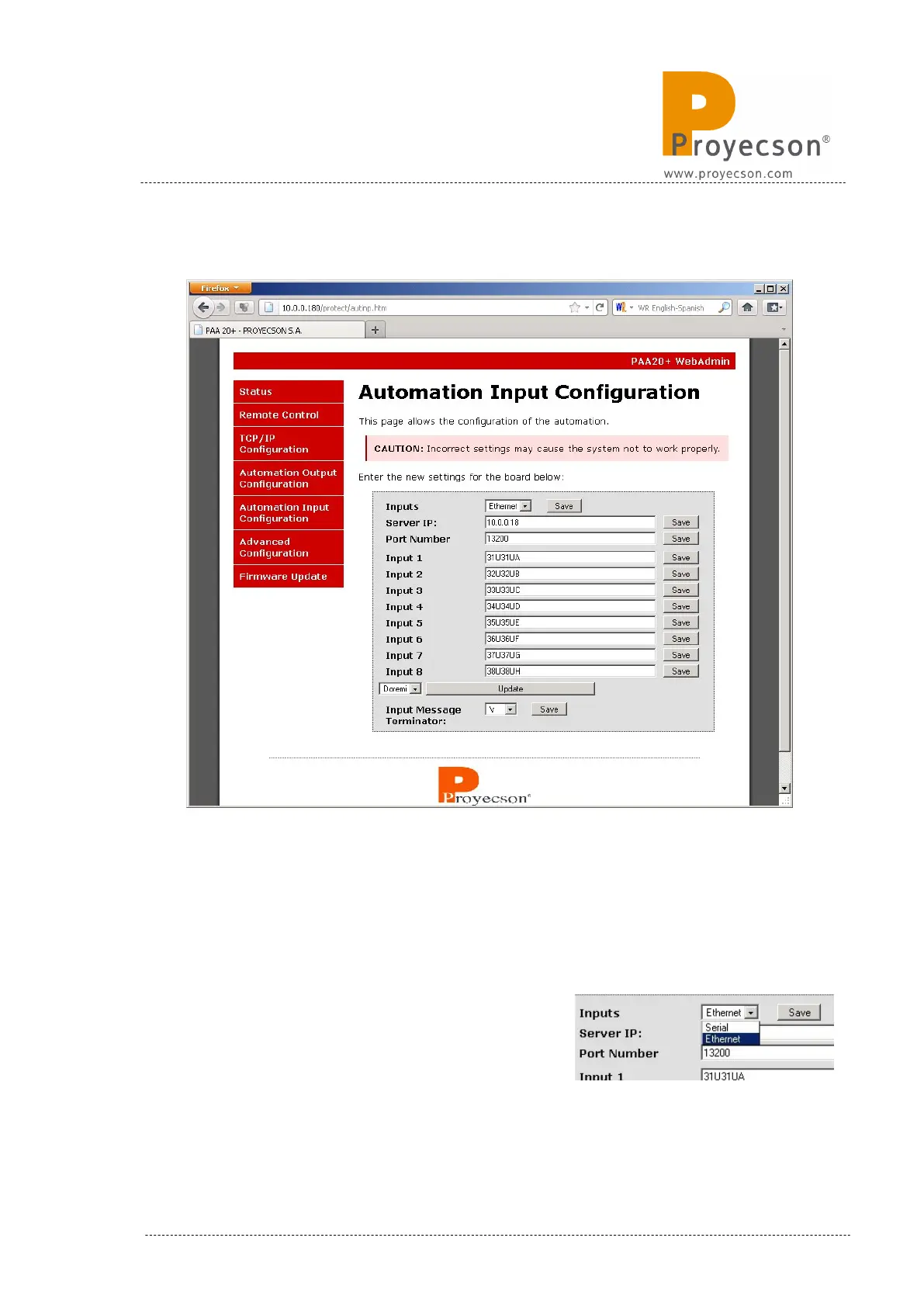
Figure 7.2.6A
The Automation Input Configuration page is the interface to setup the
messages sent to the server. Figure 7.2.6A shows a snapshoot of the page.
Values shown in the figure are factory defaults.
To store changes proceed as in the previous page.
Inputs: Field to choose if you want to send
cue messages via the Ethernet interface or the
Serial interface. Figure 7.2.6B shows
selection tab to do so.
INSTALLATION MANUAL: PAA20+ V 2.0 (10/2021) 33



 To Next Page