External Device Settings
3. Press the Right button until “Port A Config” displays.
4. Press the Down button to select “Port A Config.”
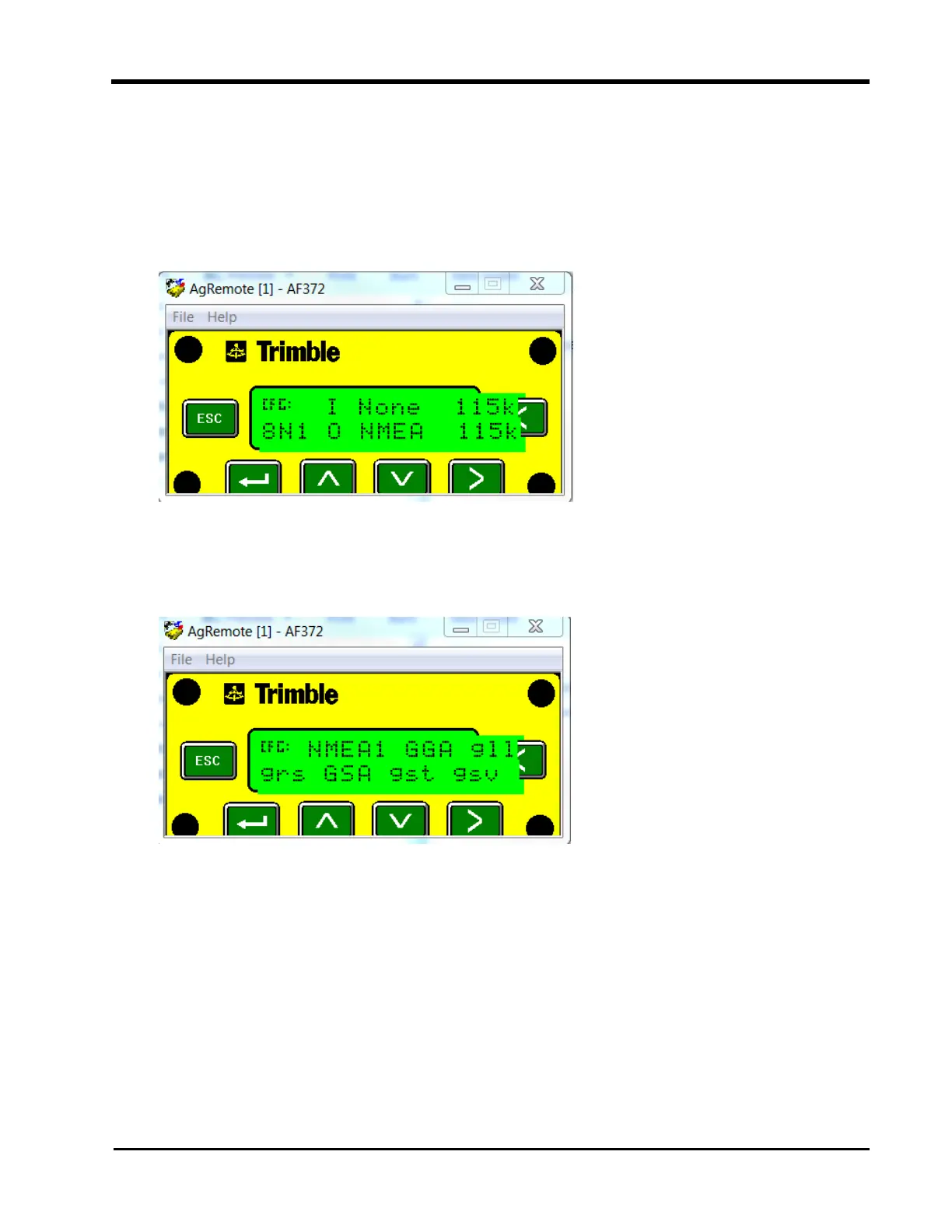
5. Verify the Input (I) messages are set to None and the baud rate is set to 115k.
6. Verify the Output (O) messages are set to 8N1 and that the NEMA and baud rates are
set to 115k.
7. Press the Enter button to save the settings.
8. Press the Down button until “NEMA1” displays.
9. Verify GGA and GSA are capitalized so they are on.
10. Press the Enter button to save the settings.
11. Press the Down button until “NEMA2” displays.
49







 To Next Page