31
Equipment Operation
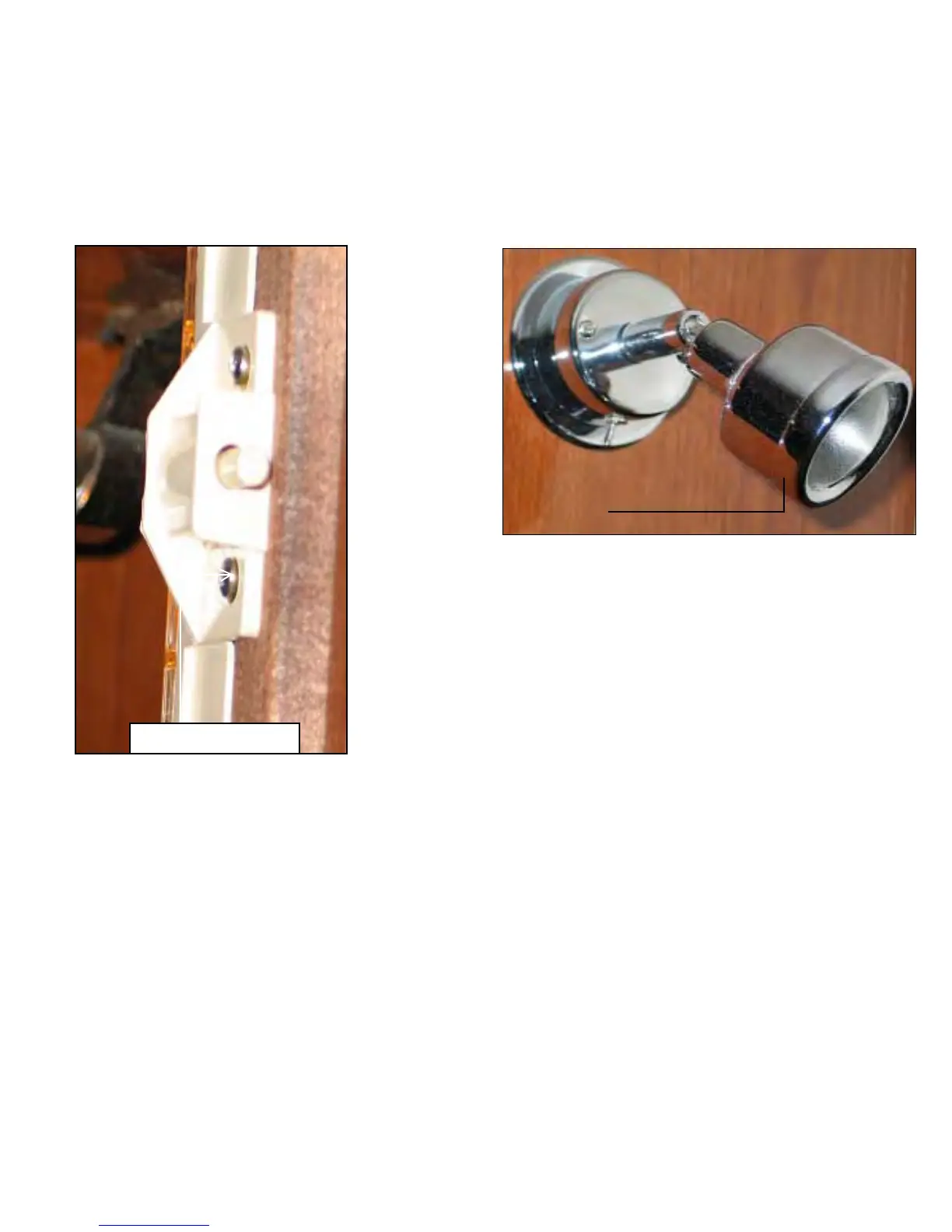
To change a hanging locker light bulb follow these steps:
♦♦
♦♦
♦
Remove the lens cover from the lamp base. There is a
tab on the bottom of the lens cover. Push the lens cover
at this point to remove the lens cover.
♦♦
♦♦
♦
Remove the defective bulb.
♦♦
♦♦
♦
Replace the bulb with a 12 volt halogen lamp type #
563.
♦♦
♦♦
♦
Reinstall the lens cover by snapping it in place.
HANGING LOCKER LIGHTS
READING LIGHTS
To change a reading light bulb follow these steps:
♦♦
♦♦
♦
Remove the lens cover from the lamp base by turning
the lens cover counterclockwise slightly and while in this
position pull the lens cover out at the lamp body notches.
♦♦
♦♦
♦
Remove the defective bulb.
♦♦
♦♦
♦
Replace with a 12 volt halogen bulb # 10WXH.
♦♦
♦♦
♦
Reistall the lens cover by first lining it up with the
notches on the lamp body. Let the lens cover/body enter
the notched area and then lock it in place by turning it
clockwise.
Notched Area
Here Under Cover
Lens
Cover
Lens Cover Removed





 To Next Page