53
Equipment Operation
Listening to the audio during a call
Press the SRC button.
The “Call” display disappeas and the audio system comes
back on.
When the call ends
Hang up the phone.
The “Call” display disappears and the audio system comes
back ON.
To use the TELE feature, you need to hook up the MUTE
wire to your telephone using a commercial telephone acces-
sory. Refer to connection wires to terminals in the Kenwood
stereo manual.
Selecting the station.
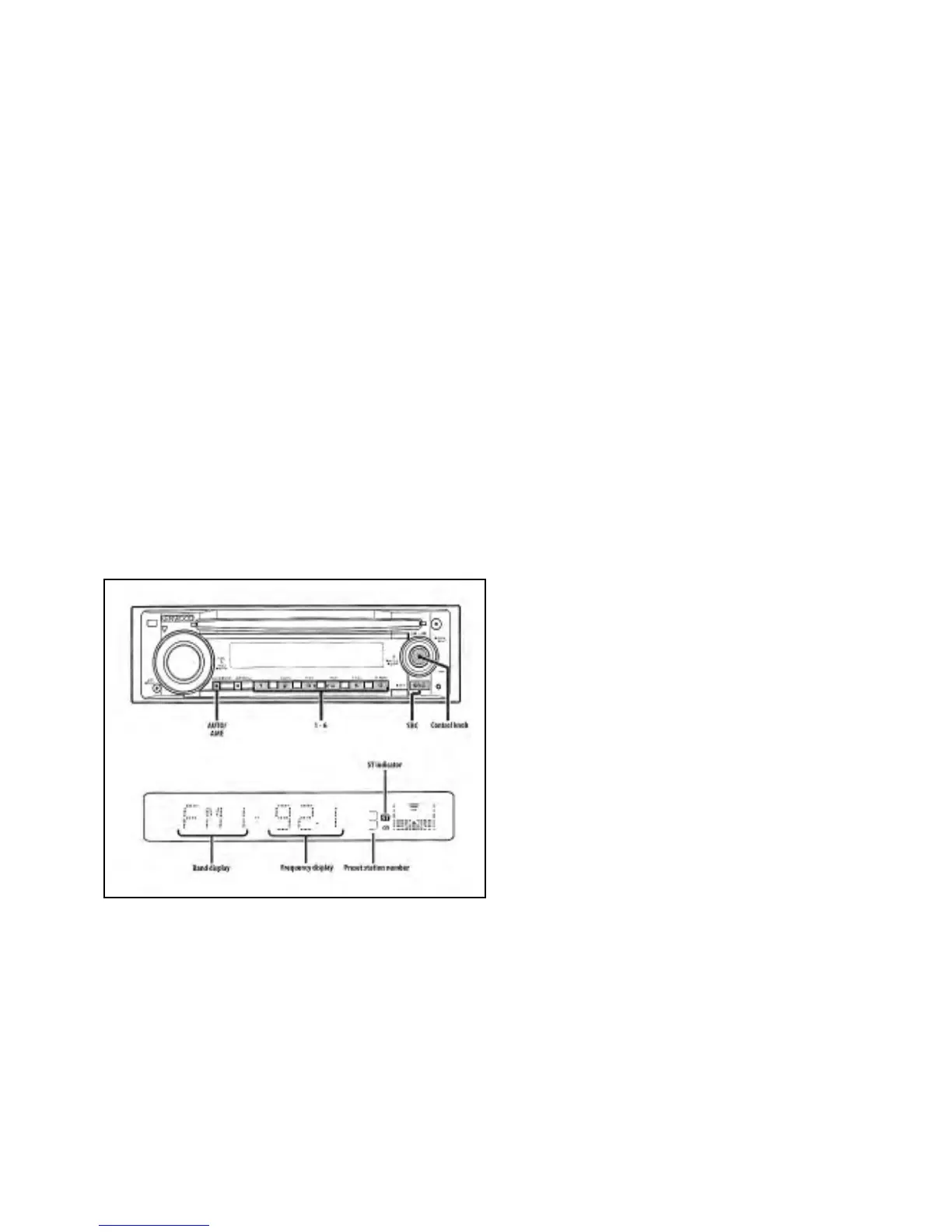
First select the tuner source by pressing the SRC button. Se-
lect the tuner display.
Select the band.
Push the CONTROL knob towards FM or AM.
Each time you push the knob toward FM, it switches be-
tween FM1, FM2, or FM3 bands.
Tune up or down a band.
Push the CONTROL knob towards<< or >>.
During reception of stereo stations the “ST” indicator is en-
ergized
Tuning Mode
Choose the tuning mode.
Press the AUTO button.
Each time you press the auto button, the TUNING mode
alternates between the modes as shown below.
T
uning Mode
Display
Operation
Auto Seek “AUTO1” Auto station
search
Preset station seek “AUTO 2 Search in the or
der of the stations
in the Preset
memory
Manual “MANUAL” Normal manual
tuning control
TUNING FEATURES
TUNING





 To Next Page