17B-7
PETROL INJECTION
Petrol injection computer: Removal - Refitting
F4R or K4M
17B
REMOVAL
I - REMOVAL PREPARATION OPERATION
a Apply the procedure before repair using the dia-
gnostic tool :
-connect the diagnostic tool,
-select « petrol injection computer » ,
-go to repair mode,
-display the « before repair procedure » on the se-
lected computer,
-carry out the operations described in the
« procedure before repair » section.
a Disconnect the battery (see Battery: Removal - Re-
fitting) (80A, Battery).
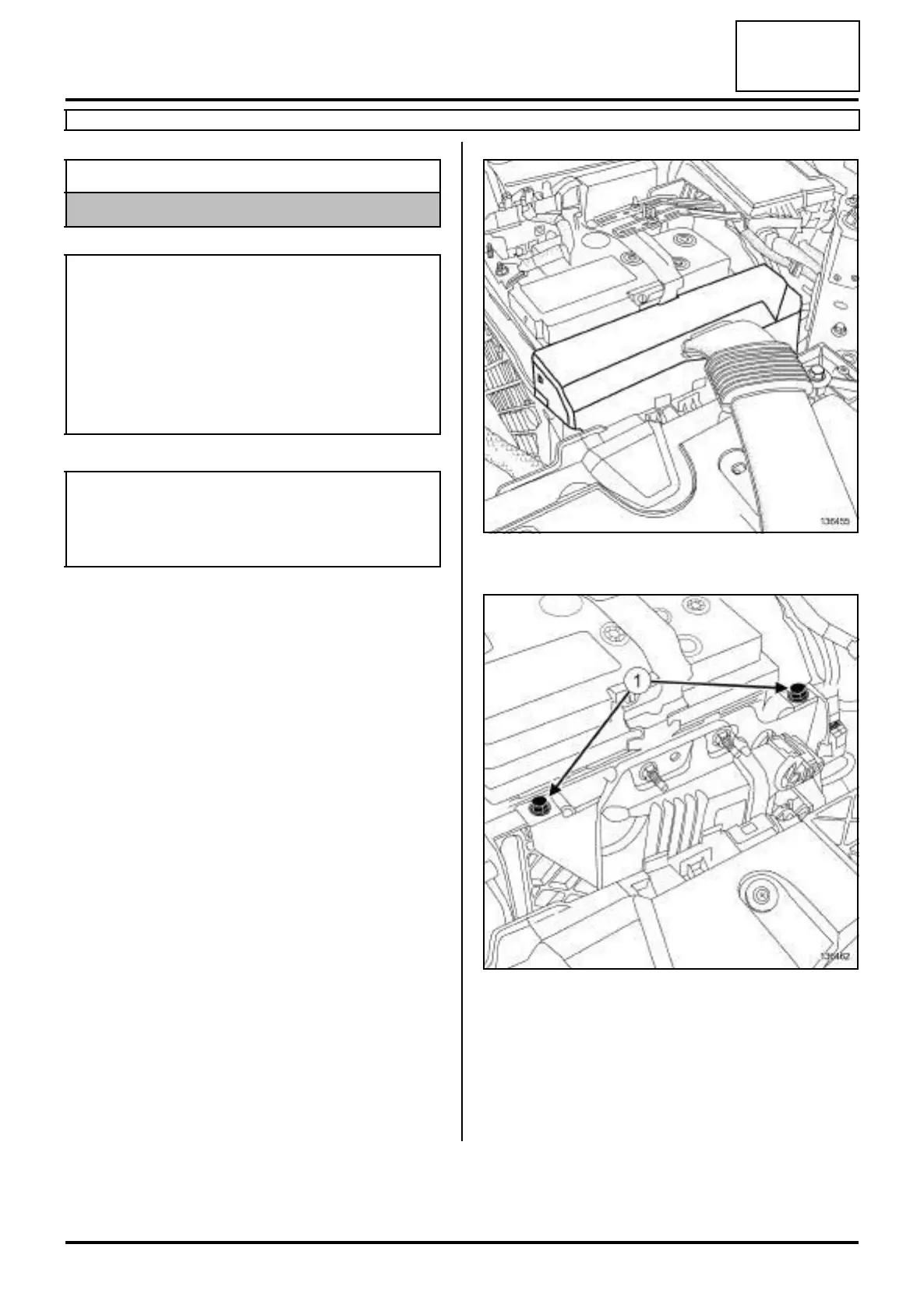
a Remove the cover of the petrol injection computer.
a Remove the bolts (1) of the petrol injection computer
from the battery tray.
II - REMOVAL OPERATION FOR PART
CONCERNED
a Move aside the petrol injection computer support
with the petrol injection computer.
Essential equipment
diagnostic tool
WARNING
Do not use any product designed to improve the
electrical contact in the injection computer and oxy-
gen sensor connectors or on the bodies of the oxy-
gen sensors.
Failure to respect this advice causes the oxygen
sensor to malfunction and results in failure to com-
ply with the emission control standard.
WARNING
If the connections are corroded, repair the wiring
(see Wiring: Precautions for repair) (Technical
Note 6015A, 88A, Wiring).
136455
136462


 To Next Page