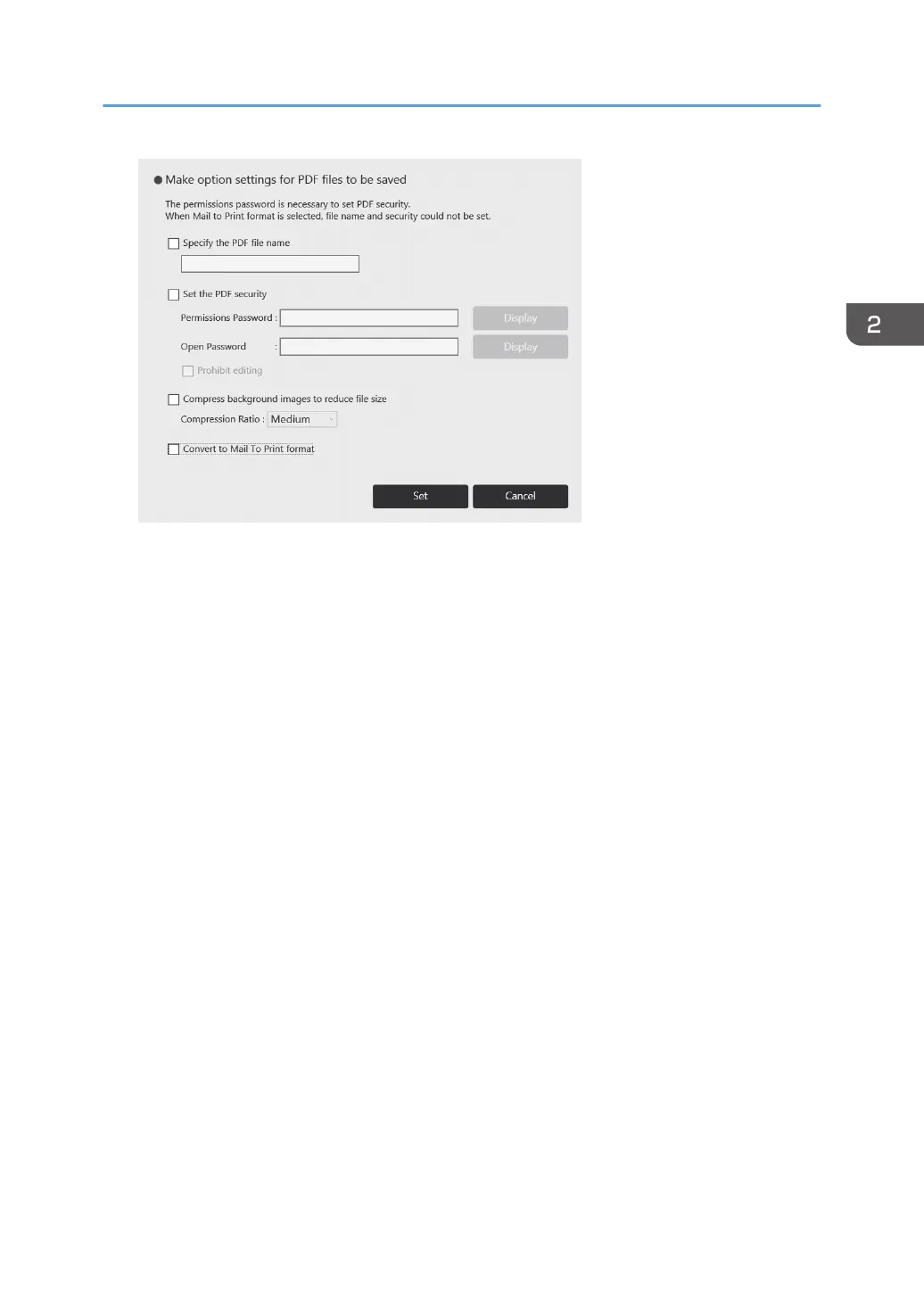
• To change the file name, select [Specify the PDF file name], enter a new file name (up to 100
alpha-numeric Unicode characters (UTF-8), excluding \, /, ?, :, *, ", >, <) using the touch
keyboard.
• To specify a password for a PDF file, select the [Set the PDF security] checkbox, and then
enter the [Permissions Password] and [Open Password] (up to 32 alphanumeric characters
each) using the touch keyboard. When entering the password, you can choose whether to
show or hide the password in the password box by touching [Display] or [Hide].
You must specify the [Permissions Password] to specify the [Open Password].
• A password-protected PDF file cannot be read again by the machine.
• To prohibit editing of the PDF file, select the [Prohibit editing] checkbox.
You must specify the [Permissions Password] to select the [Prohibit editing] checkbox.
• To reduce the file size when saving pages, select the [Compress background images to
reduce file size] check box, and then select [High], [Medium] or [Low] in [Compression Ratio].
• To use the Mail to Print function, select the [Convert to Mail To Print format] checkbox.
When the Mail to Print function is used, a password cannot be specified to a PDF, and editing
of a PDF file cannot be prohibited.
For details about the Mail to Print function, see page 66 "Printing pages by specifying the
multifunction printer (Mail to Print function)".
4. Touch [Set].
5. Specify the destination.
For details about how to specify destinations, see page 67 "Specifying Destinations".
6. Touch [Send].
Operating a File
65



 To Next Page