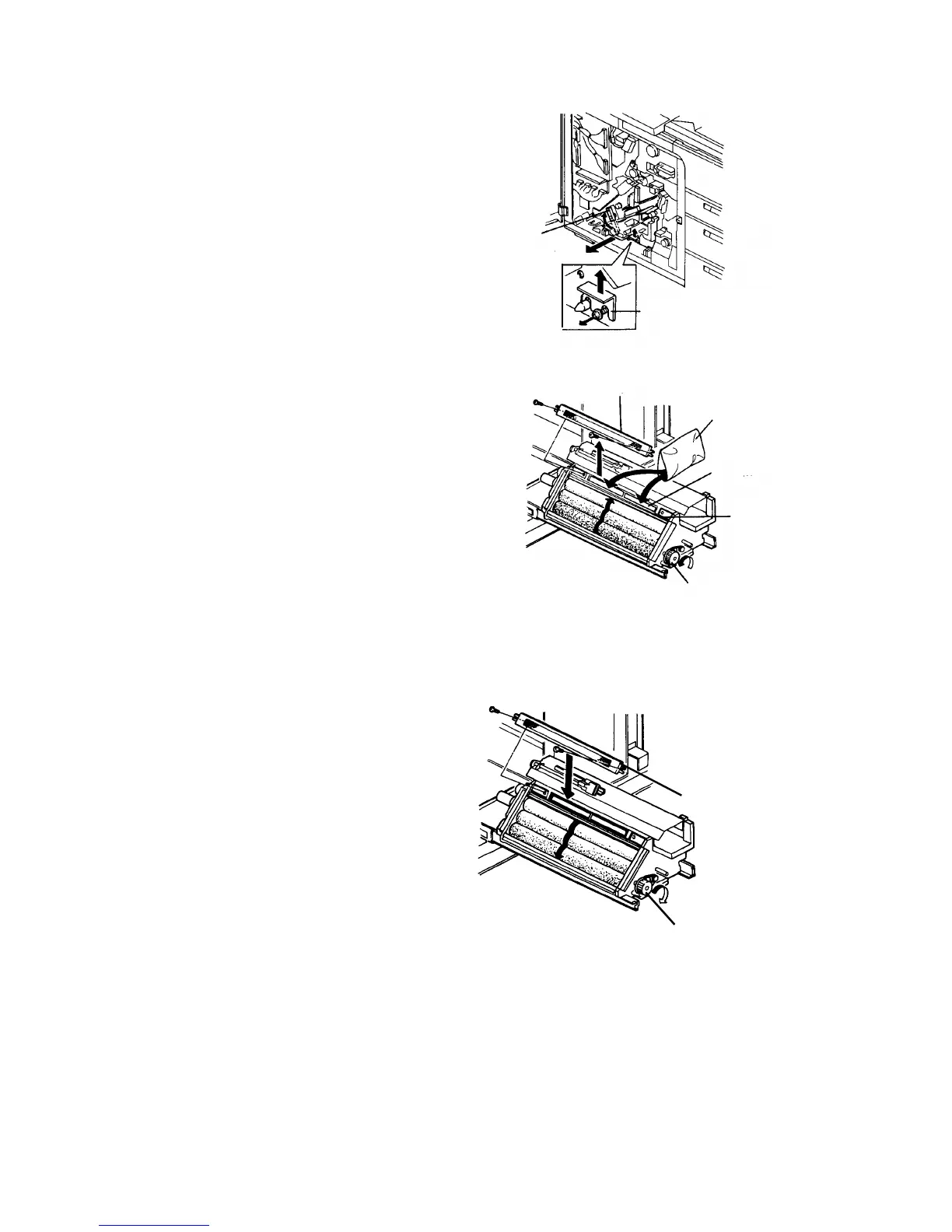
1.2.3 Setting up the copier
1.
Release the development backup rollers by the
lever, and remove the development unit fixing
bracket. Then, slide out the unit.
2.
Remove the filter cover from the developer supply
port (2 screws). While turning the development
knob in the direction opposite to the arrow, put in 4
bags (1 kg/bag) of developer from the supply port.
CAUTION
• Clean off the developer on the unit casing.
It may touch the OPC surface.
• Do not put in another compound (cleaning
carrier, etc.) by mistake.
3.
Reinstall the filter cover.
4.
Turn the development knob in the direction of the
arrow and return the developer from the
development roller to the unit inside.
Development
backup lever
Fixing bracket
Filter cover
Developer
Developer
supply port
Casing
Development knobDevelopment knob
Filter cover
Development knob
1 July 1994 Copier Installation
1-7













 To Next Page