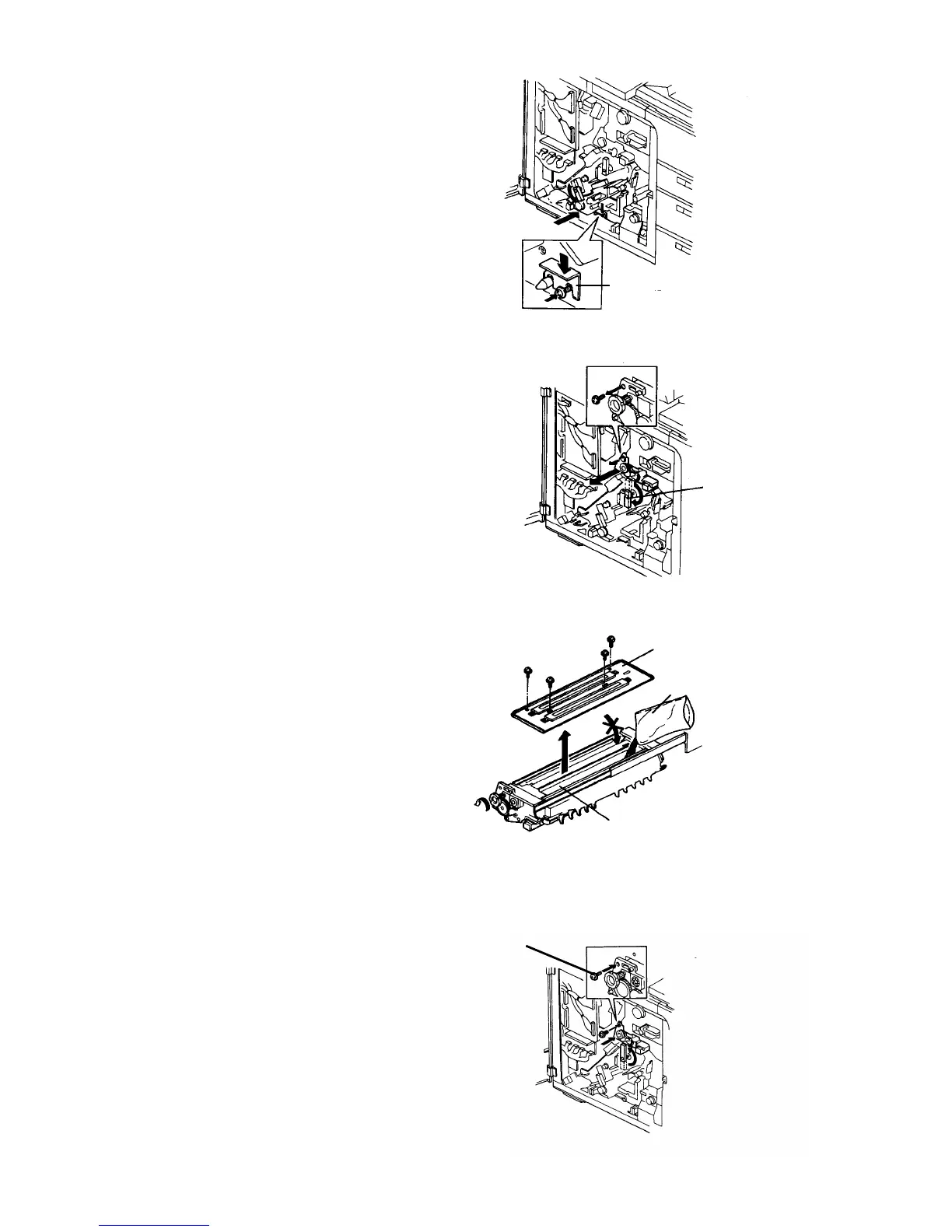
5.
Slide in the development unit, and fix it with the
fixing bracket.
6.
Release the cleaning backup roller by the lever,
and remove the cleaning fixing screw to pull out
the cleaning unit.
7.
Remove the upper cover from the cleaning unit (4
screws). Put in one bag of cleaning carrier (700 g)
on the cleaning roller (right side of the unit).
CAUTION
• Be sure that the carrier is not in the
scavenging roller side.
• Do not put in another compound by
mistake, such as developer, etc.
• Distribute the carrier evenly by turning the
knob. This unit has no agitation mechanism
as the development unit does.
8.
Close the upper cover, set the unit in the main
body, and secure it with the fixing screw.
Fixing bracket
Cleaning fixing screw
Cleaning
backup lever
Upper cover
Cleaning carrier
Cleaning roller
Fixing screw
Copier Installation 1 July 1994
1-8













 To Next Page