2.10 Duplex/Exit Unit
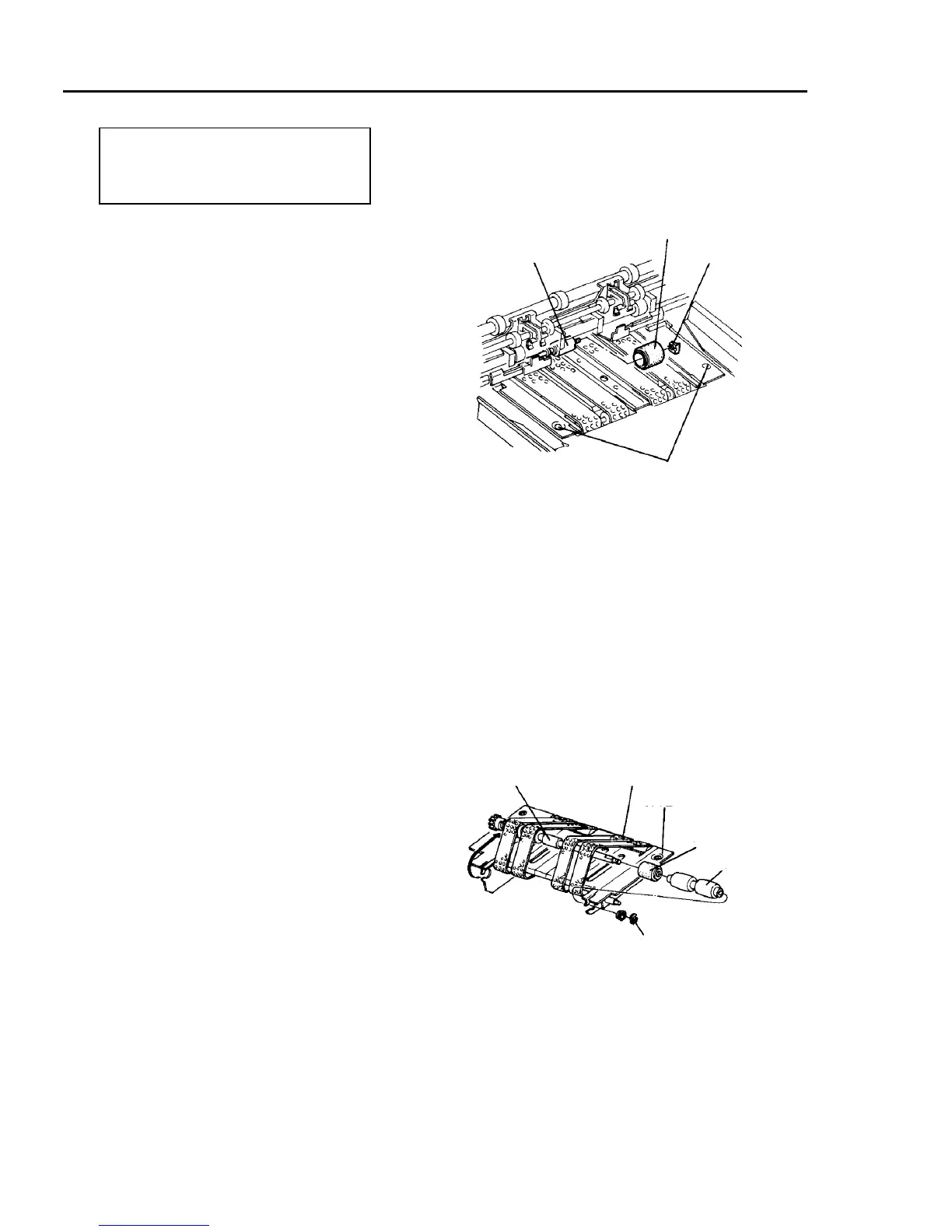
2.10.1 Replacing the duplex feed and reverse rollers
PM cycle: Clean the transport belts every
400K.
Replace the duplex feed and reverse
rollers every 600K.
1. Before turning off the main switch, move the
duplex tray side fences to their maximum
positions. Access the service tool [5-05], and press
A3 key.
CAUTION
Do not move the side fences manually. The
timing belt behind the fences might slip out of
the pulleys.
2. Turn off the main switch, and open the copy tray.
3. Raise the exit transport guide.
4. Remove one screw each from the front and rear to
open the duplex entrance junction guide above the
duplex feed unit.
5. Remove the stop ring, and replace the reverse
roller.
CAUTION
Avoid touching the surface of new duplex feed
and reverse rollers.
6. Remove the duplex transport belt unit (one flat
head screw on the rear and one pan head screw
on the front).
7. Remove the stop ring from the front side of the
drive roller shaft and remove the bearing.
8. Pull the drive roller shaft out and bring it onto the
transport guide.
9. Remove the front side of the drive roller and
replace the duplex feed roller.
10. Reassemble in the reverse order.
NOTE
• Turn the drive roller by hand before the duplex
transport belt unit is fitted to the copier, and
bring the transport belt to the center of each
drive roller.
• When you only want to clean the belt, you do
not have to remove the unit.
Torque limiter
Reverse roller
Stop ring
Unit fixing screws
Drive roller shaft
Duplex transport belt
Transport guide
Duplex feed roller
Drive roller
Stop ring













 To Next Page