9. Check the side-to-side registration in the ADF
mode after the machine is in the stand-by
condition.
Replacing the original size sensor
1. Remove the original table.
2. Remove the sensor (2 screws) from under the
original table, and replace it.
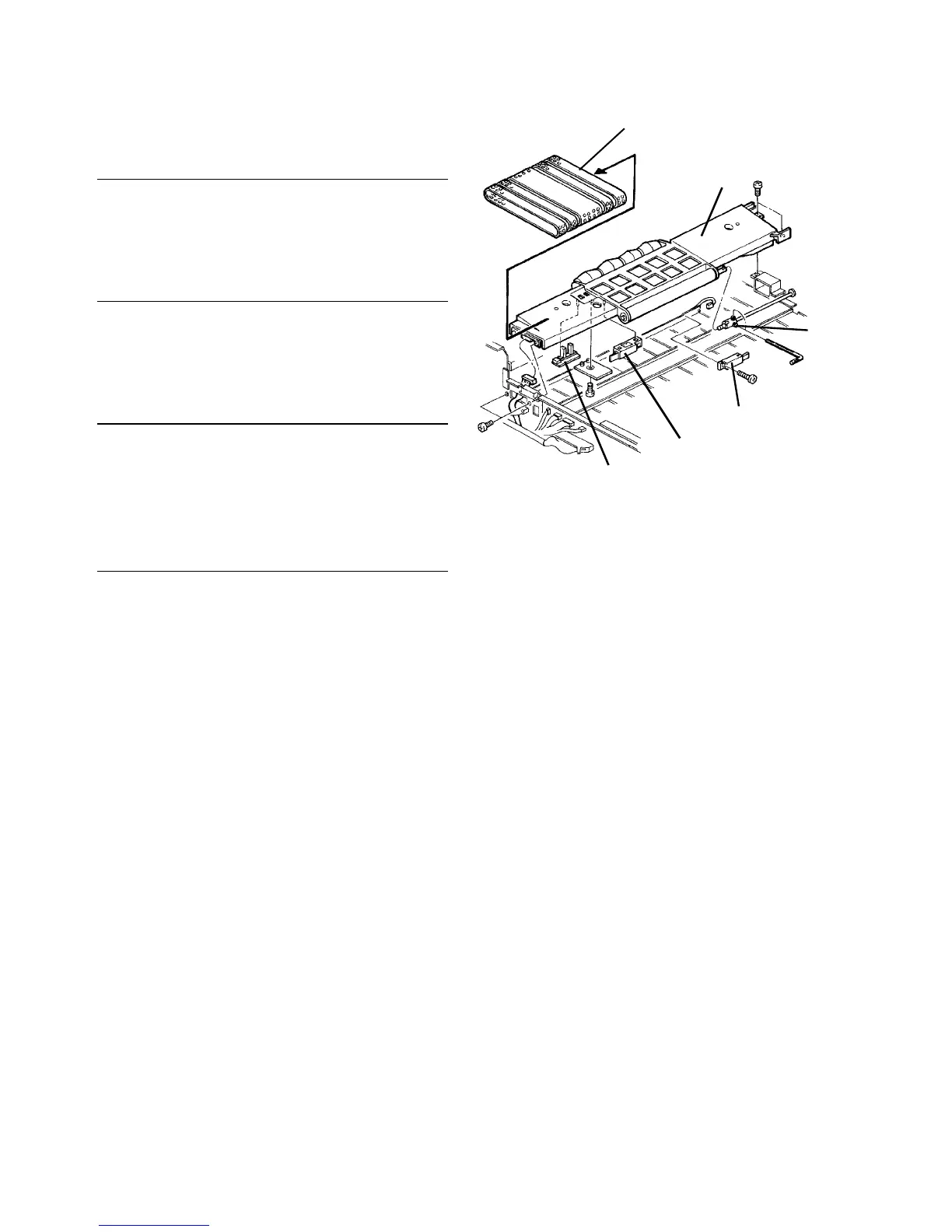
Replacing the vacuum belts
1. Remove the original table and vacuum belt unit.
2. Slide the five vacuum belts off the unit, and
replace them all at the same time.
Replacing the original set and recycle arm sensors
1. Remove the original table and vacuum belt unit.
2. Remove the vacuum belts.
3. Remove the sensors (one screw and connector
each), and replace them.
Replacing the 1st transport sensor
1. Remove the original table and vacuum belt unit.
2. Remove the sensor behind the vacuum belt unit
(one screw and connector), and replace it.
Vacuum belts
Vacuum belt unit
Belt
drive
joint
1st transport sensor
Original set sensor
Recycle arm sensor




 To Next Page