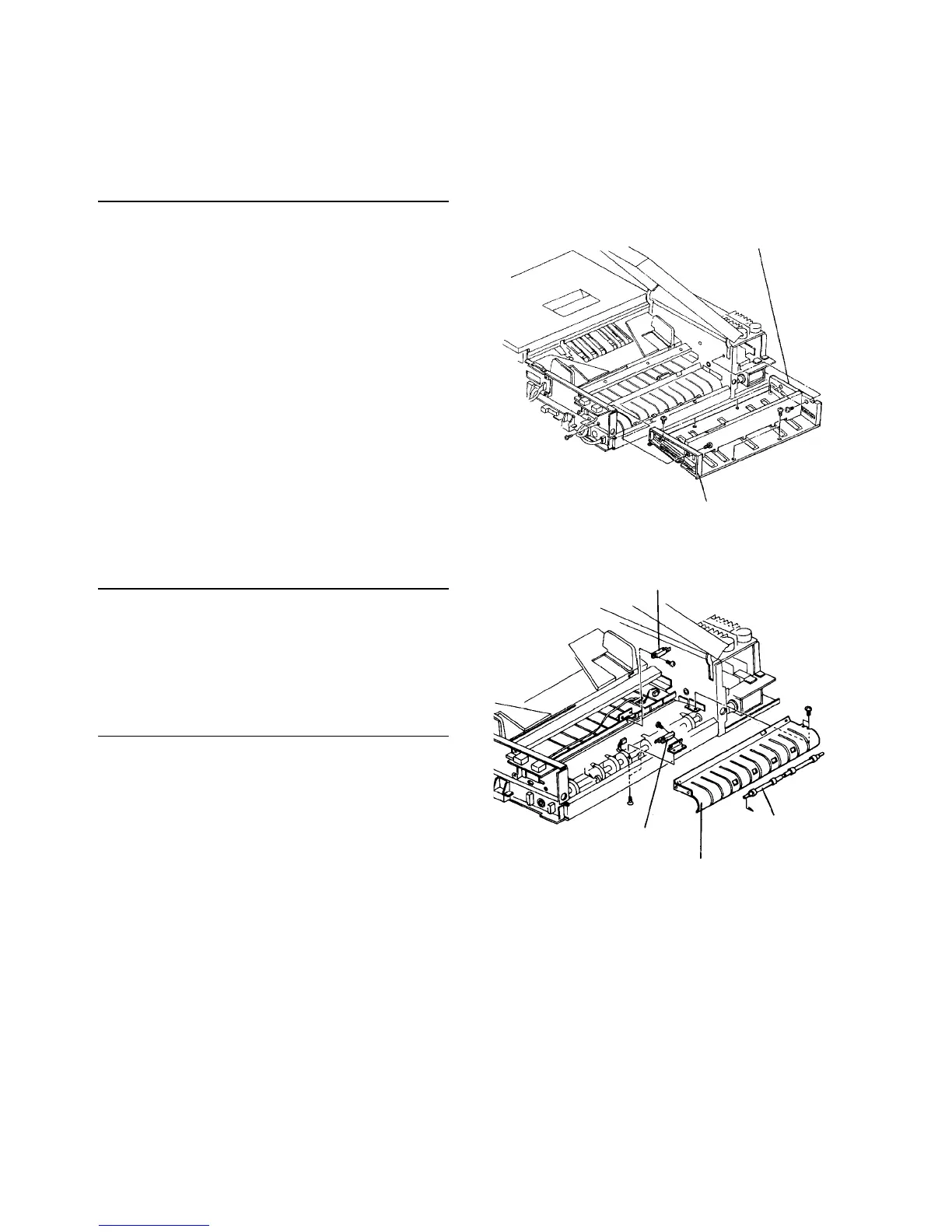
2.11.4 Replacing parts under the original end fence unit
Follow this procedure to replace these items:
• 2nd transport sensor
• Registration sensor
Removing the original end fence unit
1. Turn off the main switch, and open the original
table cover.
2. Remove two screw from the rear unit side fence
and a screw from the front.
3. Remove the original end fence unit (2 flat head
screws on the left side and 4 pan head screws on
the right side).
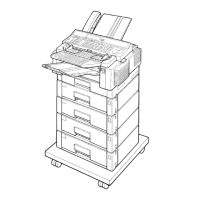
Replacing the 2nd transport sensor
1. Remove the original end fence unit.
2. Remove the 2nd transport sensor (one screw and
connector), and replace it.
3. Reassemble in the reverse order.
Replacing the registration sensor
1. Remove the original table cover (2 flat head
screws each on the right and left hinges).
2. Remove the original end fence unit.
3. Remove the ADF front cover (3 plated screws on
the top and 4 on the bottom).
4. Remove two screws fixing the right turn guide from
the front side of the ADF.
5. Remove two screws on the rear side of the right
turn guide from the top.
6. Push down the three pressure arms and remove
the driven roller unit for the right turn rollers.
7. Pull out the right turn guide upwards.
8. Raise the ADF and remove the registration sensor
(2 flat head screws) from under the ADF unit.
9. Replace the sensor, and reassemble in the
reverse order.
Rear unit side fence
Front unit side fence
2nd transport sensor
Driven roller unit
Right turn guide
Registration sensor




 To Next Page