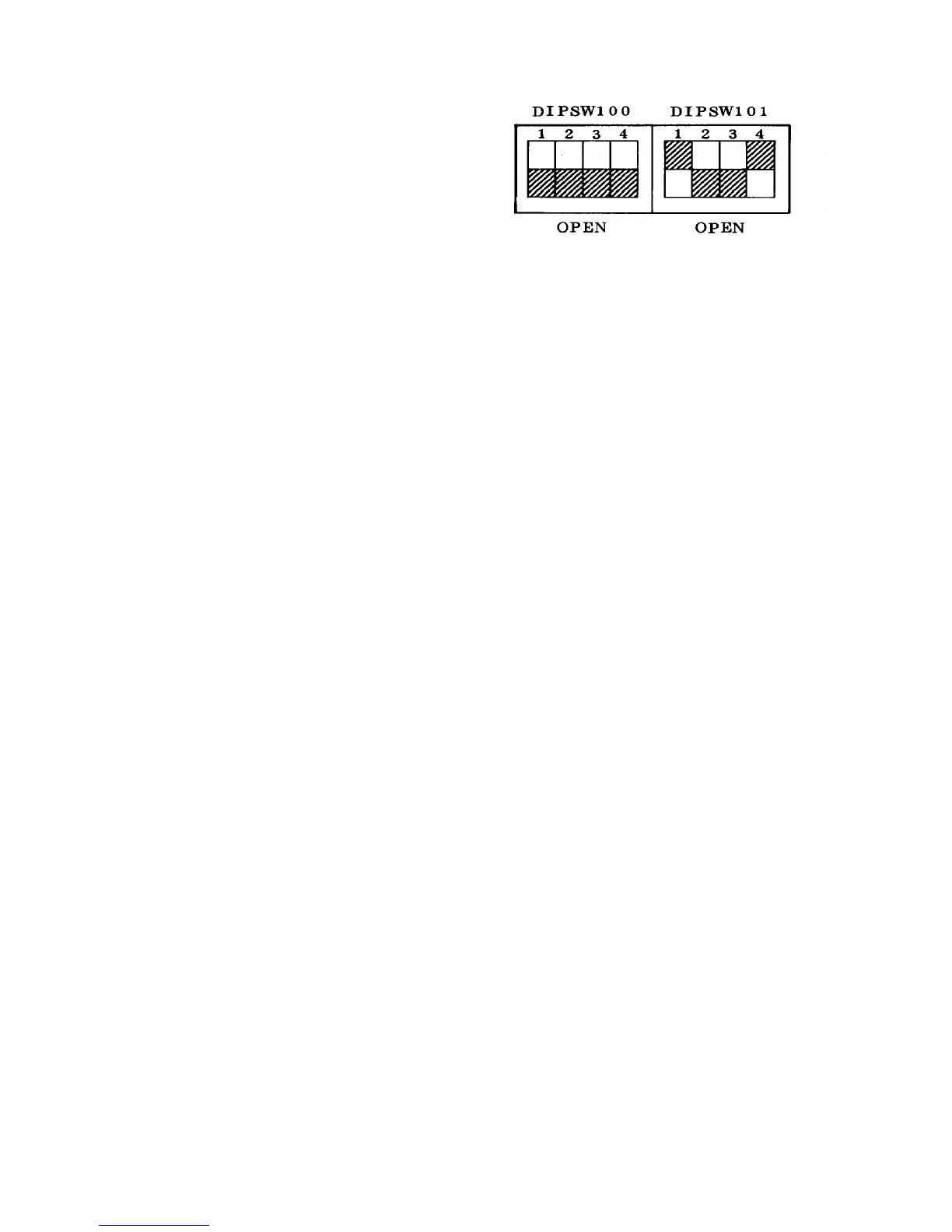
2.11.20 Disabling the original return motion in the ADF mode
CAUTION
The ADF rear cover is made of metal. So, the
cover may touch electric elements on the
boards shorting them out when you remove the
cover. Be sure to turn off the main switch when
you remove the ADF rear cover.
1. Turn on DIP switch 101-1 on the ADF control
board. This setting disables the return motion of
originals to the scale on the exposure glass in ADF
mode.
NOTE
• The original setting for all DIP switches is OFF.
• This mode will prevent damage of original
when a thin original is used in the ADF mode.
• Using this mode, the original skew on the
exposure glass can be checked. Check the
original stop condition as follows:
1) Disable the return motion and set an
original on the original table.
2) Select more than 10 repeat copies and
press Start key.
3) Press Clear/Stop key soon after the original
is fed.
4) Slowly raise the ADF and check the original
stop position on the exposure glass.
5) If the original skewed, try to adjust the ADF
unit position. (Refer to Removing the ADF unit
section.)













 To Next Page