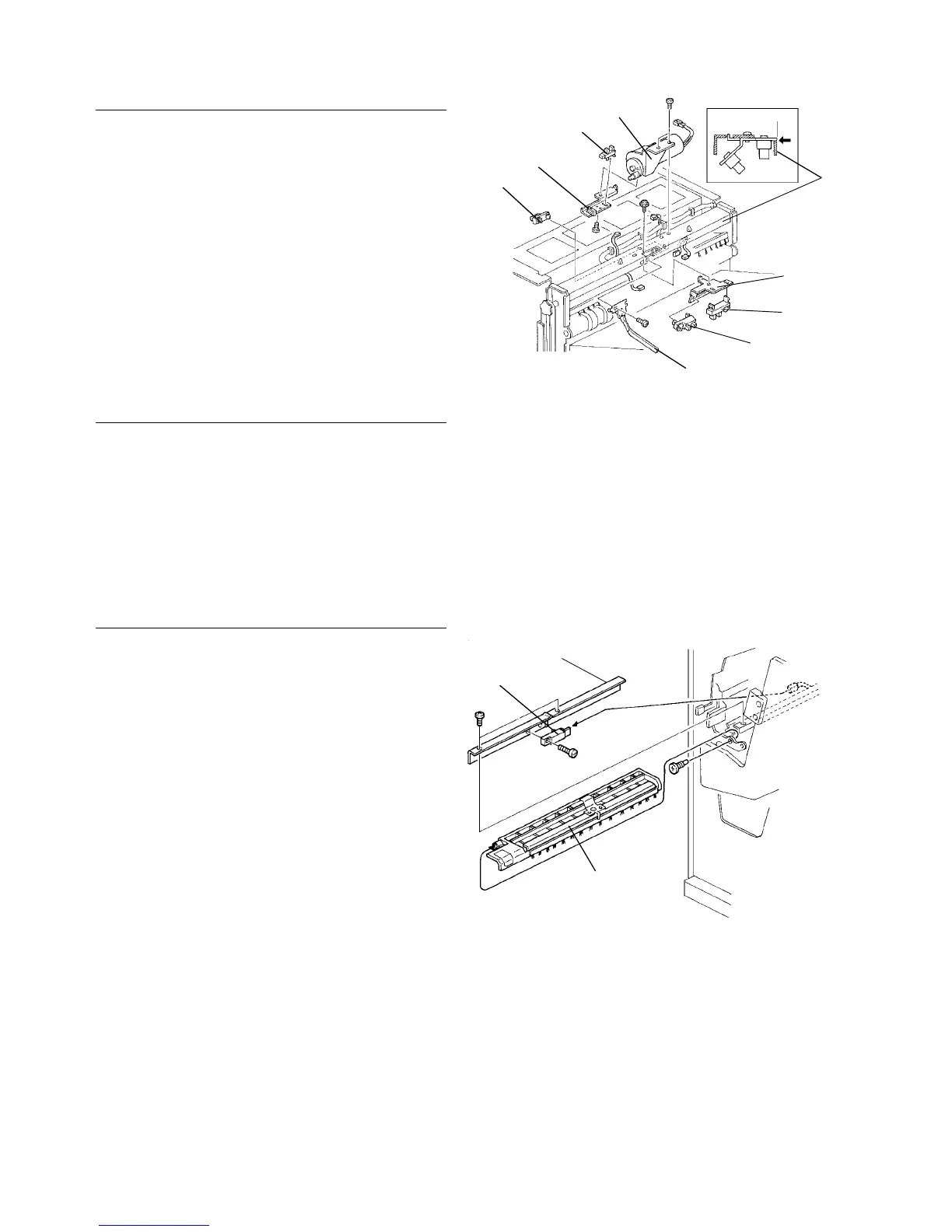
2.15.8 Removing the sensors
Stack height sensors
1. Turn the main switch off and unplug the copier.
2. Remove the upper cover.
3. Remove the stack height sensor actuator [A] (1
screw).
4. Remove the bracket [B] (1 screw).
5. Replace the stack height sensor 1 [C] and the
stack height sensor 2 [D].
NOTE:
When reinstalling the bracket [B], align the edge of the bracket
with the stay [E].
Exit unit home position sensor/exit unit half turn
sensor
1. Turn the main switch off and unplug the copier.
2. Remove the upper cover.
3. Remove the exit unit lift motor [F] (2 screws).
4. Replace the exit unit half turn sensor [G].
5. Remove the bracket [H] (1 screw) and replace the
exit unit home position sensor [I].
Jogger unit entrance sensor
1. Turn the main switch off and unplug the copier.
2. Remove the jogger entrance guide [A] (1 screw).
3. Remove the sensor bracket [B] (2 screws).
4. Replace the jogger unit entrance sensor [C] (1
screw).
[E]
[F]
[C]
[B]
[D]
[A]
[G]
[H]
[I]
[B]
[C]
[A]
Finisher 1 July 1994
2-124













 To Next Page