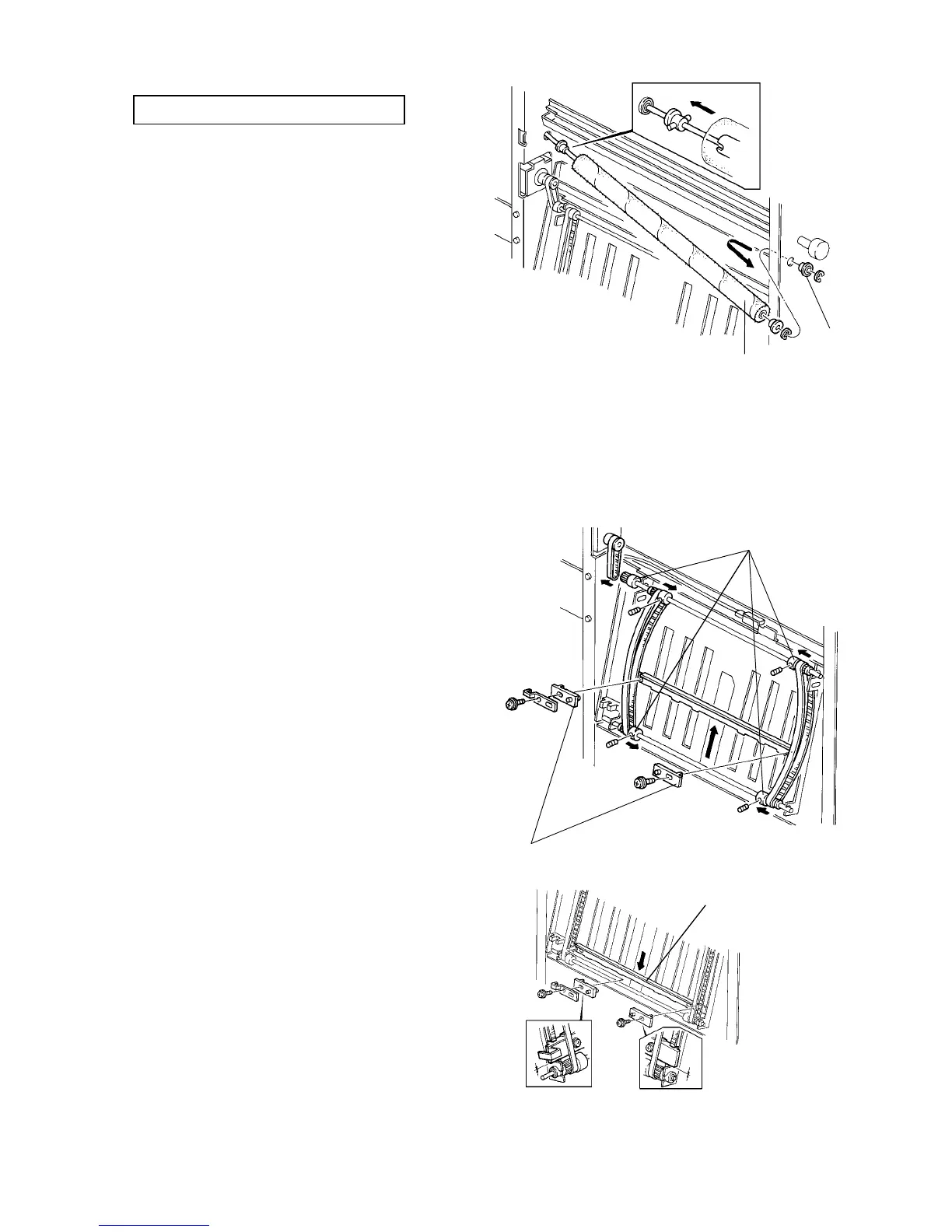
2.15.10 Replacing the inverter guide brush roller
PM cycle: Replace every 2,000K
1. Turn the main switch off and unplug the copier.
2. Disconnect the finisher from the copier.
3. Open the inverter front door then remove the ball
bearing [A] (one E-ring).
4. Slightly push the brush roller [B] to the rear to
release the ball bearing on the rear from the rear
frame.
NOTE:
Do not push the brush roller too much. The rear of
the brush roller is engaged with a timing belt.
5. Bring the front end of the brush roller to the left and
pull out the brush roller from the shaft (one E-ring
and bushing). Replace the brush roller if necessary.
NOTE:
When reinstalling the brush roller, its rear end must
be engaged with a pin as shown.
2.15.11 Remoiving the inverter stopper plate drive belts
1. Turn the main switch off and unplug the copier.
2. Disconnect the finisher from the copier.
3. Remove the front and rear belt clamps [B] (one
screw each).
4. Loosen the Allen screws of the four belt pulleys [A]
then slide them inside.
5. Remove the upper and lower stopper drive shafts
and remove the drive belts.
NOTE:
• When reinstalling the front and rear belt
clamps, make sure that the stopper plate [C] is
positioned properly. When the stopper plate is
manually moved to the bottom end, both the
front and rear belt clamps must just touch the
bottom ends as shown in the lower illustration.
• Be sure that thrust play of the upper and lower
stopper drive shafts is between 0.05 and 0.5
mm after reinstalling the belt pulleys.
[A]
[B]
[A]
[B]
[C]
Finisher 1 July 1994
2-126













 To Next Page