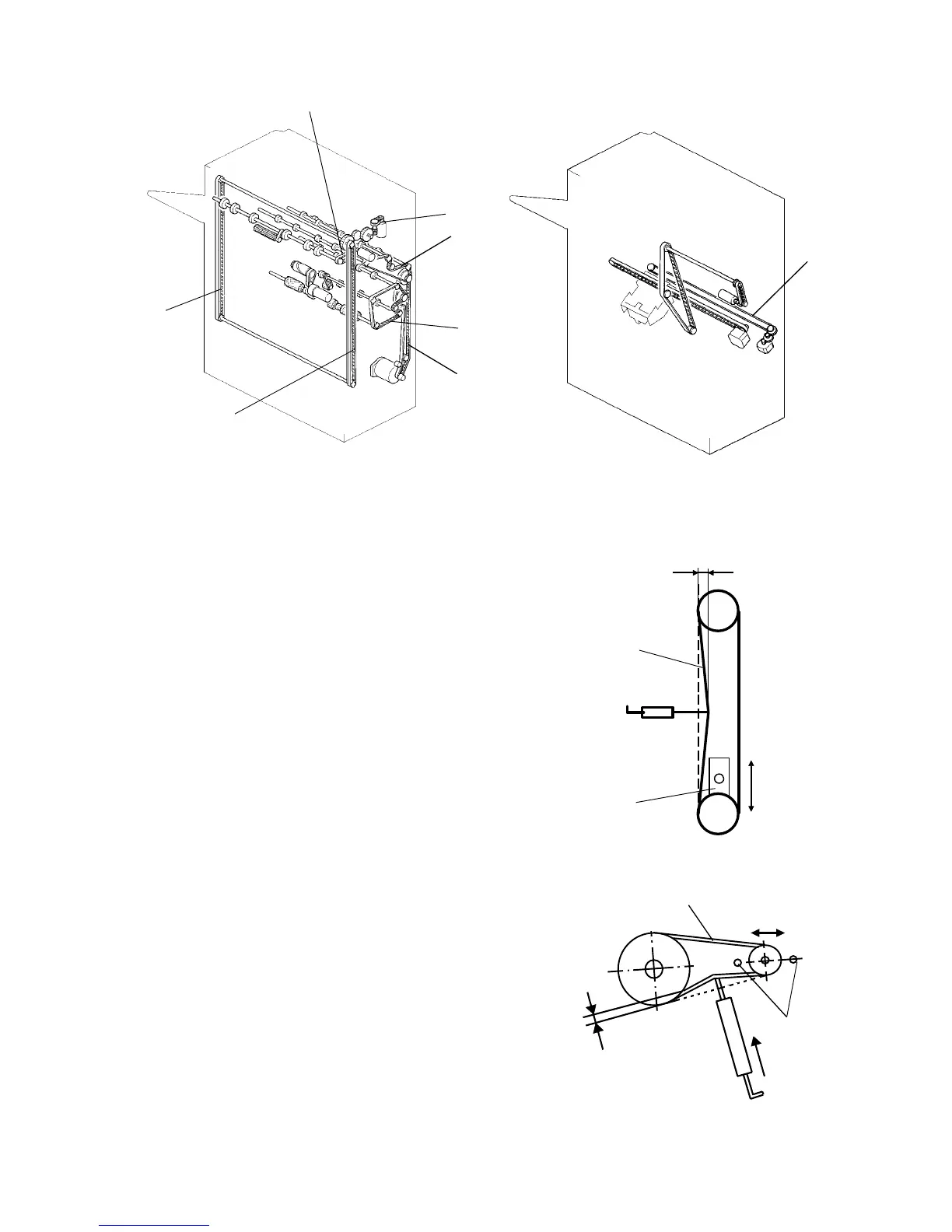
2.15.14 Adjusting the belt tensions
NOTE:
All procedures should be performed with the copier power cord
unplugged from the wall outlet.
1. Remove the rear cover and adjust the belt [A]
tension with tightener [a].
Remove the upper cover, the front door, and the
front shift cover. Adjust the belt [B] with the
tightener [b].
Standard: 6 mm deflection at 50 ± 20 g pressure.
2. Remove the upper cover and the rear cover.
Loosen the two screws [c] and adjust the belt [C]
tension by changing the motor position.
Standard: 2 mm deflection at 40 ± 20 g pressure.
[A, B]
[a, b]
[D]
[E]
[F]
[B]
[A]
[C]
[H]
[C]
[c]
[G]
1 July 1994 Finisher
2-129













 To Next Page