Item Description Setting Method
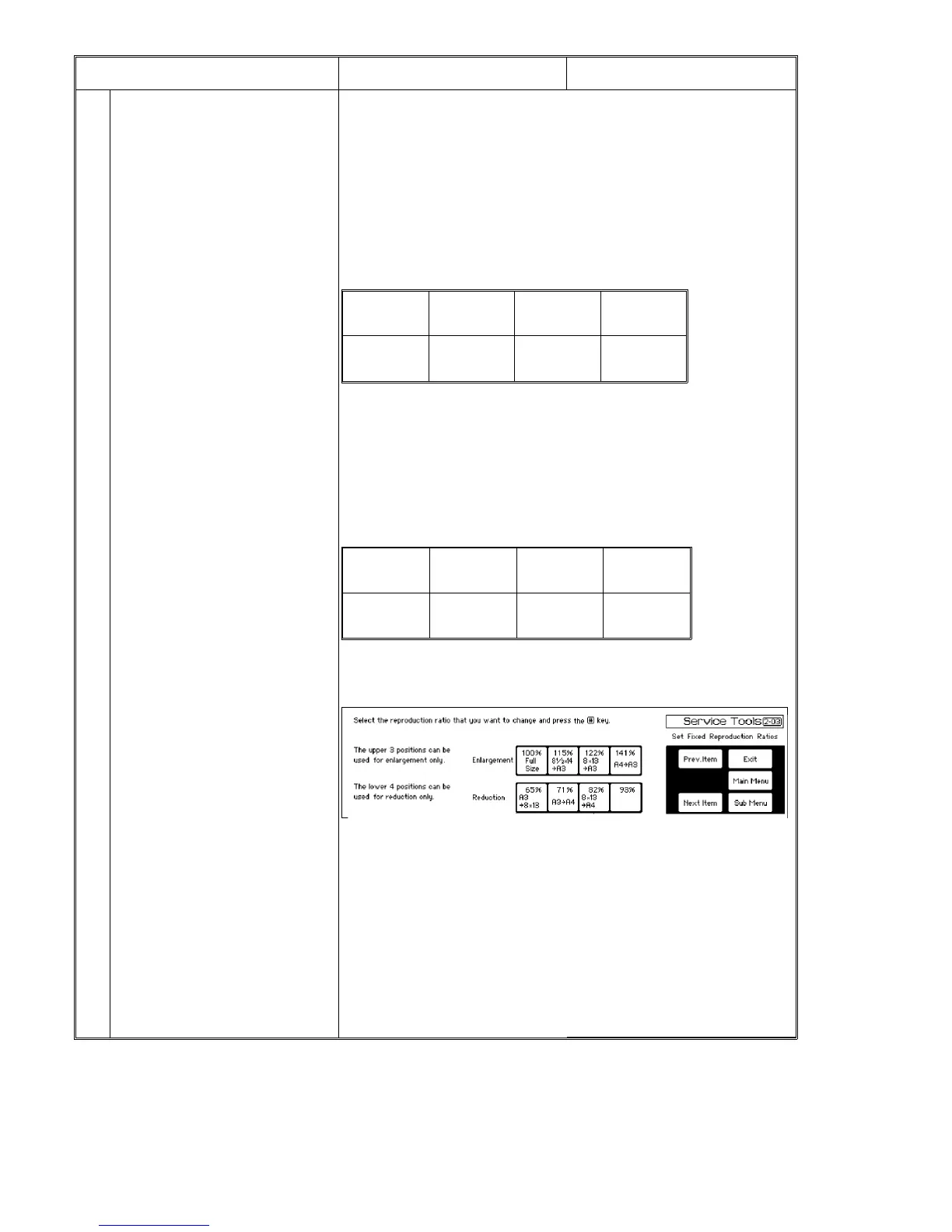
2-03 Set fixed reproduction ratios Each size display and % display are set
as desired in a range of 7 types of fixed
reproduction ratios (3 types of
enlargement and 4 types of reduction).
* % display can be set without regard to
normal reproduction ratios corresponding
to size display. (No size display)
Selection priority
* Priority order in selection when the
magnification mode is selected in the
non-key operator screen.
* Layout must be made to meet the
priority order desired by user.
When setting is made by original size
and copy size
Initial setting:
There are two methods to set desired
reproduction ratios as follows:
* Input the reproduction ratio by entering
original and copy sizes. (Both sizes and
reproduction ratio are displayed. The
selected ratio can be finely adjusted last.)
* Input the reproduction ratio from the
key pad. (Size is not displayed and %
only is displayed.)
1) Press [2-03] of the user functions
menu.
⇓
2) Press the key to be changed. The key
can be selected from 3 types of
enlargement and 4 types of reduction.
(See the illustration above for the keys.)
⇓
3) Press the Enter [#] key.
⇓ (Screen will change.)
4) Select "Paper size entry/Percent entry".
⇓
5) Press the Enter [#] key.
⇓
Enlargement
3rd Priority
Position
Enlargement
2nd Priority
Position
Enlargement
1st Priority
Position
Reduction
1st Priority
Position
Reduction
2nd Priority
Position
Reduction
3rd Priority
Position
Reduction
4th Priority
Position
(141%)
A4 → A3
B5 → B4
(122%)
A4 → B4
A5 → B5
(115%)
B4 → A3
B5 → A4
(93%) (87%)
A3 → B4
A4 → B5
(82%)
B4 → A4
(71%)
A3 → A4
B4 → B5
User Functions 1 July 1994
7-4













 To Next Page