Item Description Setting Method
5-04 I/O test
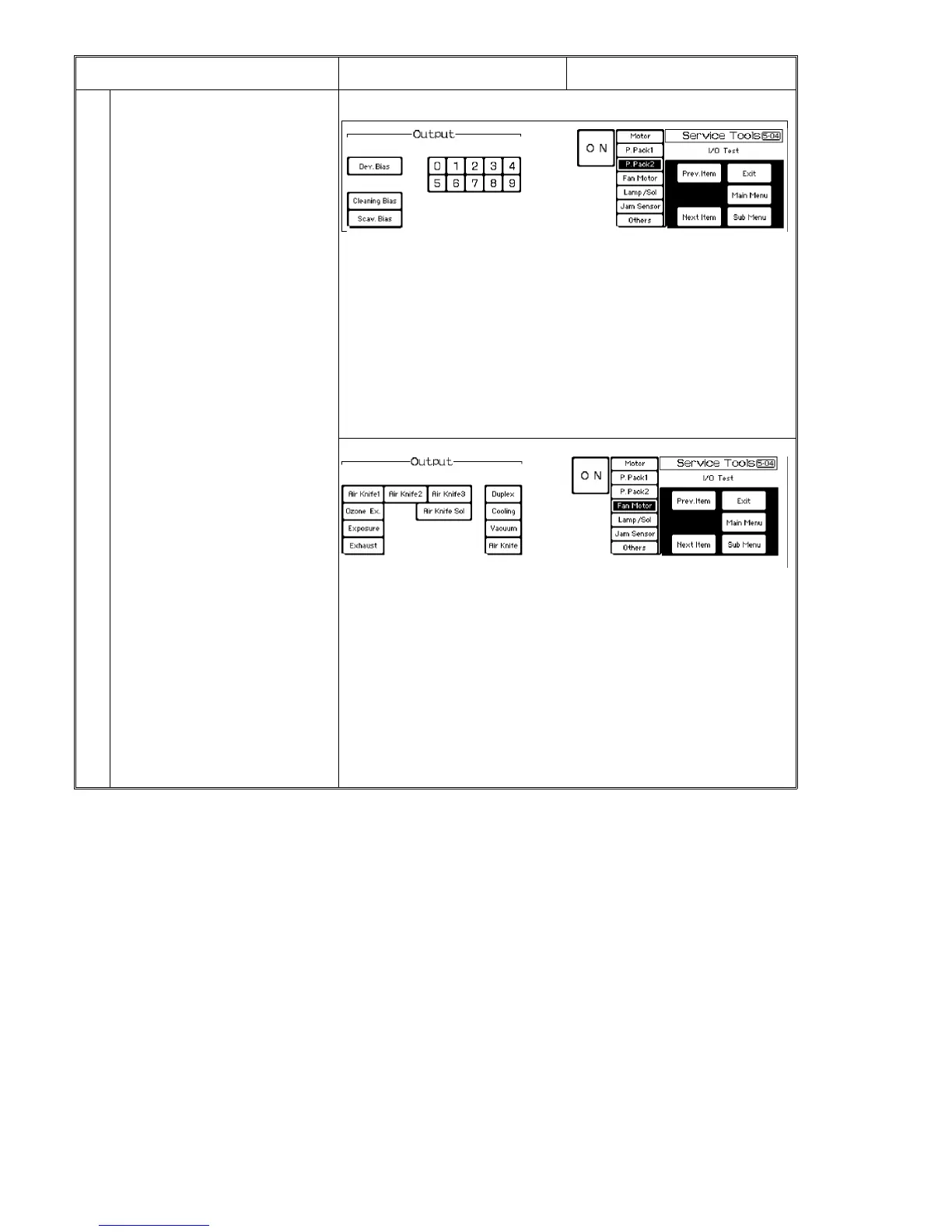
3. Power pack 2
* Output test items
Dev. Bias Development rollers bias.
Select output level using keys [0] to [9],
then press [Dev. bias] key. Keys [0] to [4]
are for the 1st (lower) and 2nd (middle)
rollers, and keys [5] to [9] are for the 3rd
(upper) roller.
Cleaning Bias Cleaning roller bias
Scav. Bias Scavenging roller bias
4. Fan motor
* Output test items
Air Knife Duplex blower. Select output level using [Air Knife 1],
[Air Knife 2], and [Air Knife 3] keys, then press [Air Knife] key.
[Air Knife 1] and [Air Knife 2] ON: High speed (7,000 rpm)
[Air Knife 1] and [Air Knife 3] ON: Medium speed (6,000 rpm)
[Air Knife 2] and [Air Knife 3] ON: Low speed (4,500 rpm)
Air Knife Sol. Duplex air knife solenoid
Ozone Ex., Exposure, Exhaust, Duplex, Cooling, Vacuum
These keys are not valid because all fans stay on after the main
switch turns on.
System Test 1 July 1994
7-16













 To Next Page