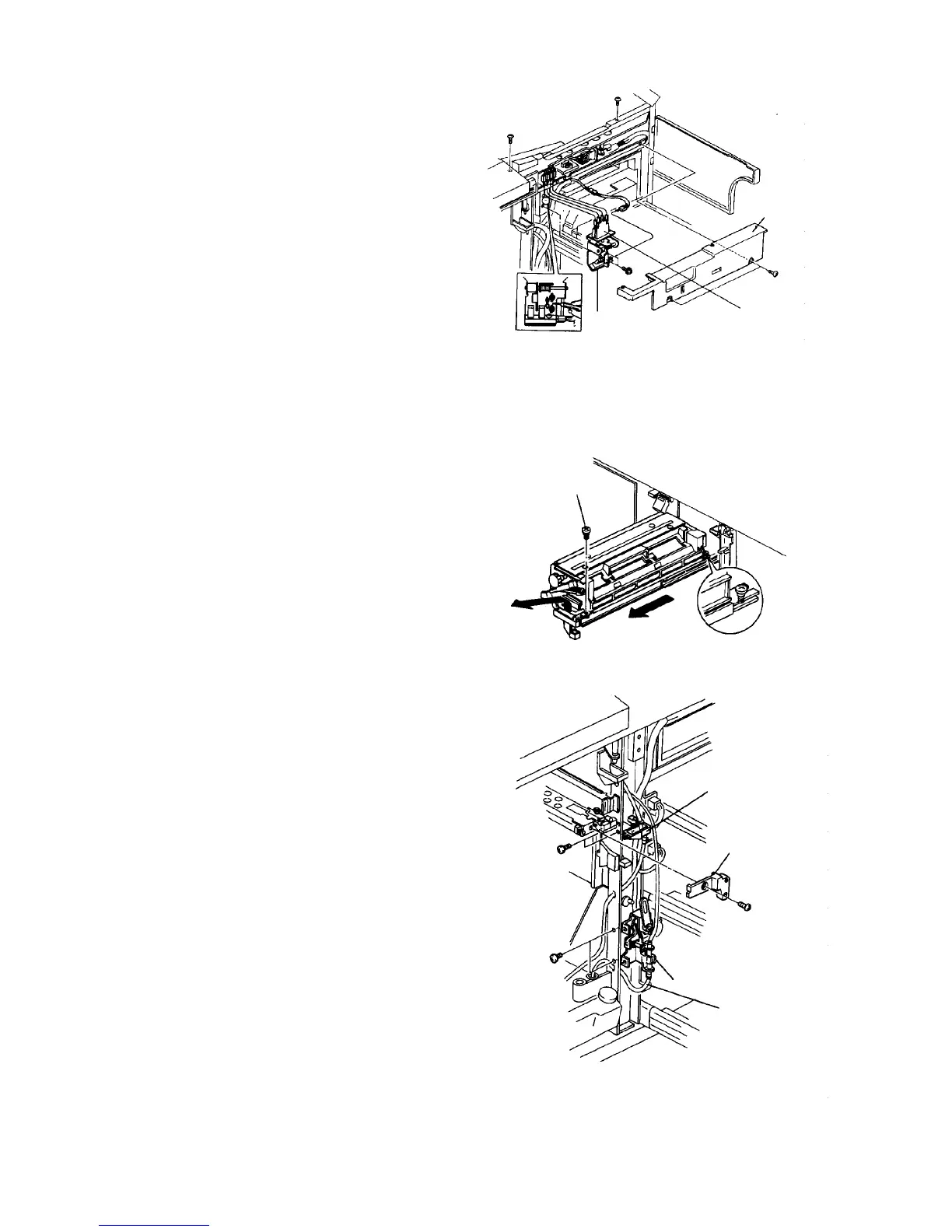
8. Remove the horizontal transport unit inner cover.
9. Disconnect the front door switch harness
connectors.
CAUTION
Terminals on both sides are blue and the two
center terminals are yellows. Re-install them
correctly.
10. Disconnect the connector from the front door
sensor.
11. Mark off the position of the front door switch
bracket.
12. Remove the front door switch bracket (2 screws).
13. Remove the fusing unit fixing stepped screw to
remove the unit.
14. Remove the transport unit inner cover.
15. Remove the oil receiver (2 screws).
16. Remove the oil pump unit bracket (2 screws) and
the tube on the oil tank side.
Front door switch
Horizontal
transport inner
cover
Front door
sensor
Fixing
stepped
screw
Oil receiver
Transport unit inner
cover
Oil pump unit bracket
Oil tube













 To Next Page