6. Press the "P. Pack 2" key, then press the
"Cleaning Bias" key to measure the amperage. It
must be --20 ± 0.5 µA.
7. Set an ammeter to the "S" terminal side, then
press the "Scav. Bias" key. The amperage must be
--10 ± 0.5 µA.
8. If the values do not meet the standards, adjust the
amperage by turning the VR above each terminal.
Standards
Cleaning Bias --20 ± 0.5 µA
Scavenging Bias --10 ± 0.5 µA
NOTE
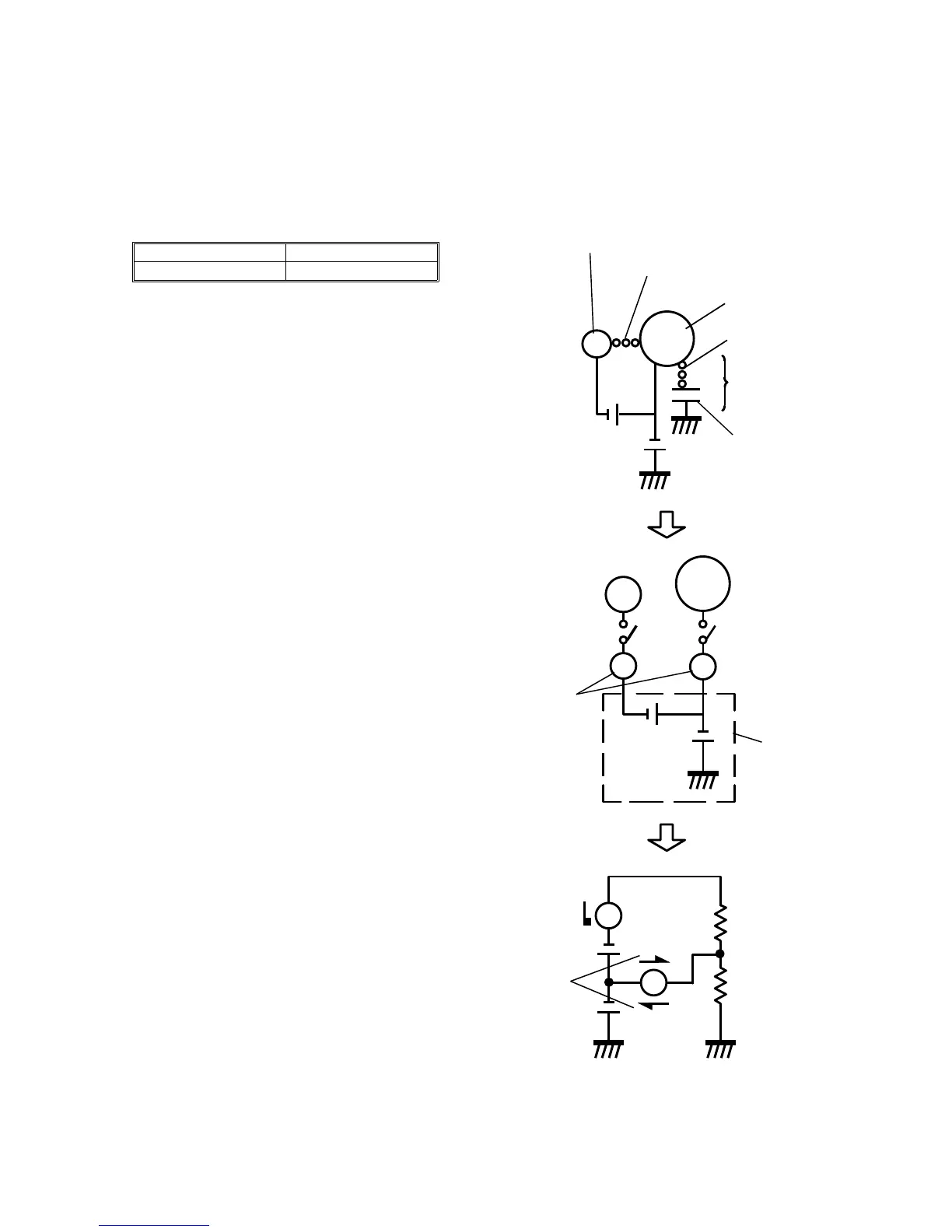
When both the "Cleaning Bias" and "Scav. Bias"
keys are ON, both amperages become --10 µA.
Therefore, if the cleaning bias is measured while in
a copy run, be sure to disconnect the scavenging
bias terminal from the power pack.
SW1 in the middle figure to the right represents the
"Scav. Bias" key and SW2 represents the "Cleaning
Bias" key.
SW1
SW2
A1
A2
A1
A2
R1
R2
10µA
10µA
20µA
Carrier (R1)
Cleaning roller
Carrier
Scavenging roller
OPC
Cleaning
power pack
Ammeter
20µA -- 10µA = 10µA
R2
When both SW1 and
SW2 are turned on.













 To Next Page