16
Preparations
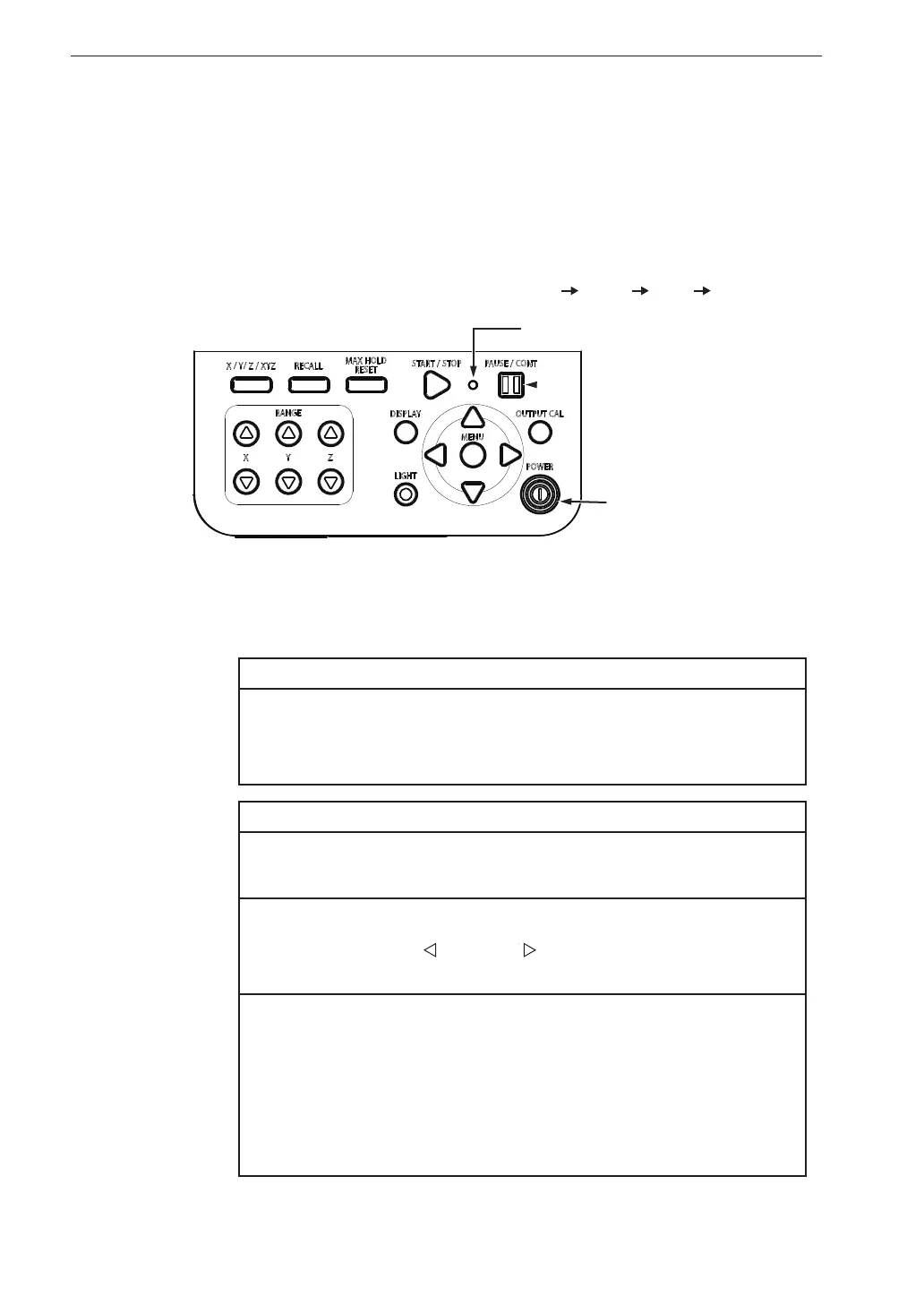
To turn the unit off
Hold down the POWER key until the unit is turned off (several seconds).
When the power-off screen appears, release the POWER key.
Important
Remove the batteries from the unit if it is to be stored for
a long time with the POWER key set to OFF to prevent
possible damage caused by battery leakage.
Note
After turning the unit off, wait at least 10 seconds before turning
it on again.
If the key lock has been activated, pressing the POWER key has
no effect. Press the
key and key simultaneously to cancel
the key lock condition, and then press the POWER key.
If the key lock has been activated, pressing and holding the
POWER key for at least 10 seconds will force a power-down
even if the Power-on mode switch (see next page) has been set
to the “B” position. In this case, the unit can be turned on again
by pressing the POWER key, but you should wait at least 10
seconds before doing so.
Power on/off
To turn the unit on
Hold down the POWER key until the power-on screen appears (at least 2
seconds). When the screen is shown, release the POWER key. After the unit
has been started, the measurement screen appears.
During start up, the indicator LED ashes red blue red ...
POWER key
Indicator LED



 To Next Page