80
Setup Files
Setting a start up le
When a setting is saved in a start up le, the unit can be started using the
setting.
1. Set the unit to the intended condition, so that measurement param-
eters and other settings are as desired.
2. Use the keys to select [System] and press the MENU/
ENTER key. The system screen appears.
3. Use the
keys to select [Read/Save setting] and press the MENU/
ENTER key. The setting operation screen appears.
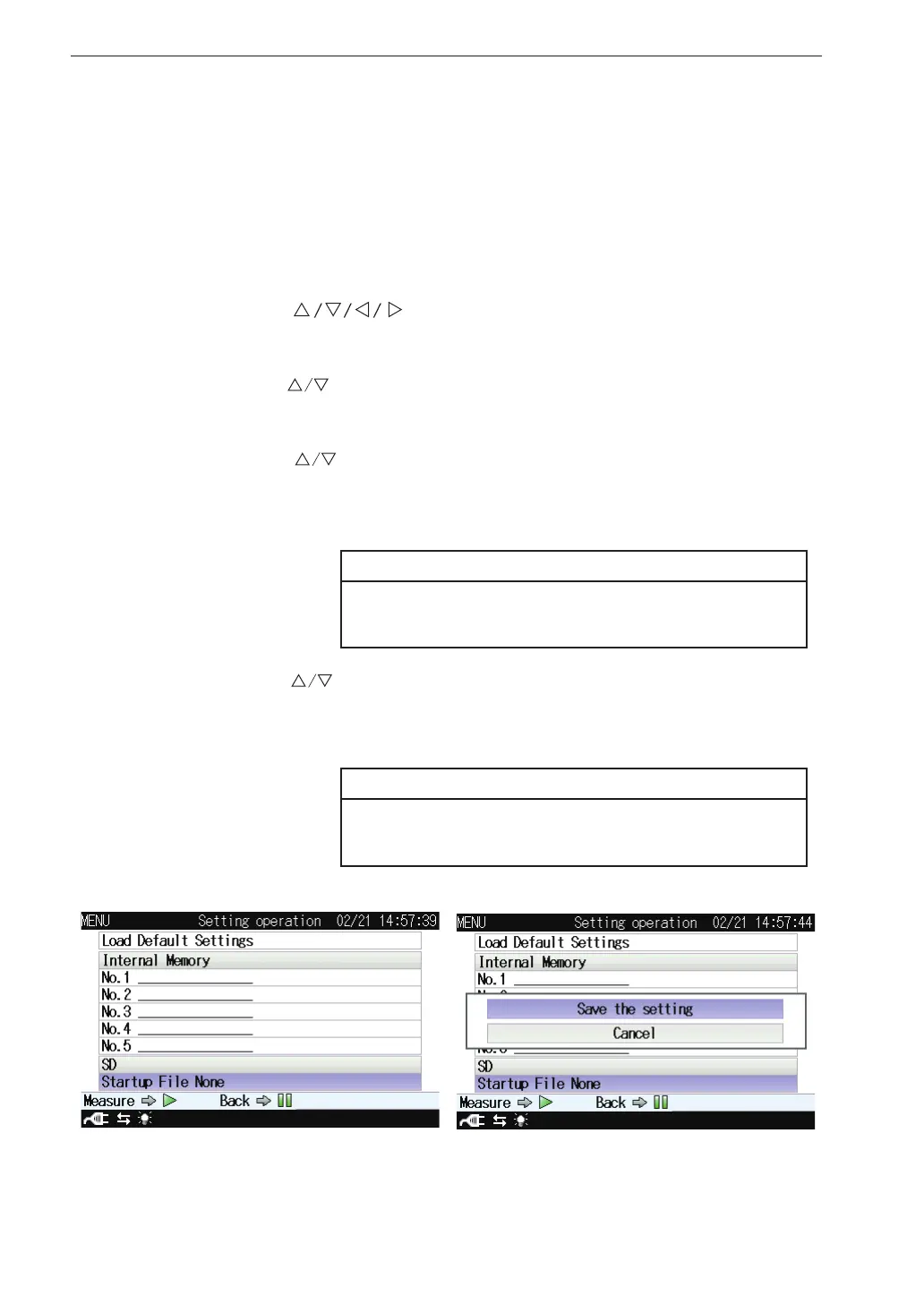
4. Use the
keys to select [Startup File None] of [SD] and press
the MENU/ENTER key. The [Save the setting]/[Cancel] selecting
screen appears.
Note
When a start up le has already been saved, select
[Startup File Exist].
5. Use the keys to select [Save the setting] and press the MENU/
ENTER key. When “The setting was saved” is displayed, it means
that the saving process has been completed.
Note
When selecting [Startup File Exist] to overwrite the
data, select [Yes] on the con rmation screen.



 To Next Page