32
Preparations
Calibration
When using external equipment to record measurement data, level calibration
should be performed as follows.
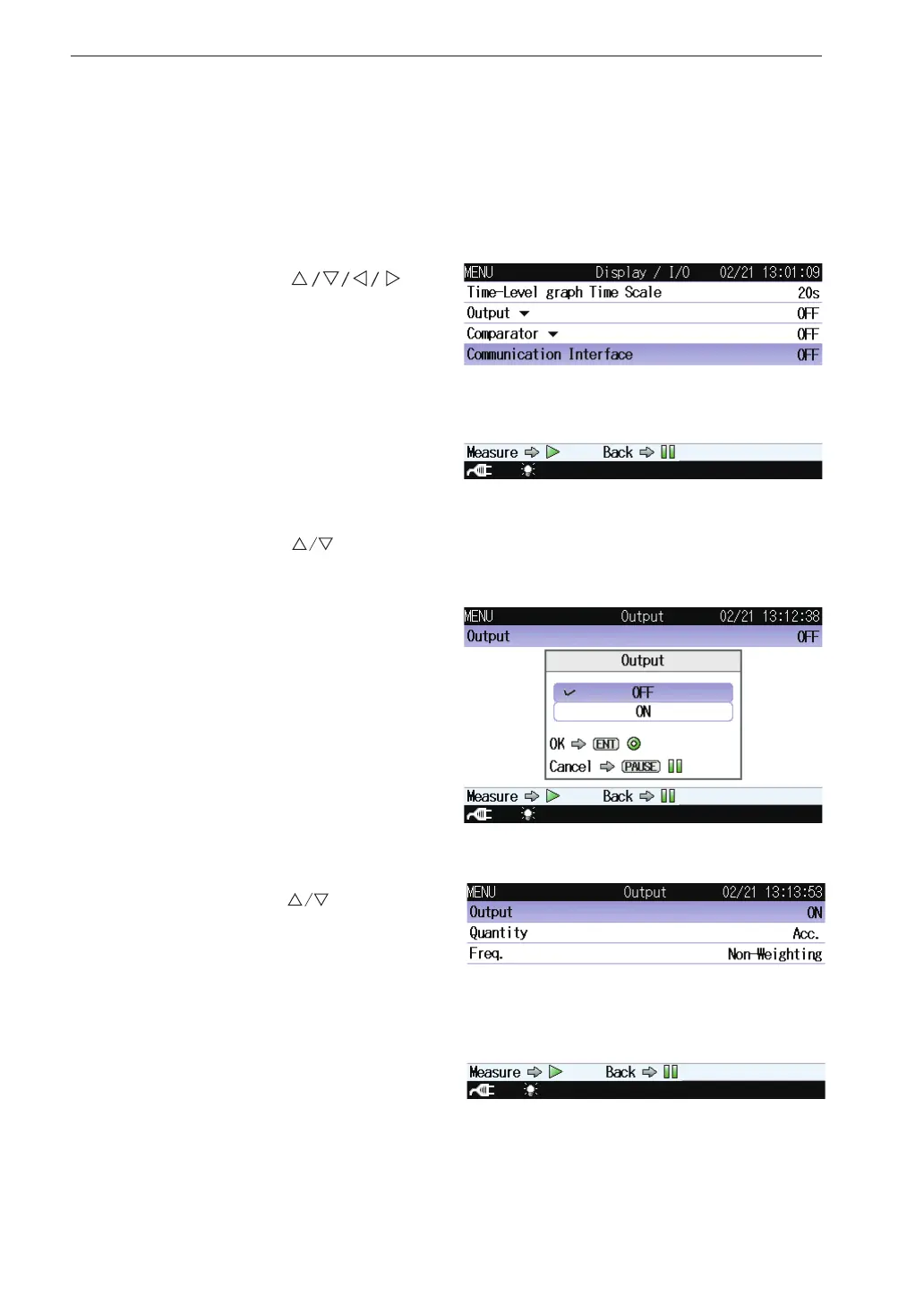
1. Press the MENU/ENTER key to bring up the menu list screen.
2. Use the
keys
to select [Display / I/O]
and press the MENU/EN-
TER key. The display / I/O
screen appears.
3. Use the
keys to select [Output] and press the MENU/ENTER
key. The output screen appears.
4. Press the MENU/ENTER
key. The ON/OFF setting
screen appears.
5. Use the
keys to select
[ON] and press the MENU/
ENTER key.



 To Next Page