46
Reading the Display
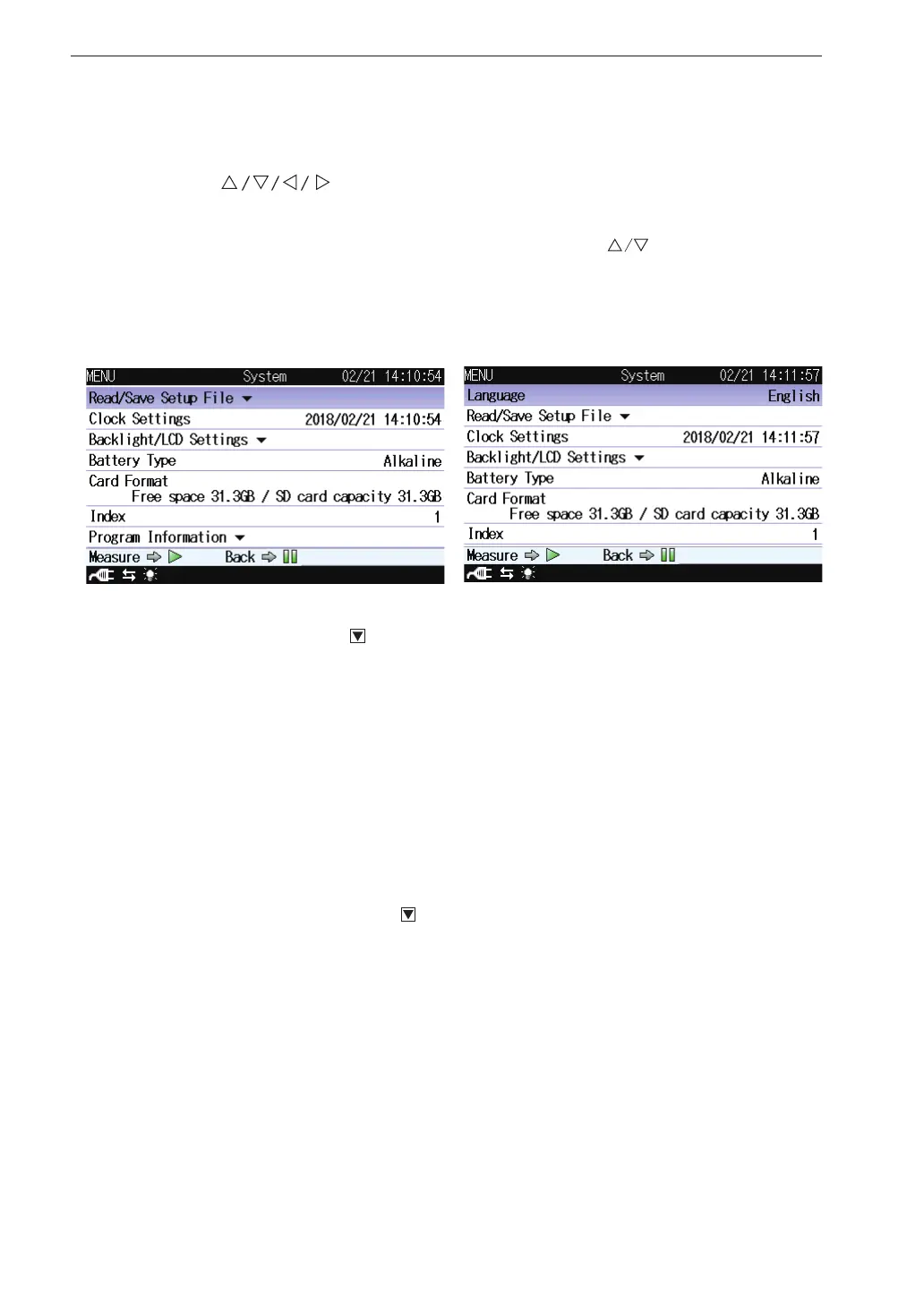
System
This screen sets the item concerning the system of the unit.
Use the
keys to select [System] and press the MENU/ENTER
key. The system screen appears.
Each item of the system screen is selected using the key.
Pressing the PAUSE/CONT key switches back to the menu list screen.
Pressing the START/STOP key switches back to the measurement screen.
Read/Save setting
Displays the screen to save a setting for the unit and read the saved setting.
Select [Read/Save setting] and press the MENU/ENTER key. The setting
operation screen appears (see page 78).
Clock Settings
Displays the screen to set date and time of the internal clock of the unit.
Select [Clock Settings] and press the MENU/ENTER key. The clock
settings screen appears (see page 26).
Backlight/LCD Settings
Displays the screen to set the function of the backlight and the LCD of
the unit.
Select [Backlight/LCD Settings] and press the MENU/ENTER key. The
backlight/LCD settings screen appears (see page 28).



 To Next Page