18 WisDom User Manual
Emergency Keys
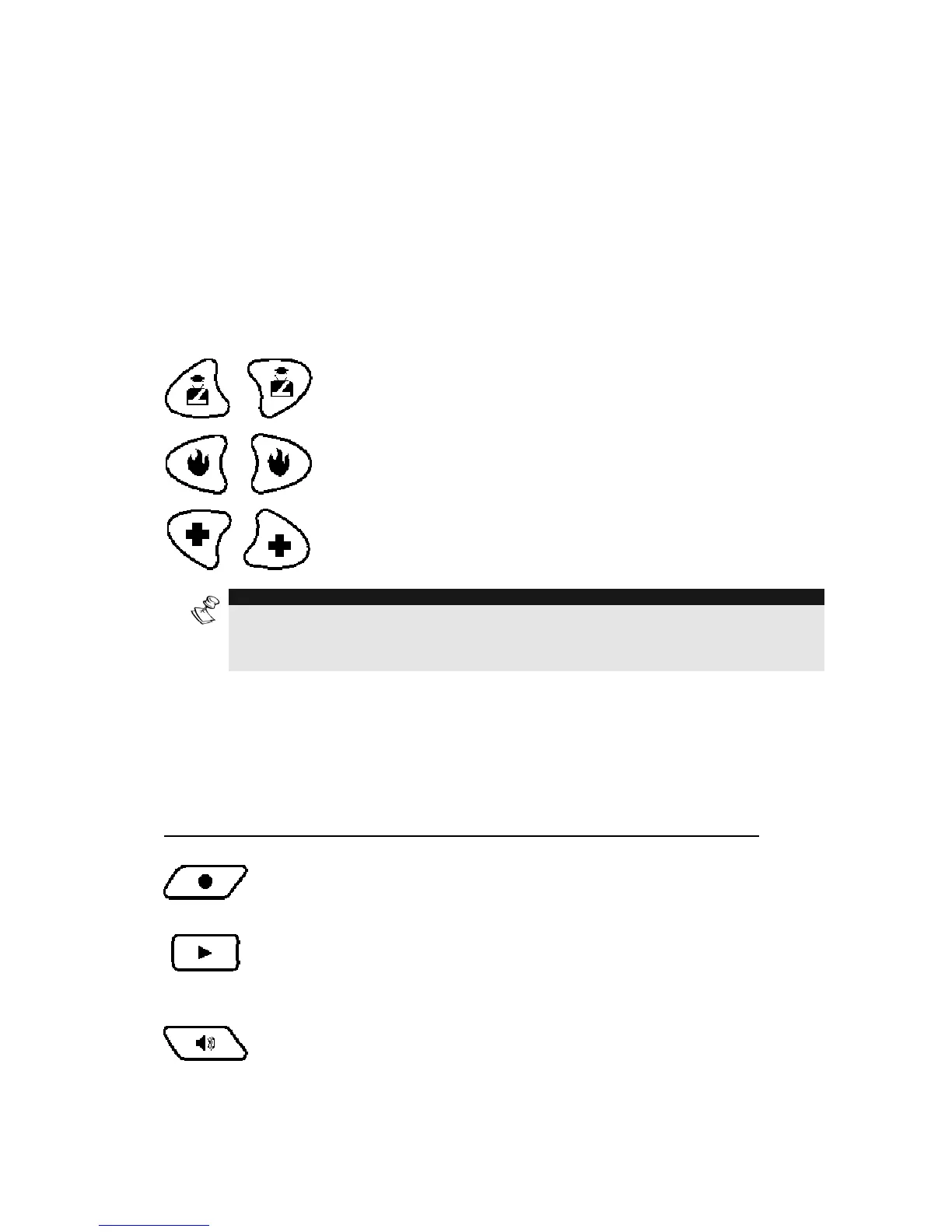
The WisDom has three dedicated sets of emergency keys. Each set of
keys must be pressed simultaneously for at least 2 seconds in order
to be activated. The following table describes the Emergency keys and
their optional corresponding messages. The system sounds that results
during these emergency alarms are described in Appendix B, on page
59.
Key Description Message
Police emergency
“Panic Alarm”
Fire emergency
“Fire Alarm”
Auxiliary Emergency.
(Medical)
“Emergency
Alarm”
NOTE:
If your system has been programmed to do so, it will communicate these alarms
to the Alarm Receiving Center monitoring your premises. System programming
also determines whether these emergency alarms will be audible.
Voice Keys
The voice keys are used to record a memo message and to control
the volume of the sound.
Key User Functions
Use this key to record a memo message. For
more information refer to page 47, “Using the
Family Message Center”
Use this key to listen to the memo message.
Pressing this button continuously and holding it
enables you to adjust the volume level of the
announced messages from the internal speaker.
The following speaker levels are available:



 To Next Page