WisDom User Manual
47
Premises Operation of the Family Message
Center
The Family Message Center enables you to play and record a memo
message on the premises. The message is up to 8 seconds. When you
record a new message the previous message is deleted.
¾ To record a message:
1) Press the button continuously for 2 seconds. The
Message LED will start a slow flash.
2)
Talk into the microphone located on the left corner of the
WisDom from a distance of 3 cm. If you finish your
message before the time limit, press the
key again.
¾ To play a message:
Press the Play button. The recorded message will
begin playing automatically
Programming Functions Keys
The WisDom enables you to record a series of commands and assign
them to a Function key. When the Function key is pressed for 2
seconds, the recorded commands are executed from beginning to end.
Before programming a Function key, it is recommended to perform your
required series of commands, making a note of every key you press
while doing so. These keys will be entered in the form of characters in
step 5 of the procedure for programming the Function key. Up to 3
Function key programs are available.
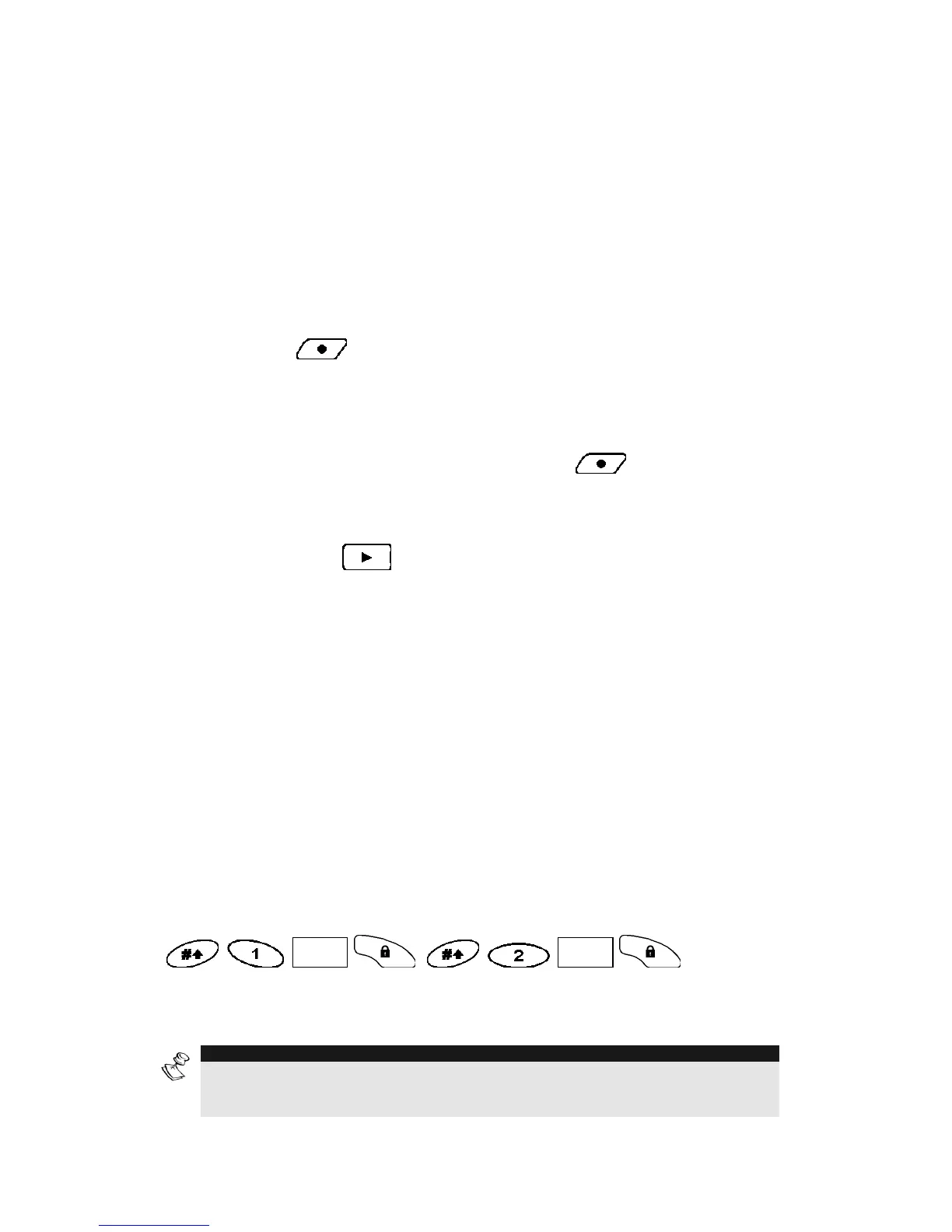
For example, to set partitions 1 and 2 in a 3-partitioned system with
code 1234, you would press the following keys in step 5:
CODE
CODE
.
This example requires the following sequence of characters: [#]1
1234 a [#] 2 1234 a
NOTE:
1. Only the Grand Master can program a Function Key.
2. Function keys cannot be programmed to perform unsetting commands.



 To Next Page