80
CD / MP3 / WMA
Search function
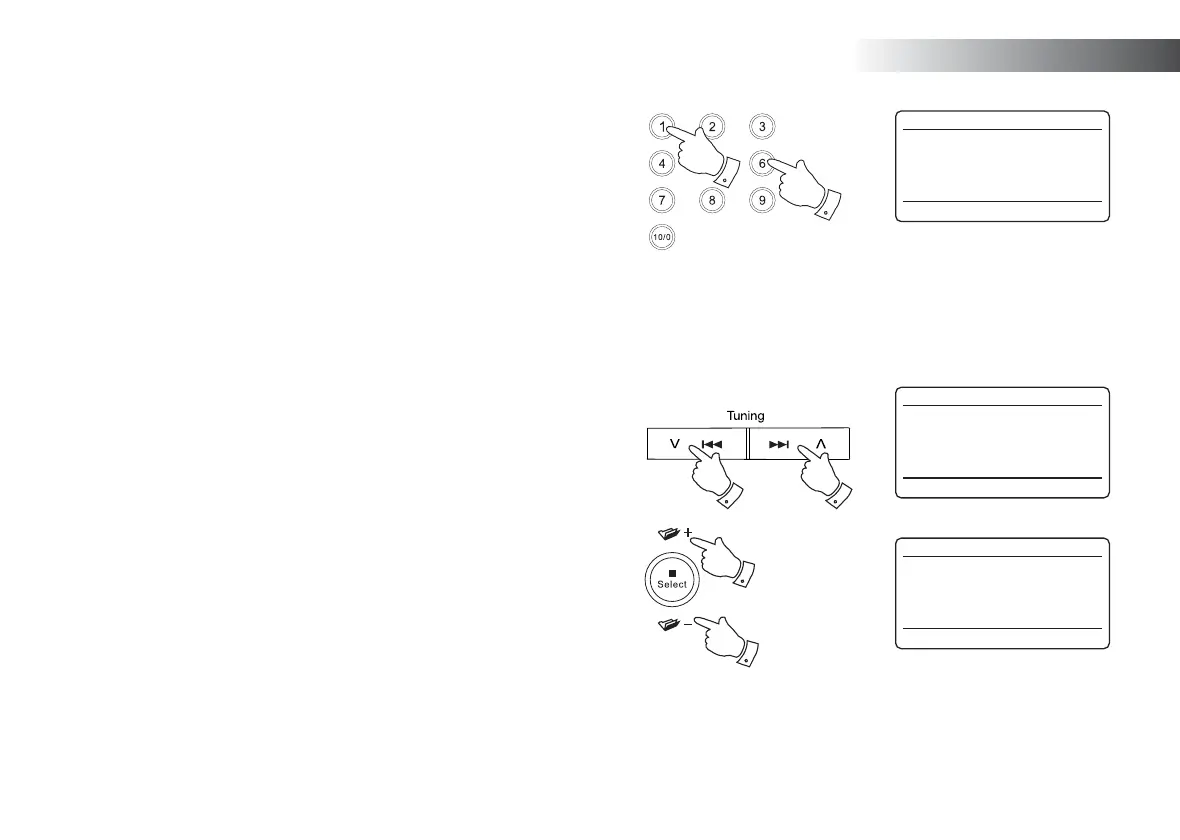
1. While the MP3 / WMA CD is playing, press and hold the Next or
Previous buttons. Release the button when the desired part of the
current fi le is reached.
To skip to another folder
1. With the MP3 / WMA CD in stop or play mode, press and release
either the Folder Up and Down buttons. The fi rst fi le of the next or
previous folder will be played.
Repeat, Intro, shuffl e and Programmed play
The Stream 65i allows you to use the same playback options for fi les as
can be used for conventional CDs (see pages 74-77). In addition to repeat
a single fi le and repeat all options, there is also a repeat folder facility.
1
1
1
1
Select a specifi c fi le
1. For fi le numbers 1-9 simply press the corresponding digit button on
the remote control. For fi le numbers ten and above press the required
digits using the 10/0 button to enter the digit zero.
3. If the fi le number entered exceeds the number of playable fi les on the
CD, then the last fi le will be played.
File numbers up to 512 may be entered. The numbers of fi les in folders
are added together. So, for example, if the fi rst two folders each contain
10 fi les, then entering 15 will play the fi fth fi le in the second folder.
CD
12:34
FO1 T002 00:30
Playing
CD
12:34
FO1 T002 02:46
Playing
CD
12:34
FO2 T001 00:20
Playing



 To Next Page