C2 User Manual, Release 1.0.0
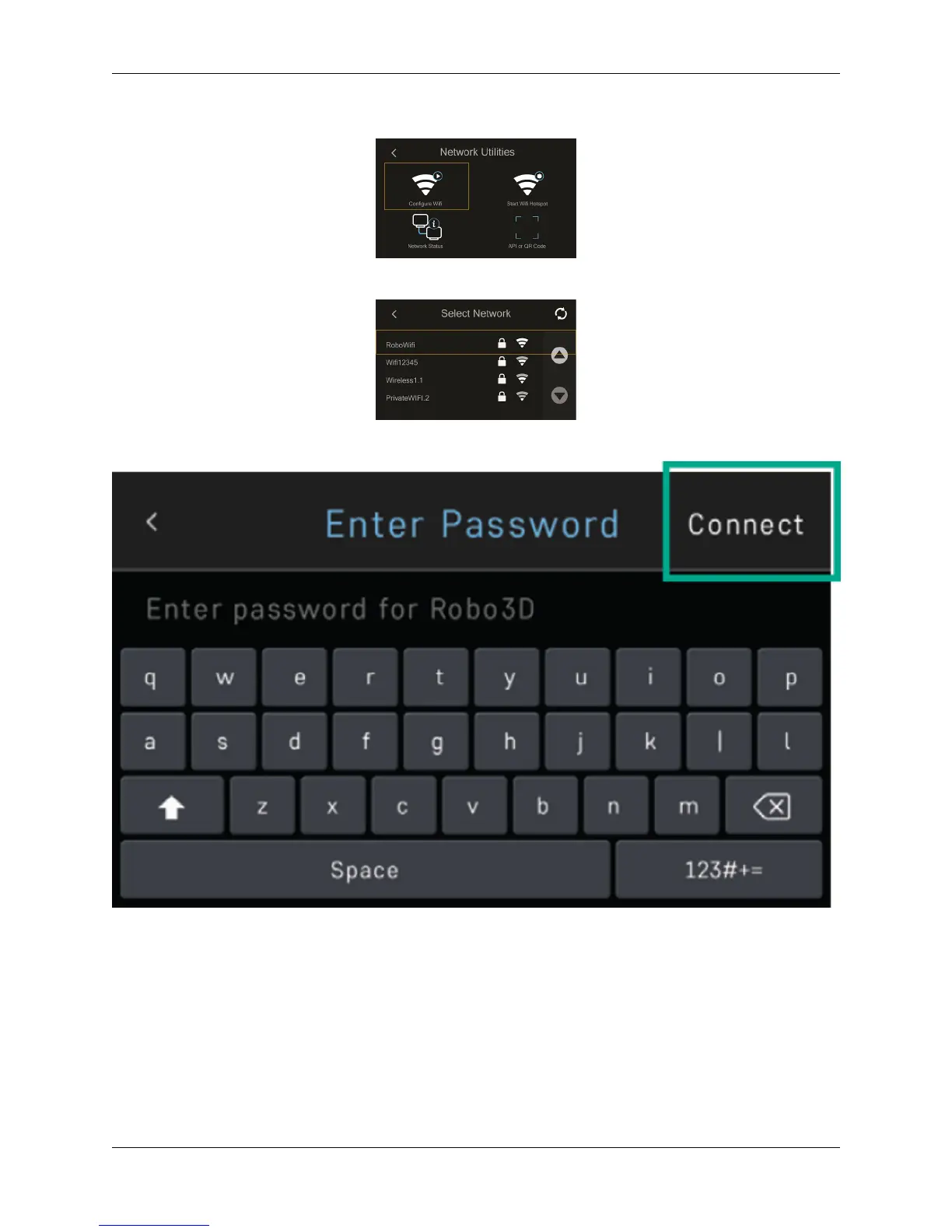
Select CONFIGURE WIFI.
Then select your Wi-Fi network and use the on-screen keyboard to enter your password.
Once you’re done, select CONNECT.
1.6 Updating Robo C2
Ensure your software is up-to-date - it’s the best way to confirm that your machine is operating with the most recent
functionalities available whenever we release them.
Select UTILITIES on the home screen
1.6. Updating Robo C2 7



 To Next Page