C2 User Manual, Release 1.0.0
• Here, you will see a ribbon cable attached that attaches the screen to a green electronics board. On the screen
side, detach the screen cable and re-attach. Do the same thing for the green electronics board side.
• Next, find the micro usb cord that is plugged into the bottom right corner of the green electronics board. Unplug
this and plug it back in.
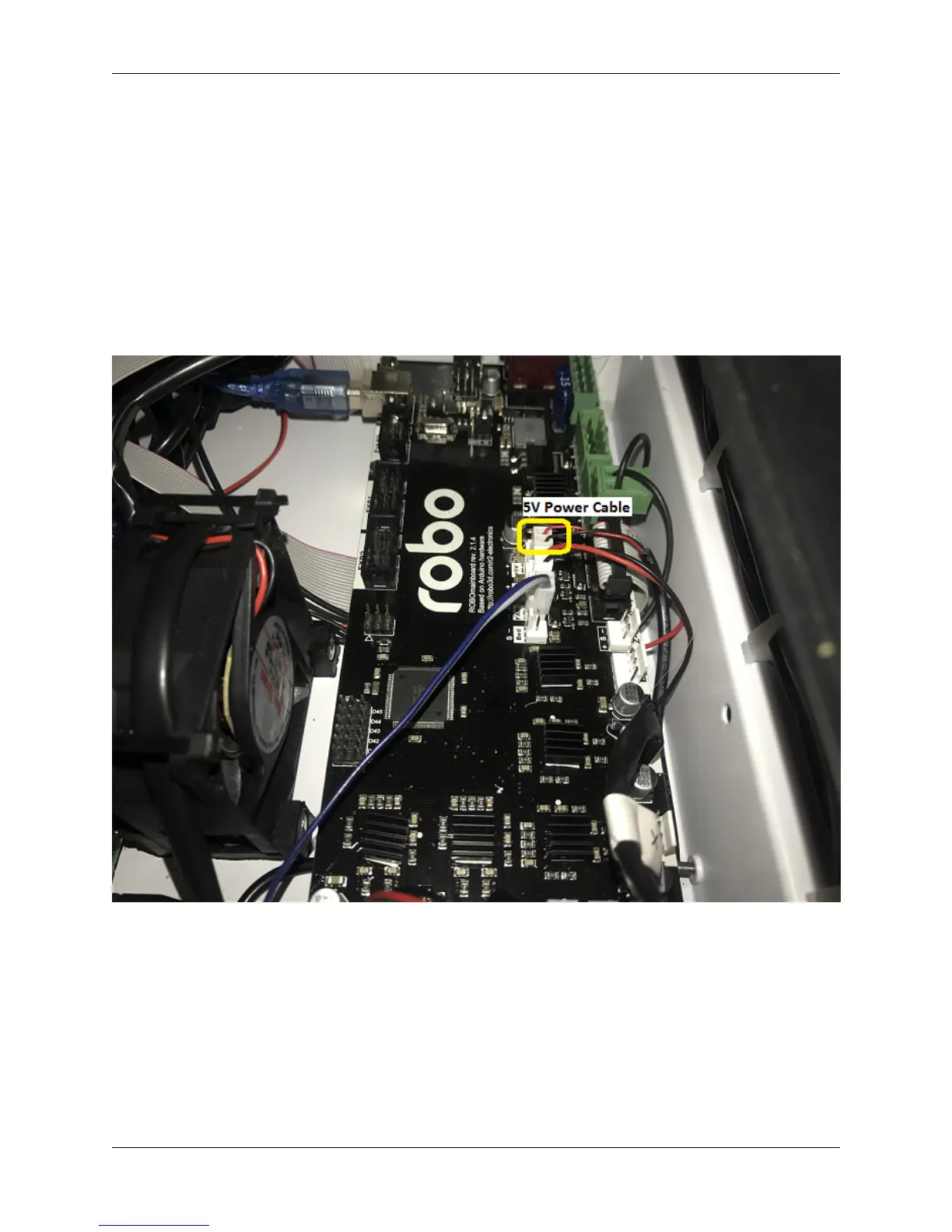
• Finally, follow the micro usb cord you just unplugged and follow it to the other end on the black board. It should
be plugged in on the black electronics board in a terminal labeled 5V right next to Fan2 plug in. Unplug and
re-plug this back in.
2. If your screen is still broken
• Contact customer support at www.robo3d.com/support
4.9 Hotend Cover is falling off
If your hotend cover is falling off when printing, or is teetering side to side and not flat against the extruder, more that
likely your hotend is blocking it. To fix this, follow these steps:
1. Remove your hotend cover.
4.9. Hotend Cover is falling off 49



 To Next Page