C2 User Manual, Release 1.0.0
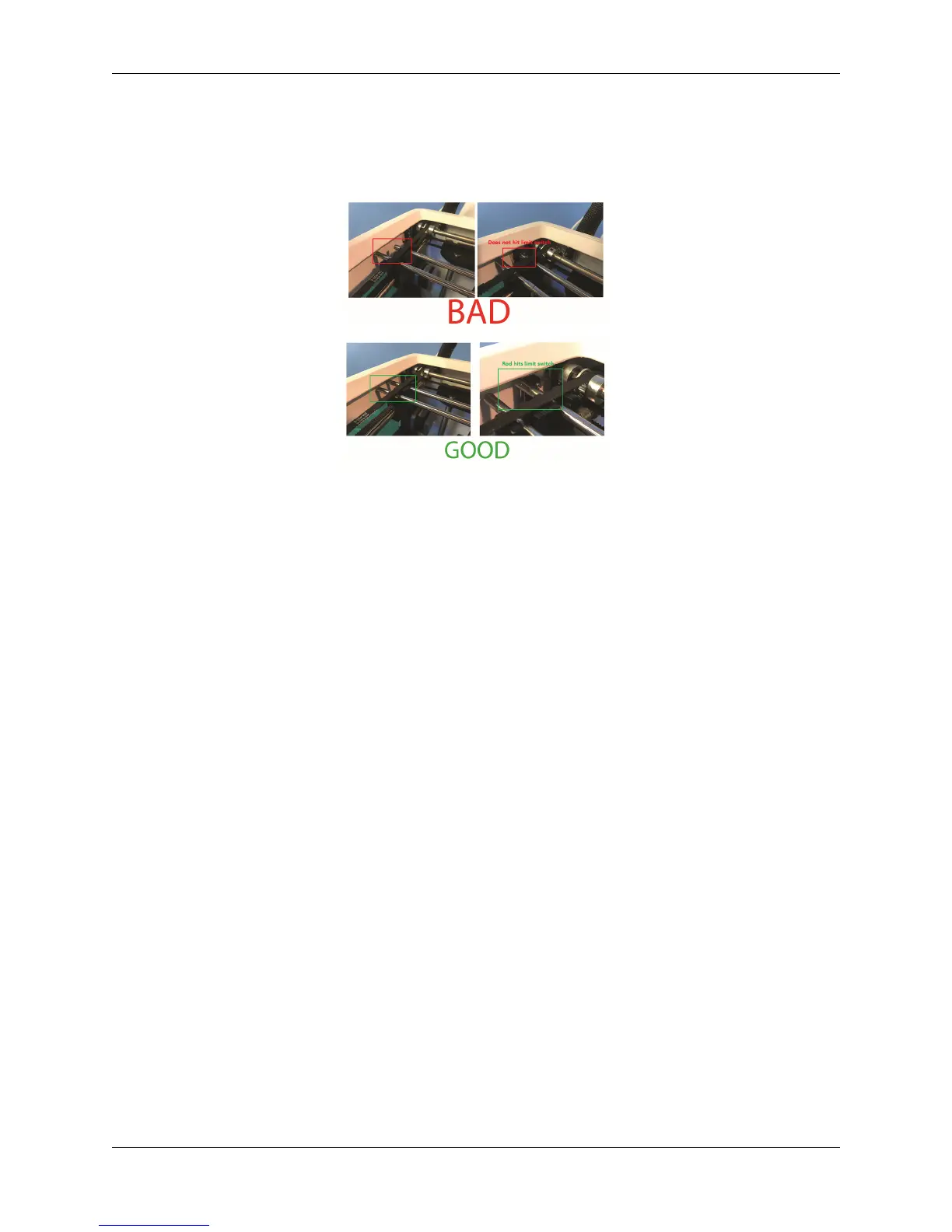
• Make sure your rods are in the correct position. While moving to the home position, these rods will hit switches
to let the printer know it is in the 0 position. If these rods have been moved out of the way, they will not hit
the switch, and the printer will try and continue to travel past its 0 position, resulting in a grinding noise. The
picture below will show you how they will look out of place, and also how they should look to work correctly.
• To correct these, hold the plastic bracket the end of the rod is being held by with one hand. With your other
hand, grab the rod that is furthest to the back left of the printer and slowly slide it into place (left on the x axis,
away from you (back) on the y axis).
• Note: Make sure that the rod is not directly touching the side wall of the printer when placing back into its
position. Once you have slid the rod over to the edge of the wall, back it off just slightly so it is not rubbing the
side wall when moving back and forth.
4.3 Material Not Extruding
1. Nozzle isn’t heating up
• Make sure all of your wiring is plugged in and firmly mounted in its correct brackets.
• Nozzle Wires should be plugged into the correct terminals on the underside of the extruder.
4.3. Material Not Extruding 35



 To Next Page