C2 User Manual, Release 1.0.0
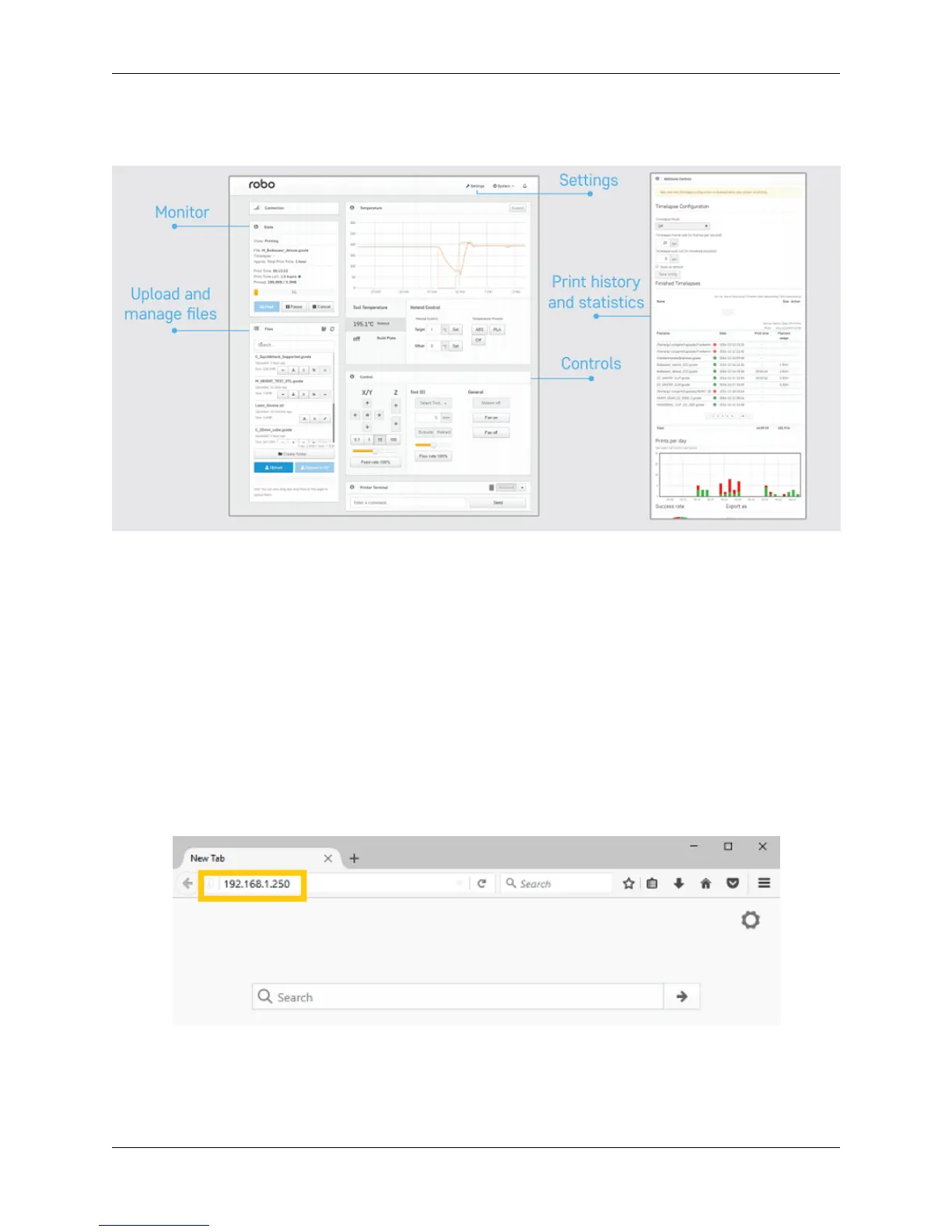
6.1 Overview
6.2 How to connect
There are three different ways to connect to the web dashboard from your browser:
Note: Make sure your Robo C2 or Robo R2 is connected to the wireless network or in hotspot mode or else you wont
be able to connect to your printer in the web browser.
IP Address
1. Here we can use the IP address of your printer to login to the web dashboard. On the screen of the Robo C2
or Robo R2, go to Utilities> Network> Network Status. Here you will see an IP address. Copy this IP address
down and bring it over to your computer.
2. Open up your web browser (such as Google Chrome or Mozilla Firefox), and enter this IP address into the
address bar. If you entered it correctly, you will see a web dashboard come up.
Note: You can also connect via a web browser on a smartphone for on-the-go connectivity
Printer name via Bonjour
1. Mac and iOS Users
82 Chapter 6. Robo Web Dashboard



 To Next Page