C2 User Manual, Release 1.0.0
4.7 Drive Gear aligning and tightening
If your drive gear has come loose and/or it is not aligned with the filament to hotend pathway, take these steps to
realign and retighten:
Note: Make sure there is no filament loaded into the extruder. If there is, heat up your extruder and remove any
filament.
1. Remove your extruder cover.
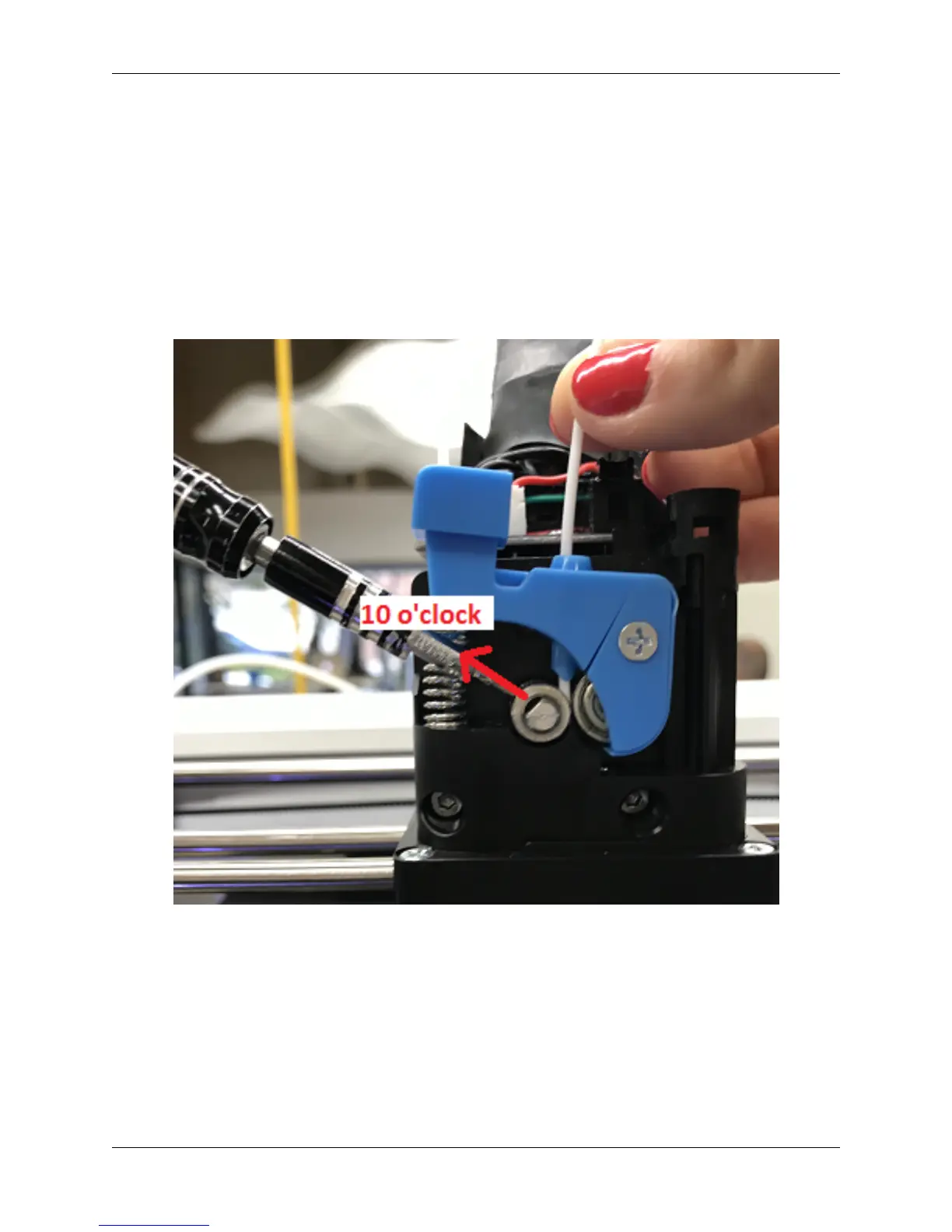
2. Turn the extruder motor shaft so that the flat surface of the shaft is pointing at 10 o’clock (see picture below).
3. Use your allen wrench to loosen the set screw on the drive gear so that it is able to freely spin on the motor shaft.
4.7. Drive Gear aligning and tightening 47



 To Next Page