C2 User Manual, Release 1.0.0
2.8 Setting Up Wifi
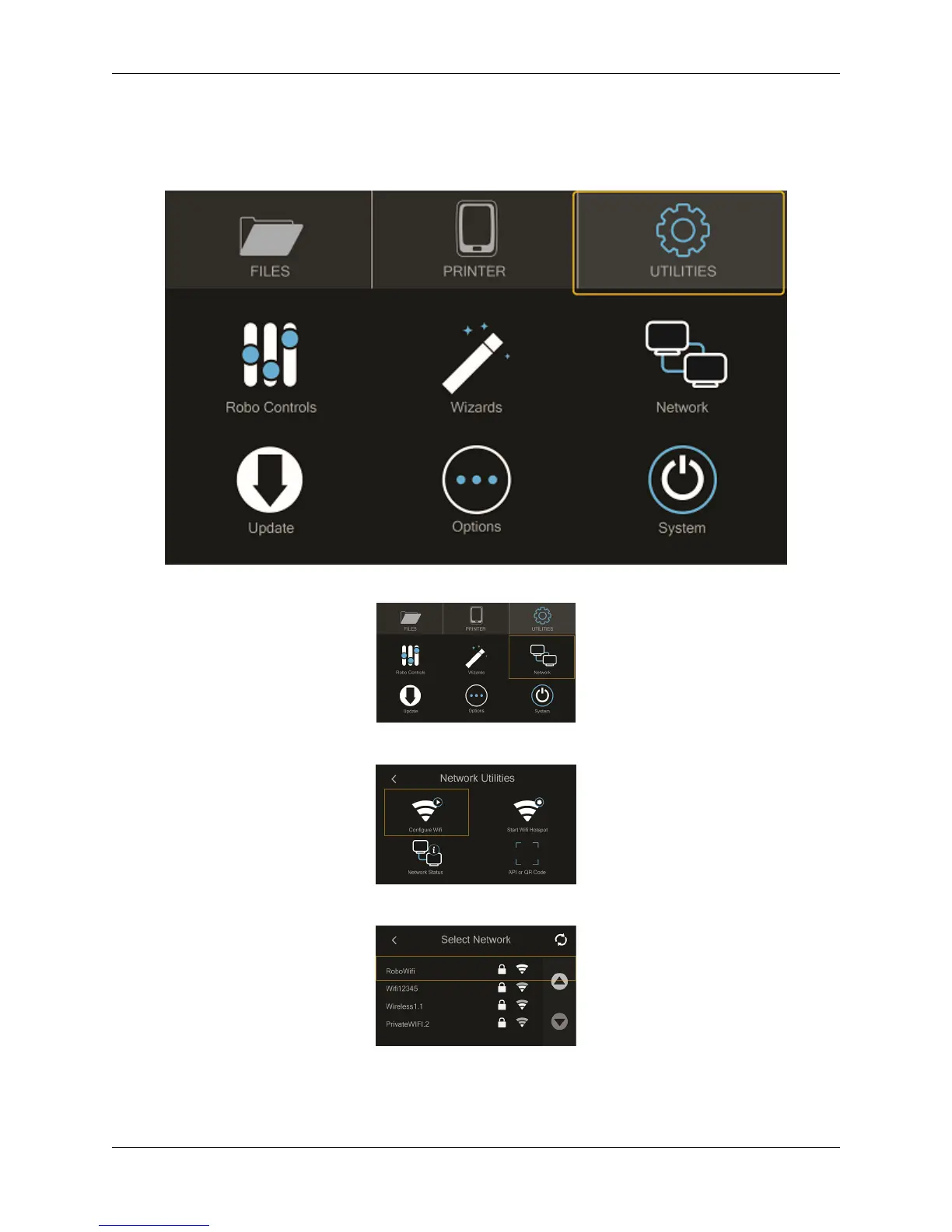
• To begin connecting to your Wi-Fi network, Select ‘Utilities’ on home screen.
• Select ‘Network’.
• Select ‘Configure WIFI’.
• Then select your Wi-Fi network and use the on-screen keyboard to enter your password.
• Once you’re done, select CONNECT.
24 Chapter 2. Operation



 To Next Page