C2 User Manual, Release 1.0.0
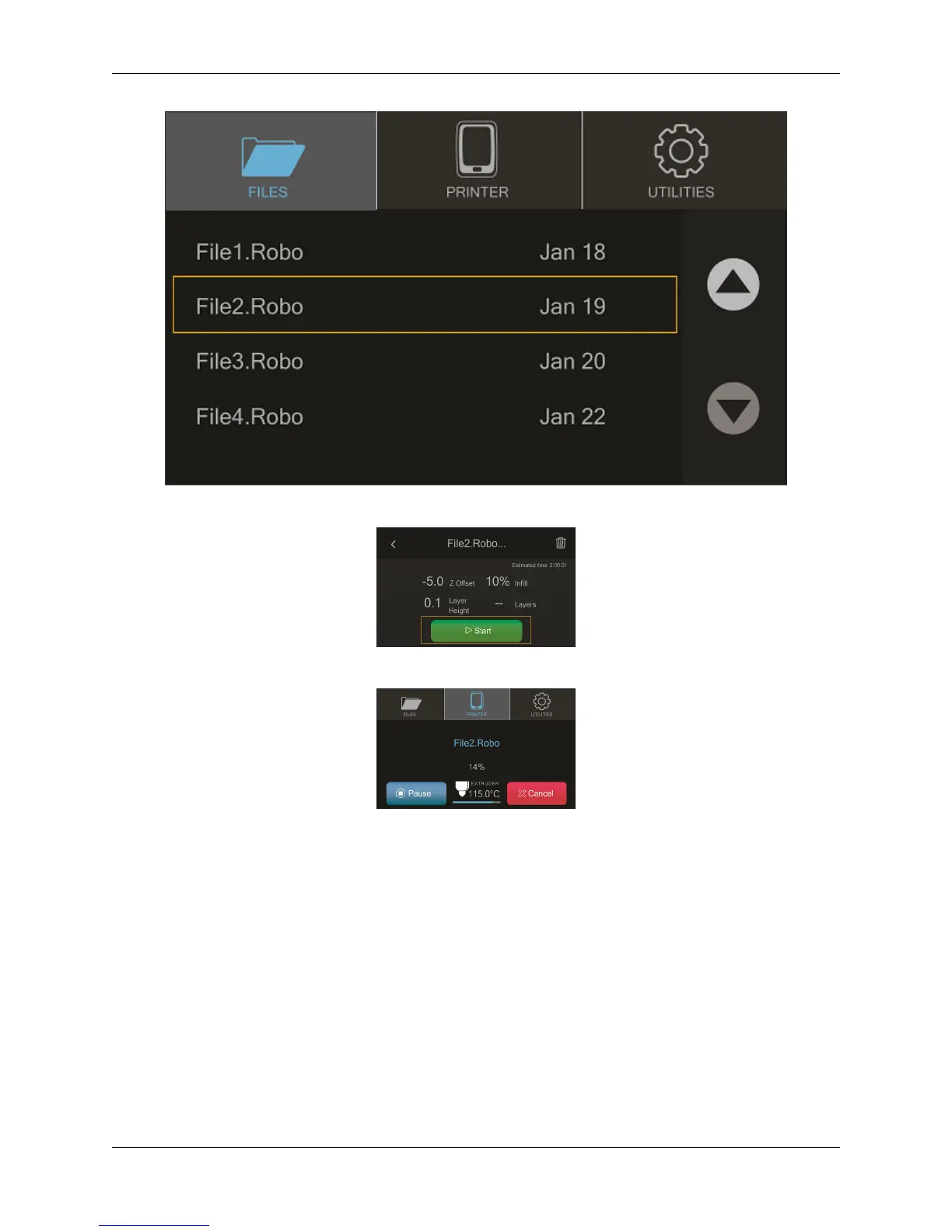
Now select ‘Start’ to print - and be sure to wait several second while the Robo C2 prepares to print the file
Note; you can select ‘Pause’ to pause your print, or you can select ‘Cancel’ to cancel your print
Note; you can change the nozzle temperature by pressing on the extruder and adding in your desired temperture
Starting a print from a USB flash drive
1. Insert the USB flash drive into the usb slot on the front of the printer
2. Select ‘Files’ from the home screen
3. Select which file you would like to print
4. Next, you can choose whether or not you would like to download the file directly to the printer or print
directly from the usb
5. Finally, select ‘Start’ to start the print
2.4. Start a print 21



 To Next Page