C2 User Manual, Release 1.0.0
1. Loading a model
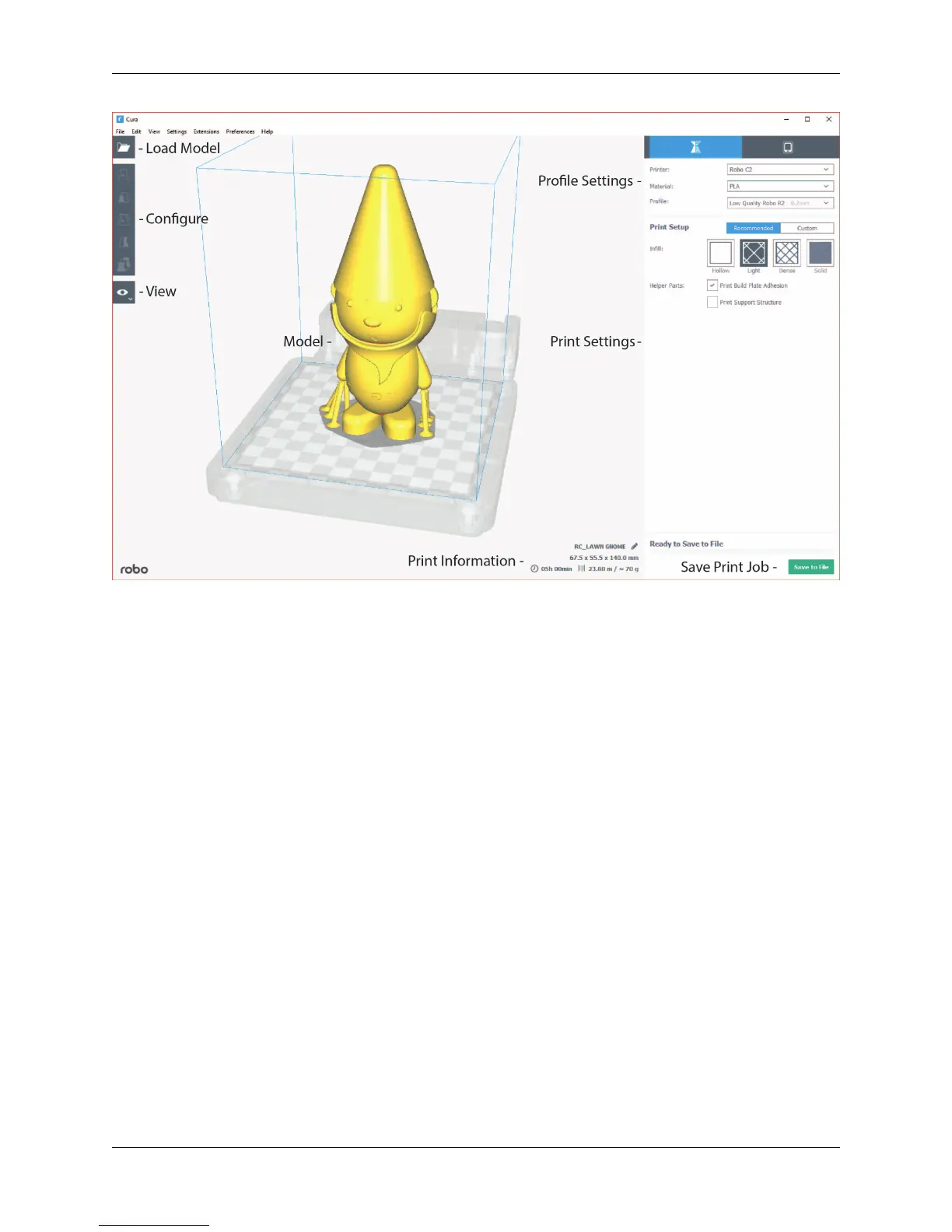
• Click on the ‘Open File’ icon at the top left of the screen. Find your .stl file you would like to load and click
‘open’. Once this is done, the model should appear on the build platform in the main viewer.
2. Selecting Material
• Once your model is loaded, the next option you will need to select is your material. Make sure the material you
select is the same one that is loaded into your printer.
3. Selecting a Profile
• Next, click on the dropdown menu marked ‘Profile’.
• Here, you will see different profile settings that will determine the quality of your print.
• Select the profile desired - Low, Medium, High, Ultra High Quality.
5.1. Get Started 61



 To Next Page