Publication 1769-UM002B-EN-P - July 2005
B-8 Module Addressing and Configuration with MicroLogix 1500
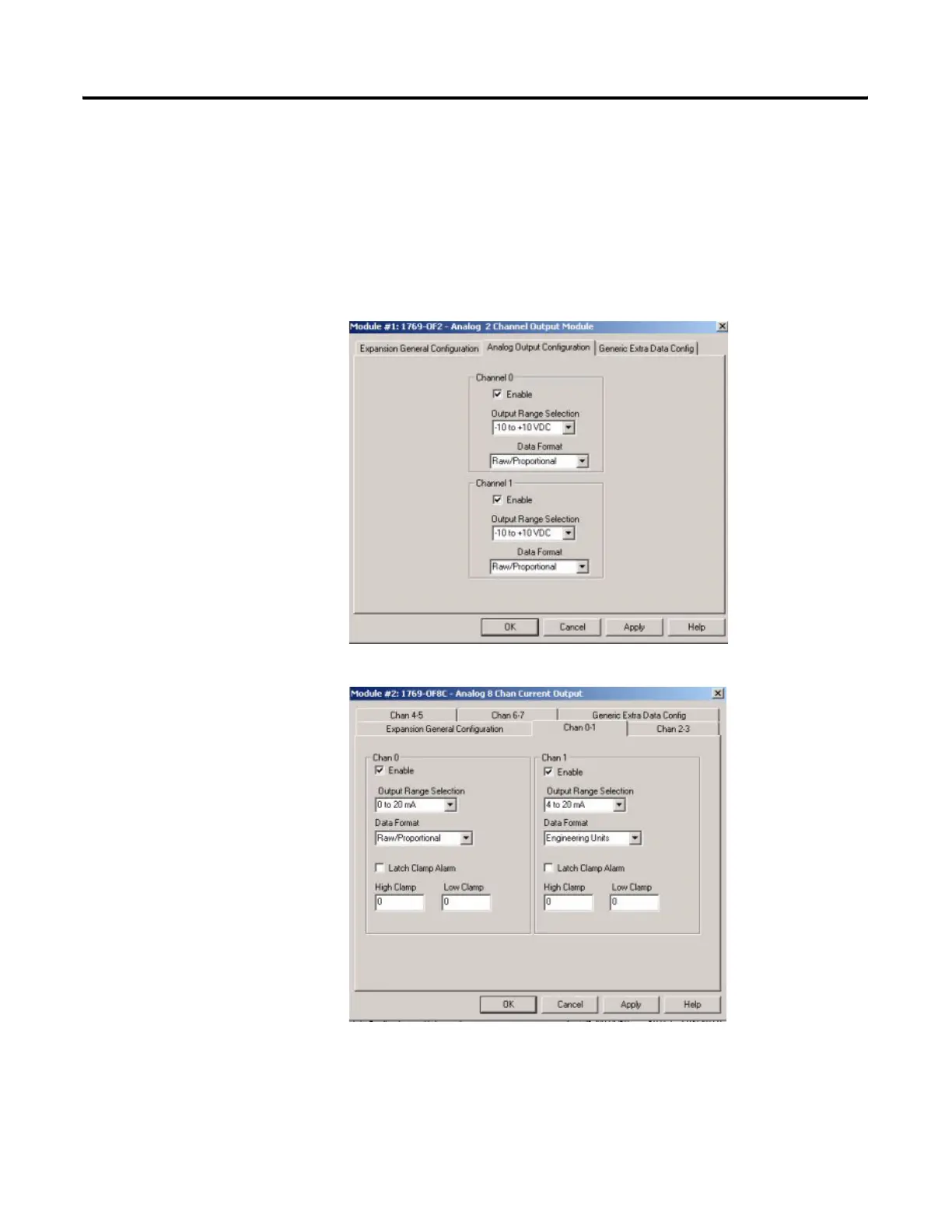
Analog Output Configuration
Both of the output words (channels) are enabled by default. To enable a
channel, click its Enable box so that a check mark appears in it. For optimum
module performance, disable any channel that is not hardwired to a real input.
Then, choose your Filter Frequency, Input Range, and Data Format for each
channel.


 To Next Page
 Loading...