Publication 1769-UM002B-EN-P - July 2005
Configuring Modules in a Remote DeviceNet System with a 1769-ADN DeviceNet Adapter D-7
Configure the 1769-OF8C
Output Module Example
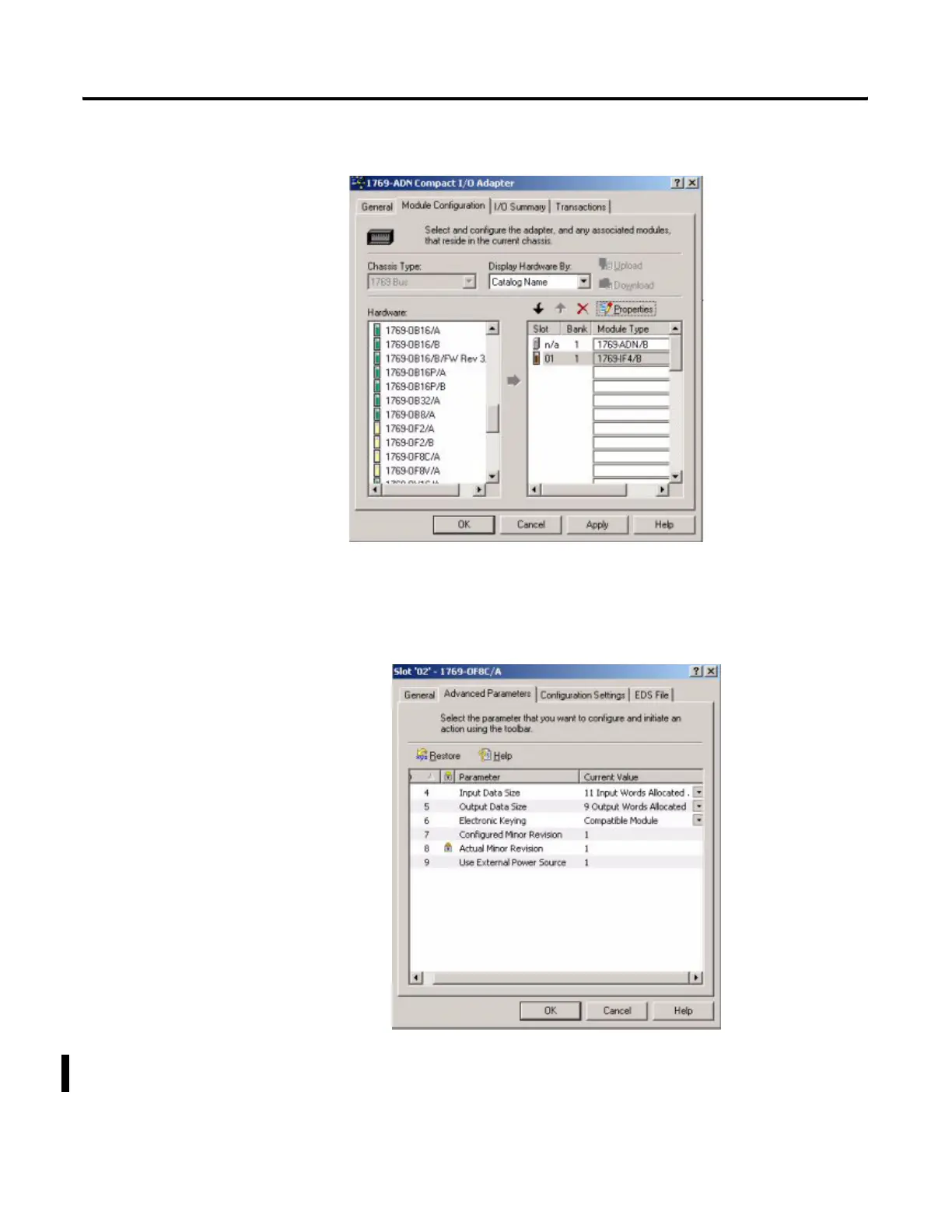
After leaving the 1769-IF4 configuration screen, the I/O Bank 1 screen for the
1769-ADN adapter should look like the following:
1. Just as you did for the 1769-IF4 module, click on the drop-down arrow
next to the empty slot and this time choose the 1769-OF8C.
2. Click on the Slot 2 button that appears to the right of the 1769-OF8C
module.
By default, the 1769-OF8C module contains eleven input words and
nine output words.


 To Next Page
 Loading...