Publication 1769-UM002B-EN-P - July 2005
D-2 Configuring Modules in a Remote DeviceNet System with a 1769-ADN DeviceNet Adapter
Add the DeviceNet Adapter
to the Scanlist
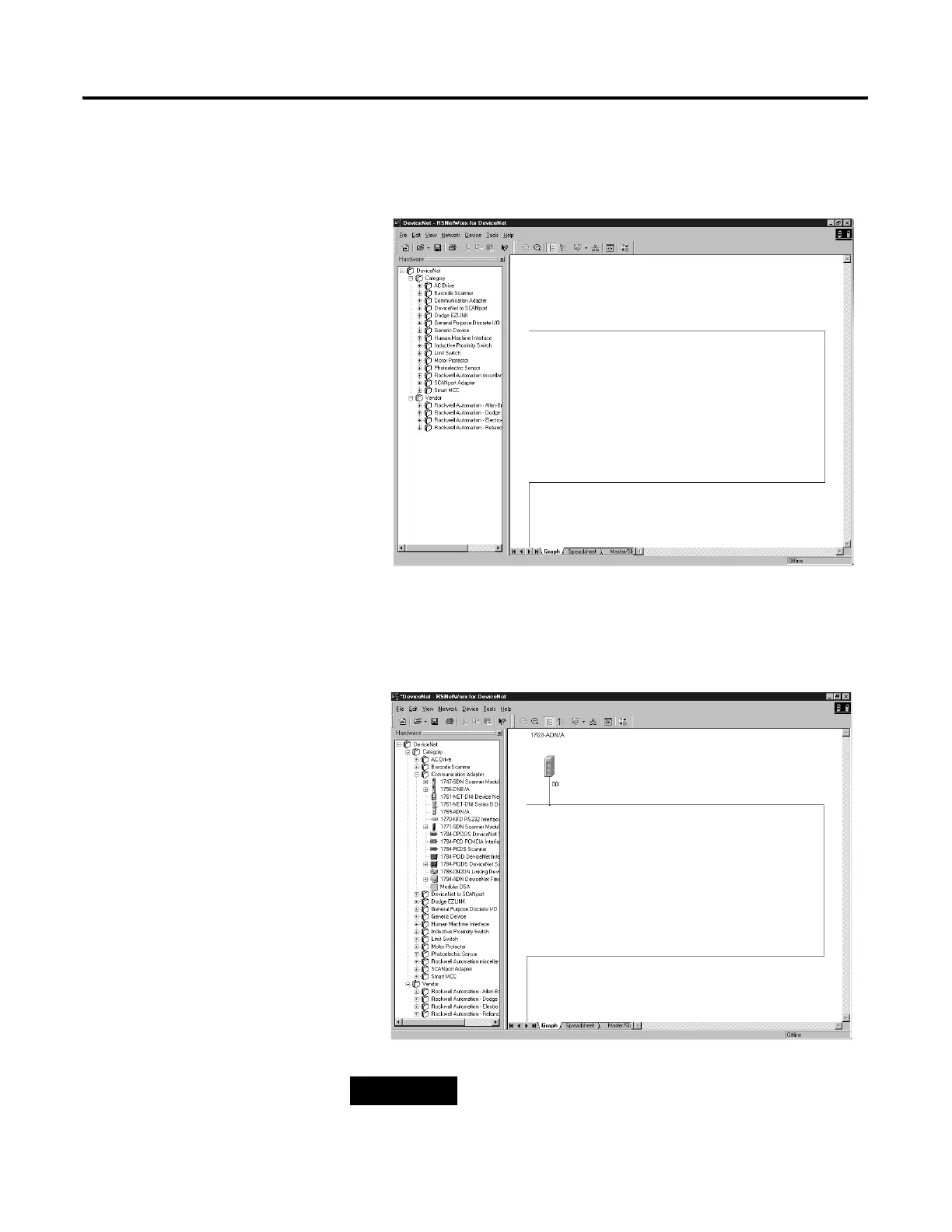
In this part of the example, the 1769-ADN adapter is added to the DeviceNet
scanner’s scanlist.
1. Start the RSNetWorx for DeviceNet software.
2. In the left column under Category, click the + sign next to
Communication Adapters.
3. In the list of products, double-click the 1769-ADN to place it on the
network.
TIP
If 1769-ADN is not an option, you have an earlier version
of RSNetWorx for DeviceNet software.


 To Next Page
 Loading...