Chapter 2 Getting Started
5 TS4240 User’s Guide
Setting the Language
You can select the cash register to use English, Spanish, or French.
Important
Not all versions of the cash register support multiple languages, call Royal at
1-800-243-4002 for more information.
Changing the language changes the factory programmed words you and
the customer see on the displays. However, changing the language does
not translate any words you program in the cash register, such as PLU
descriptions, header information, and so on.
Note
If you start programming the cash register and then change the language,
you lose all your programming changes.
To set the language when you first set up the cash register
406 -- OptionsSystem Options Settings
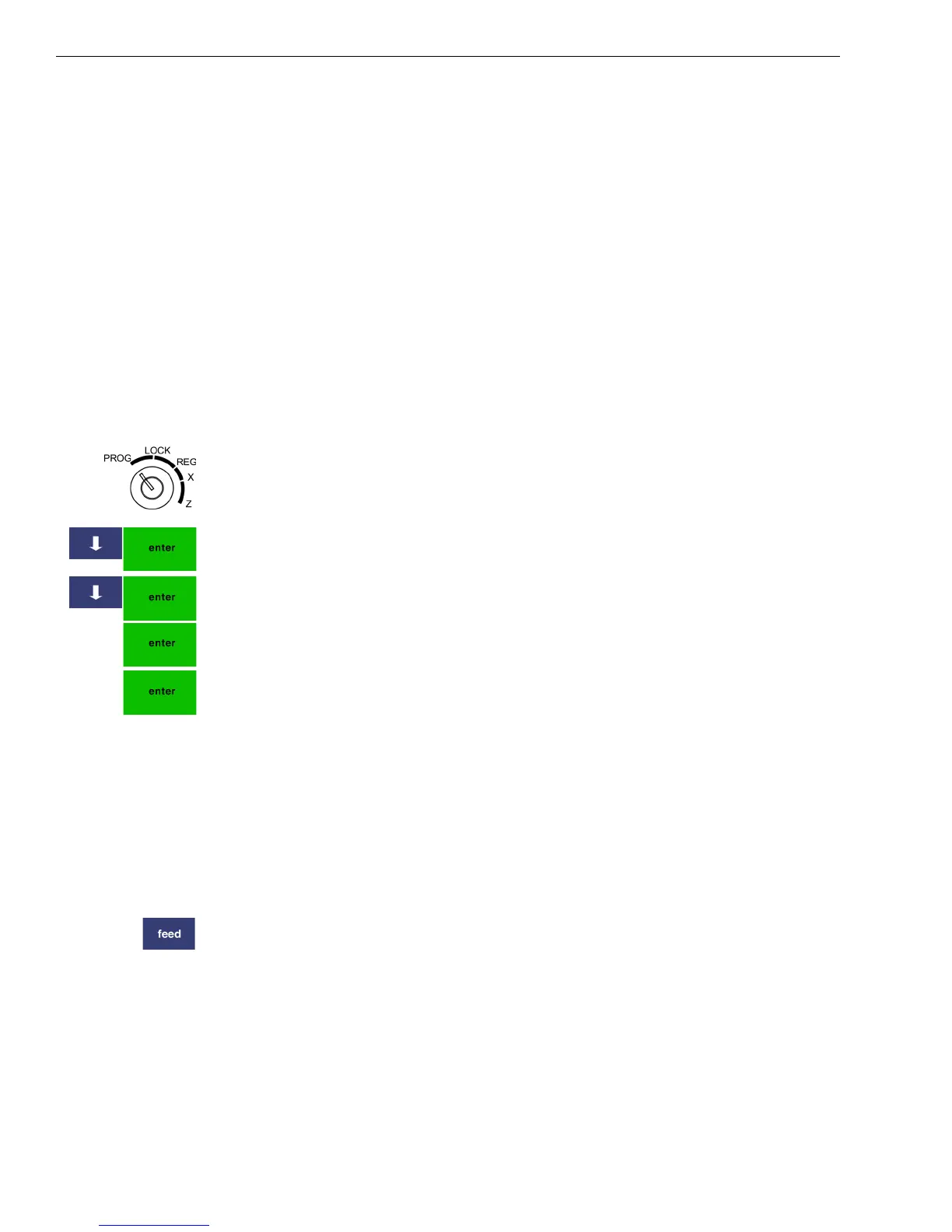
1 Put the MGR key in the Mode key slot and turn it to the PROG
position.
2 Press the Arrow Down key to select 406 -- Options. Press Enter.
3 Press the Arrow Down key to select System Options. Press Enter.
4 Select System Configuration Settings. Press Enter.
5 Select Language. Press Enter.
6 Select the language you want using the pop-up box. The language shown
on the displays is set to the language you selected.
Installing the Paper Roll
Your cash register has a separate thermal printer that prints receipts for
the customer. Use 2¼ inch (57.5 mm) wide standard thermal register
paper. Do not use bond paper because the register does not use a ribbon
or ink for printing.
Caution
Do not manually pull the receipt paper. Always use the Feed key to
remove or advance the paper. Do not use sharp or pointed instruments in
the printer. This can seriously damage the printer.



 To Next Page