Chapter 8 Programming Complex Tax Rates
79 TS4240 User’s Guide
Using Canadian Tax Rates
If you are in Canada, this cash register can be set for Canadian tax rates.
If you are using Canadian tax rates, you see the following 4 tax rate
options:
For each tax rate (GST, and each PST), in addition to setting the tax
percentage rate, you can also set a “tax limit”. Set this amount when
setting the tax percentage amount. Just follow the instructions on the
screen.
You can also set Tax-On-Tax or Piggy Back Tax.
To set the cash register to GST/PST (Canadian tax) format
406 -- OptionsSystem Configuration SettingTax System
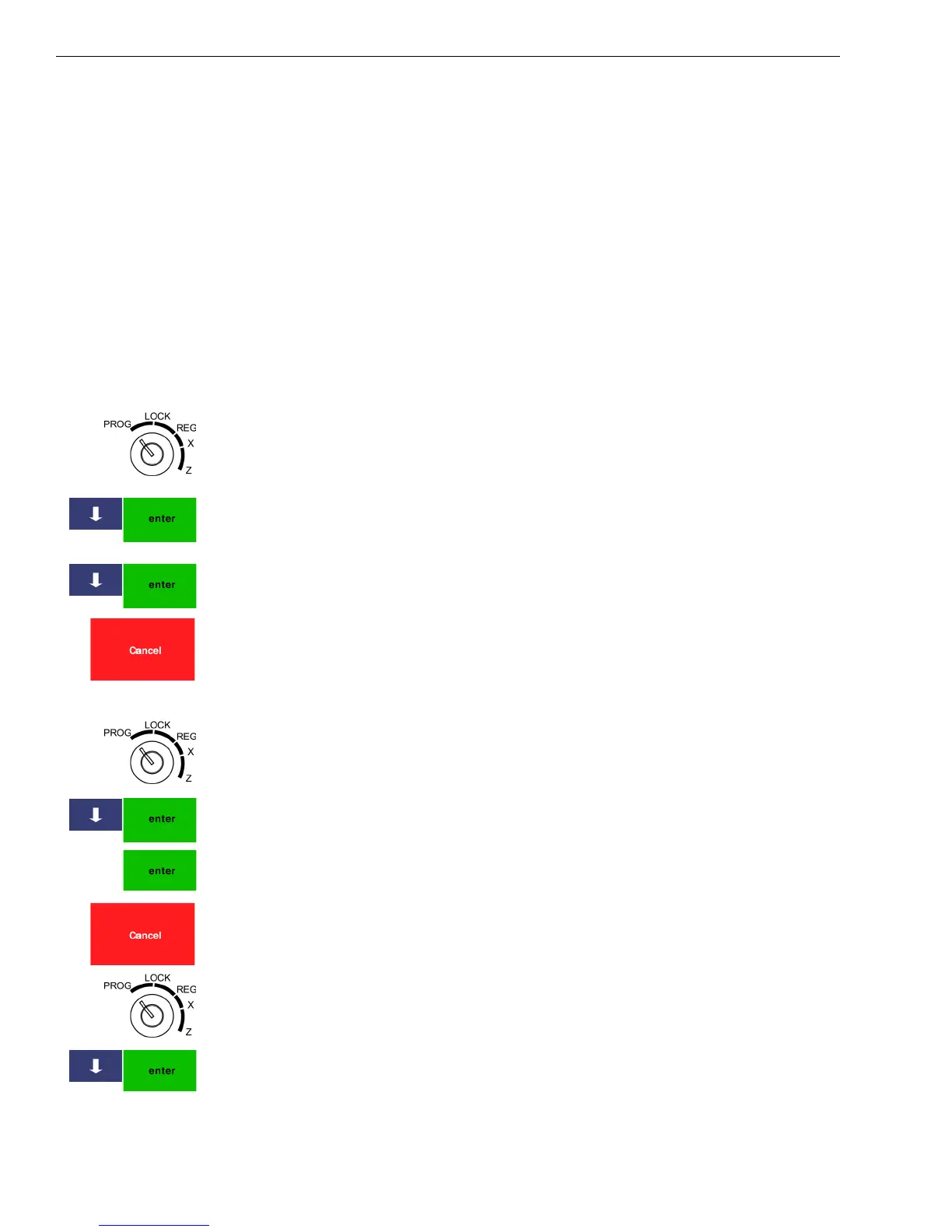
1 Put the MGR key in the Mode key slot and turn it to the PROG
position. If prompted, enter the Manager passcode and press Enter.
2 Press the Arrow Down key to select 406 -- Options. Press Enter.
3 Press the Arrow Down key to select System Configuration Setting. Press
Enter.
4 Press the Arrow Down key to select Tax System. Press Enter.
5 Select G ST-P ST.
6 When you are done, press Cancel.
To set Canadian tax rates
404 -- Tax Setting
1 Put the MGR key in the Mode key slot and turn it to the PROG
position. If prompted, enter the Manager passcode and press Enter.
2 Press the Arrow Down key to select 404 -- Tax Setting. Press Enter.
3 Select the item you want to program. Press Enter.
4 Select the rate or limit amount to be changed and press Enter.
5 Follow the instructions on the screen.
6 When you are done, press the Cancel key.
To set Tax-on-Tax
1 Put the MGR key in the Mode key slot and turn it to the PROG
position. If prompted, enter the Manager passcode and press Enter.
2 Press the Arrow Down key to select 404 -- Tax Setting. Press Enter.
3
Press the Arrow Down key to select Tax Limit. Press Enter.
• GST • PST1
• PST2 • PST3



 To Next Page