Chapter 7 Ringing up Sales and Using Training Mode
63 TS4240 User’s Guide
Ringing up Sales with a PLU Number
You can ring up a sale for an item that has a PLU number programmed.
To ring up a straight cash sale with a PLU number and not using the barcode
reader
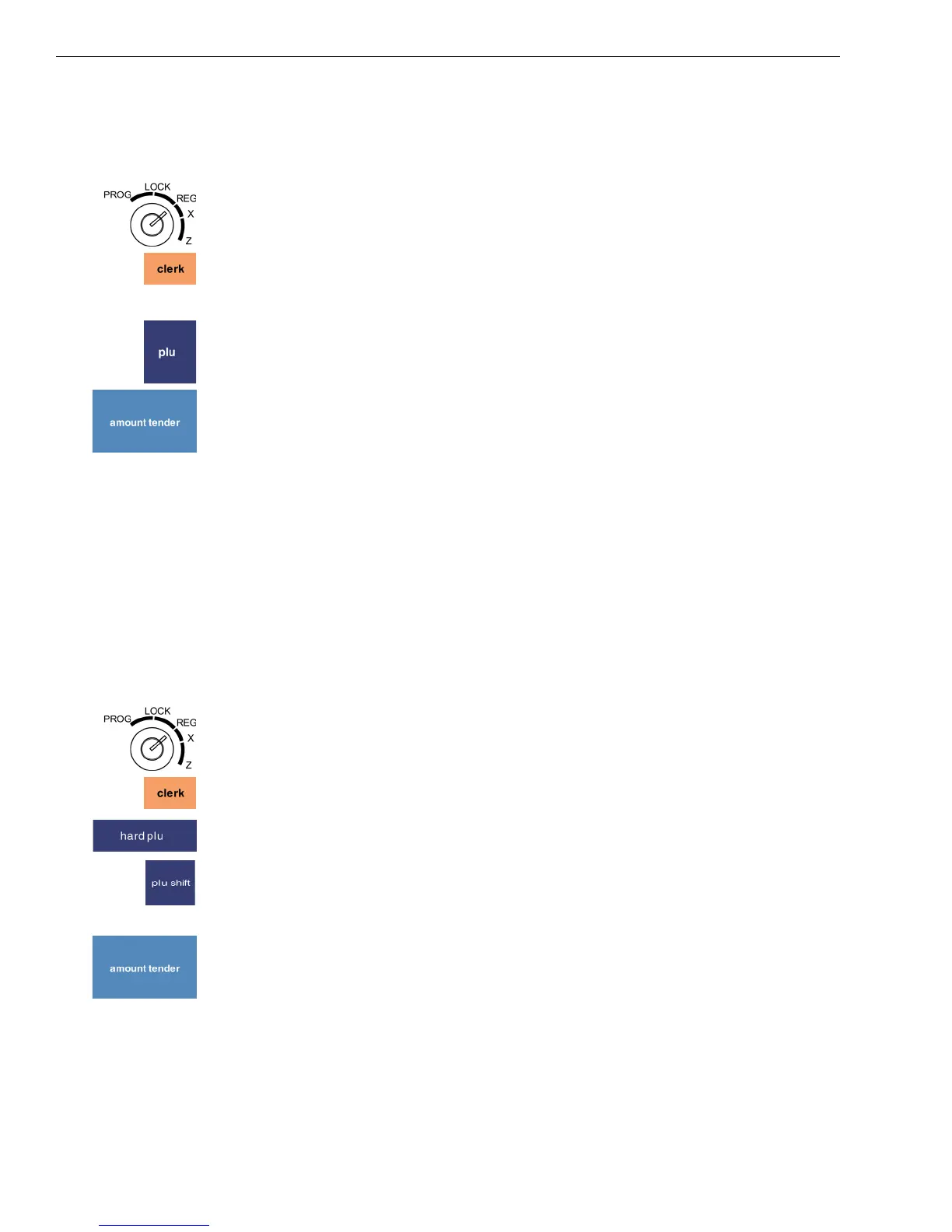
1 Put the REG key in the Mode key slot and turn it to the Reg position.
2 If the clerk numbers are set, press the four digit passcode and then press
the Clerk key.
3 Using the Number keys, enter the PLU number of the first item.
4 Press the PLU key.
Repeat for the rest of the items.
5 When you are done ringing up items, press the Amount Tender key. The
cash drawer opens and the receipt prints.
6 Make any change needed and place the money you are given in the cash
drawer.
7 Close the cash drawer.
8 Give the customer the receipt, if the cash register is set to print receipts.
You are ready to ring up another sale.
Ringing up Sales with a Direct PLU Key
You can ring up a sale for a programmed item that has a direct PLU key
linked to it.
To ring up a straight cash sale with a direct PLU key
1 Put the REG key in the Mode key slot and turn it to the Reg position.
2 If the clerk numbers are set, press the four digit passcode and then press
the Clerk key.
3 Press the Hard PLU key.
4 Select the PLU you want. To see more direct PLUs, press the plu shift
key or press the Prev Page or Next Page keys.
Repeat for the rest of the items.
5 When you are done ringing up items, press the Amount Tender key. The
cash drawer opens and the receipt prints.
6 Make any change needed and place the money you are given in the cash
drawer. Close the cash drawer.
7 Give the customer the receipt, if the cash register is set to print receipts.
You are ready to ring up another sale.



 To Next Page