Chapter 6 Navigating Your Cash Register Parameters
49 TS4240 User’s Guide
406 Options
Printing Parameters Settings
The Print Parameters menu includes the options listed in this section.
To open the Print Options menu
406 -- OptionsPrinting Parameter Settings
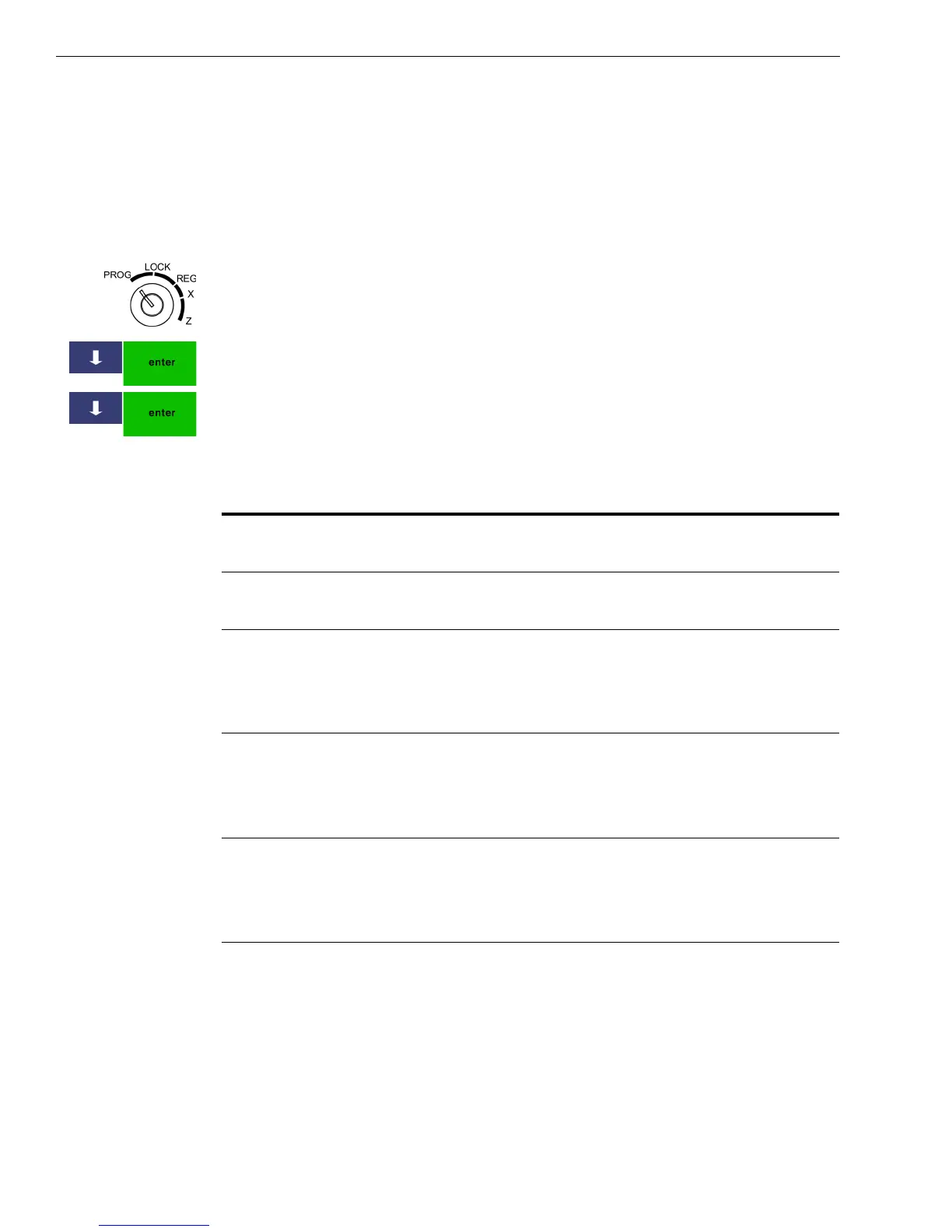
1 Put the MGR key in the Mode key slot and turn it to the PROG
position. If prompted, enter the Manager passcode and press Enter.
2 Press the Arrow Down key to select 406 -- Options. Press Enter.
3 Press the Arrow Down key to select Print Parameters Settings. Press
Enter.
These options are available.
Table 5 Printing parameters options
Option Description
Print Date on Receipt Specifies if the Date prints on the customer
receipt.
Print Time on Receipt Specifies if the Time prints on the customer
receipt.
Print Clerk on Receipt Specifies if a Clerk name prints on the
customer receipt. For information about
setting clerk names, see Using the Clerk
System on page 30.
Print Header on Receipt Specifies if the Header prints on the
customer receipt. For more information
about header messages, see Setting Header
Messages and Footer Messages on page 25.
Print Footer on Receipt Specifies if the Footer prints on the customer
receipt. For more information about footer
messages, see Setting Header Messages and
Footer Messages on page 25.



 To Next Page