TS4240 User’s Guide 20
Using the Cash Drawer
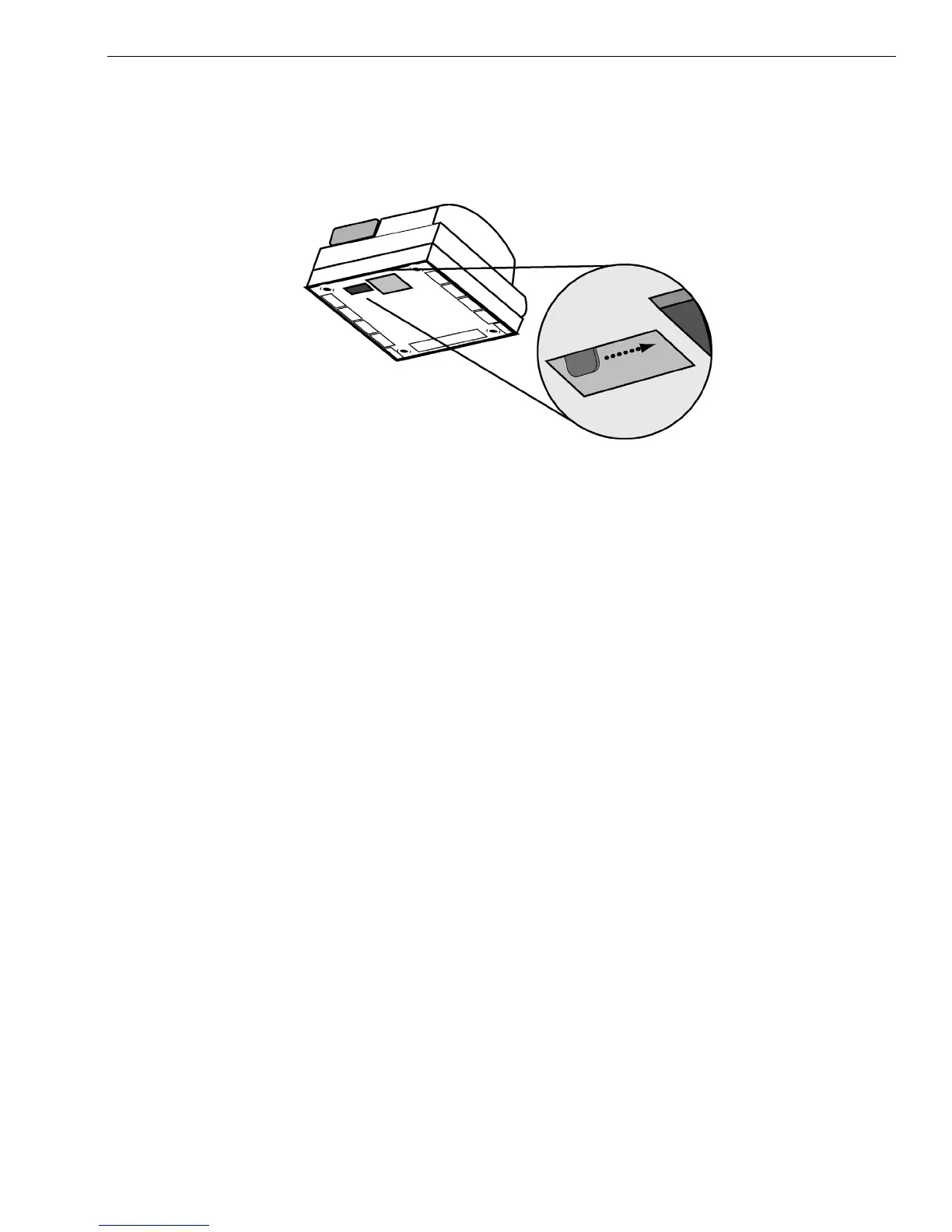
To open the cash drawer using the emergency lever
1 With your hands on the cash drawer, carefully tip the front of the register
up. Make sure you support the touch screen. Underneath the cash
register, toward the back of the register, you see a small lever.
2 Push the lever in the only direction it will move. The cash drawer opens.
If the cash drawer will not open, make sure it is not locked with the 777
Drawer key.



 To Next Page