Chapter 4 Setting Up Your Cash Register - the Basics
31 TS4240 User’s Guide
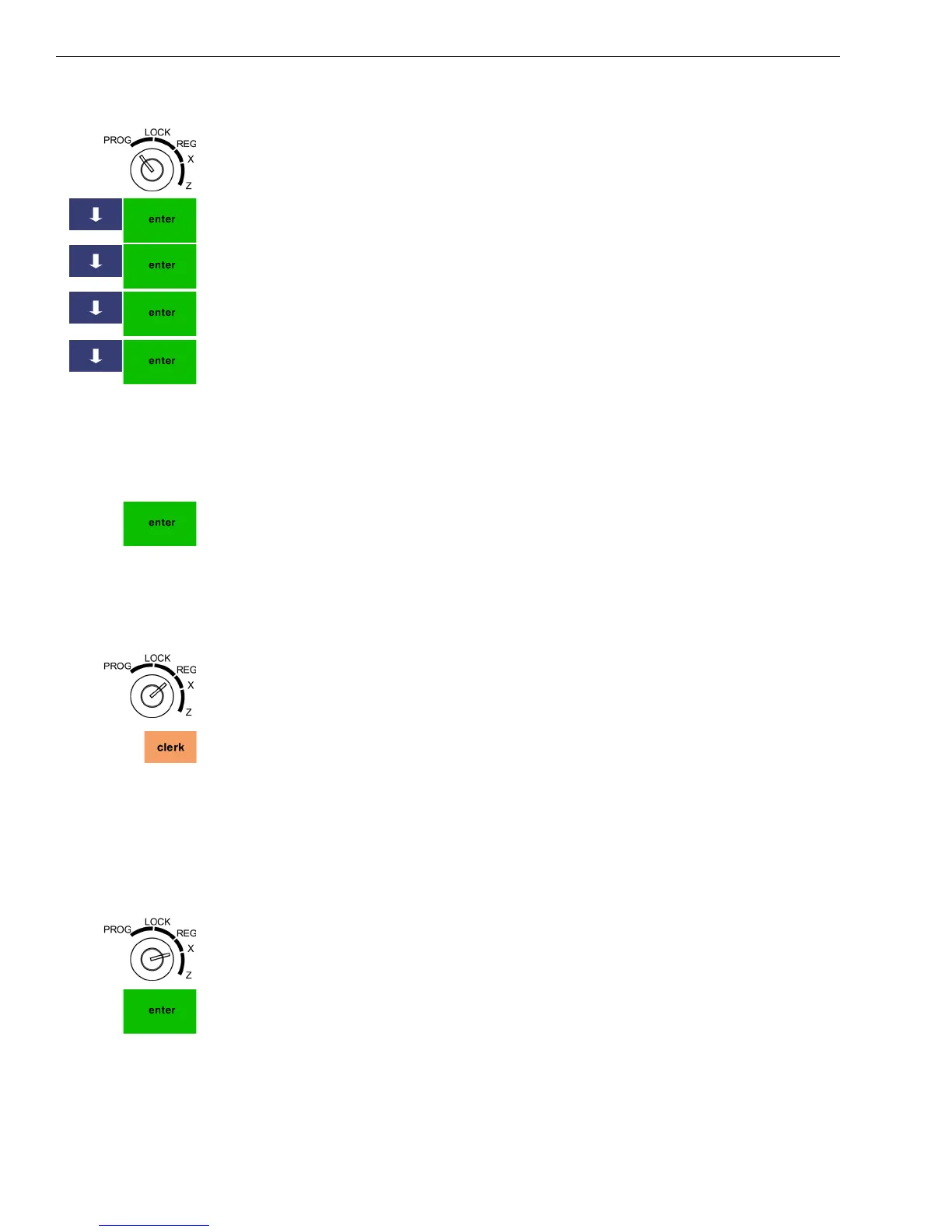
To set manager passcodes (also known as PRG/Z passcodes)
406 -- OptionsSystem Configuration SettingPasscode Setting
1 Put the MGR key in the Mode key slot and turn it to the PROG
position.
2 Press the Arrow Down key to select 406 -- Options. Press Enter.
3 Press the Arrow Down key to select System Configuration Setting. Press
Enter.
4 Press the Arrow Down key to select Passcode Setting. Press Enter.
5 Press the Arrow Down key to select X passcode or P&Z passcode. Press
the Enter key
6 Follow the instructions on the screen.
To use the Super Manager Passcode
1 Put the MGR key in the Mode key slot and turn it to either the Prog or Z
position.
2 At the prompt, enter 26060030 and press Enter.
You have access to all options available in that mode.
Caution
Only use the Super Manager passcode in “emergency” situations, such as
when the manager passcode is lost.
To use the Super Clerk Passcode
1 Put the MGR key in the Mode key slot and turn it to the Reg position.
2 At the prompt, enter 2606 and press clerk.
You are logged in as Clerk #40 and all transactions you perform are
registered as Clerk #40.
Caution
Only use the Super Clerk passcode in “emergency” situations, such as when
a clerk passcode is lost and a table is still open.
To use the X mode passcode after it is activated
Example 2: Go to the X mode, using the X Passcode 121212
1 Put the MGR key in the Mode key slot and turn it to the X position.
2 At the prompt, enter the 6 digit X mode passcode and press Enter.
3 You are now ready to run and view X Reports.



 To Next Page