5- Information / Configuration
Page 5-70 F@ST 4310 Reference Manual
Sagemcom Broadband SAS document. Reproduction and disclosure prohibited
Add
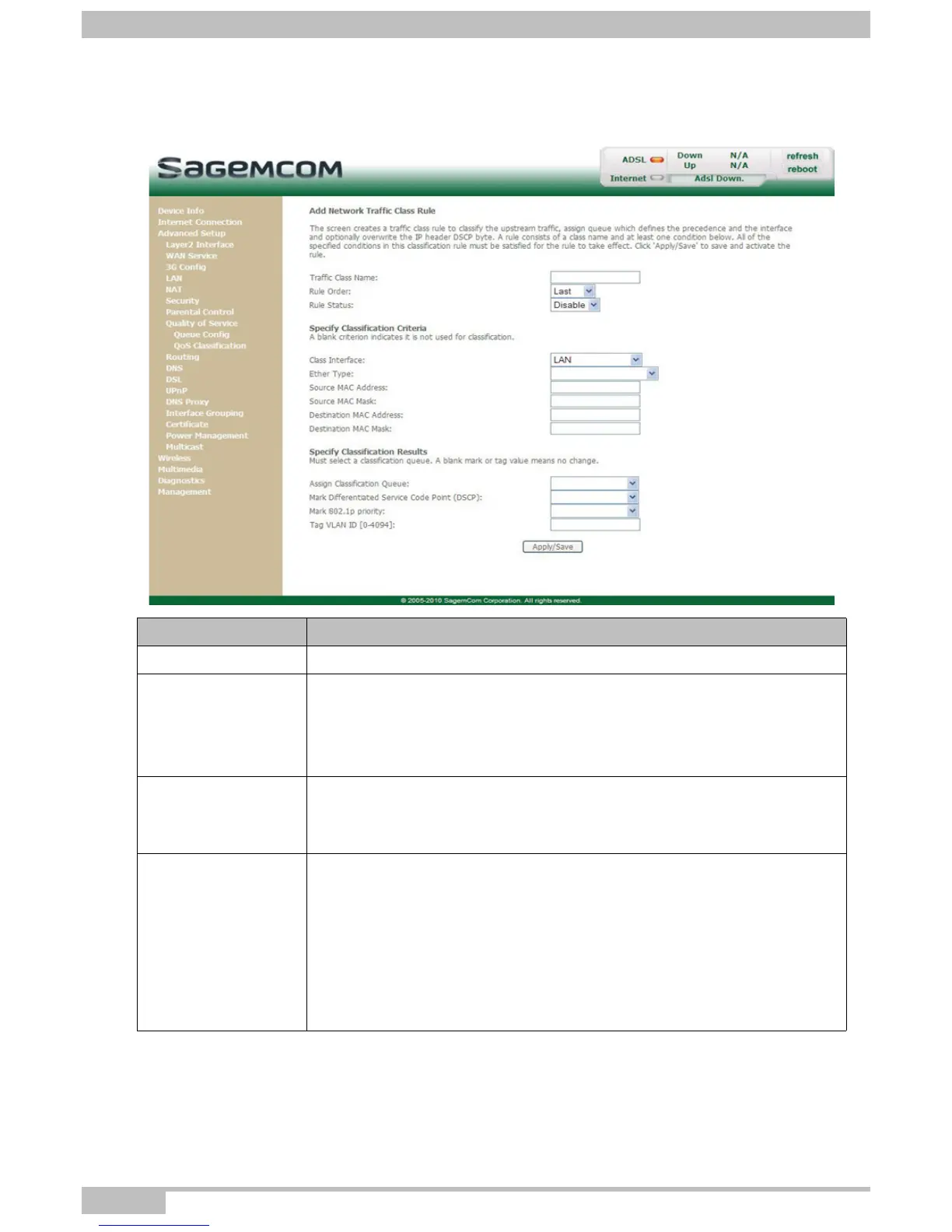
• Click on the Add button to display the following screen:
Field Action
Traffic Class Name Enter a name for the traffic class you want to create.
Rule Order
Select from the scroll down list:
• Blank
• Last
• Number: Number allotted by the system to the existing rules
Rule Status
Select from the scroll down list:
• Disable: QoS disabled for this static class rule
• Enable: QoS enabled for this static class rule
Class Interface
Select from the scroll down list:
• LAN
• WAN
• Local
• ipoa1
• pp1/atm0
• ...



 To Next Page