4.7
Section 4
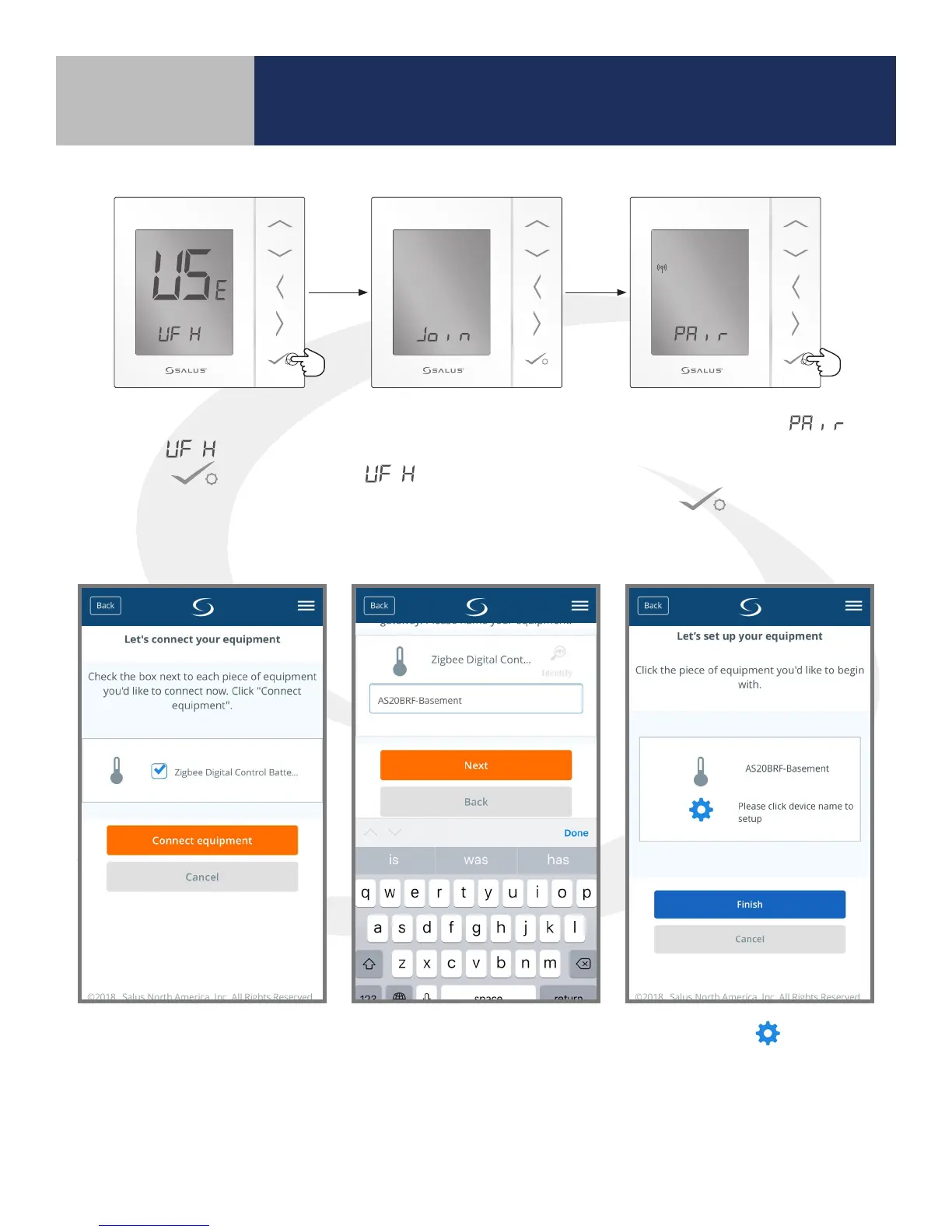
8. When pairing begins, the AS20WRF/BRF Thermostat
displays at the bottom of the screen. Press
conrm to continue. The selection is
used for all of the Wiring Centers.
9. When the screen reads
it will be visible in the SALUS
Smart Home application. Pressing
conrm to proceed with
the AS20WRF/BRF Thermostat
setup.
10. Select the Zigbee Digital
Control Thermostat,
checking the box. Press
the “Connect equipment”
button.
11. Give each thermostat a
descriptive name that
dierentiates it from others
in the network and press
“Next”.
12. Pressing the icon
advances to thermostat
setup. However, this can be
completed later. “Finish” to
complete the connection to
the wireless network.
Device Pairing & Setup
with Internet Connection



 To Next Page